
MitUp – Event & Conference WordPress Theme
100% Original fileUnmodified copy of the developer's release
DeveloperThemeForest
Up to dateOriginal released May 5, 2026 · File last updated Nov 21, 2026
About this product
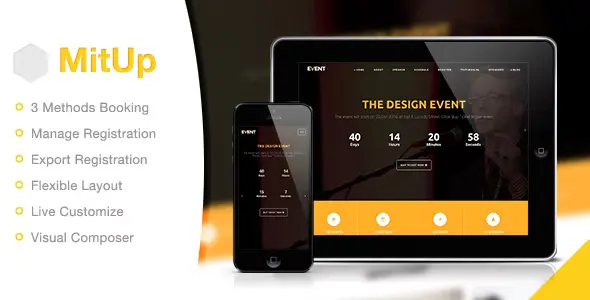
MitUp Theme 1.3.8 is a WordPress theme for event websites: conferences, meet-ups, seminars, ceremonies and training courses that need a schedule, a speaker line-up, sponsor logos and a way for people to sign up. It suits organisers who want attendees to register on the site itself, with the sign-ups listed in the WordPress admin, and it also works as a plain company site for a firm that hosts events. You build pages with the bundled WPBakery Page Builder, and the developer ships demo content you can import to start from a finished layout instead of a blank page. Styling happens in the live customizer, so you can change colours and fonts without touching code.
How to install MitUp Theme
- Log in to GPLGuide, open this product and click Download under Your downloads.
- In your WordPress dashboard go to Appearance, Themes, Add New Theme, Upload Theme, choose the ZIP you downloaded and click Install Now.
- Click Activate when the upload finishes so MitUp becomes your active theme.
- Install and activate WPBakery Page Builder next. The theme bundles it and every demo page is built with it, so pages stay empty until it runs.
- Use the theme's Import Demo Data option to load the demo pages and events, then choose how attendees register: a PayPal form, a free form or Eventbrite. Registrations then appear in the admin, where you can export them as CSV.
Features & capabilities
- Attendee registration through PayPal, a free form or an Eventbrite link, with a reCAPTCHA option on the form.
- Registration list in the WordPress admin with CSV export and an editable confirmation email template.
- Countdown timer for the event start date.
- Wide or boxed layout, with a left, right, full-width or no-sidebar choice per page and post.
- Unlimited colours set in the live customizer, plus Google Fonts.
- Demo content to import so you start from a finished event site.
- Works with Contact Form 7 for contact pages and with MailChimp for newsletter sign-ups.
- Translation ready with .pot files and compatible with WPML.
- Responsive layout built on Bootstrap 3 with HTML5 and CSS3.
Frequently asked questions
Is this the original file?
Yes. Every product on GPLGuide is the developer’s own release, unchanged. The license key comes already activated. If a product does ask for a key, the activation steps appear on its page once you have it.
Is it legal to use a GPL plugin or theme from GPLGuide?
Yes. WordPress plugins and themes are released under the GPL, which lets anyone use, share and change the code. The developer’s support desk and the developer’s own update service are not part of the file; those stay with the developer.
How do I install it?
Log in, open the product page and click Download under Your downloads. For a plugin go to Plugins, Add New Plugin, Upload Plugin, choose the ZIP, then Install Now and Activate. For a theme go to Appearance, Themes, Add New Theme, Upload Theme.
How do updates work?
When a newer version is listed on GPLGuide, download it from the product page and upload it over the installed copy; WordPress offers to replace the old version. Updates are manual.
Can I use it on more than one site?
Yes. The GPL lets you use it on as many of your own sites as you like.
What if the file does not work or a newer version is out?
Tell us on the Request Item page or through Support. We check the file and add the newer version when we have it.