
CSS Igniter Moment WordPress Theme
100% Original fileUnmodified copy of the developer's release
DeveloperCSSIgniter
Up to dateOriginal released Jan 23, 2023 · File last updated Oct 25, 2026
About this product
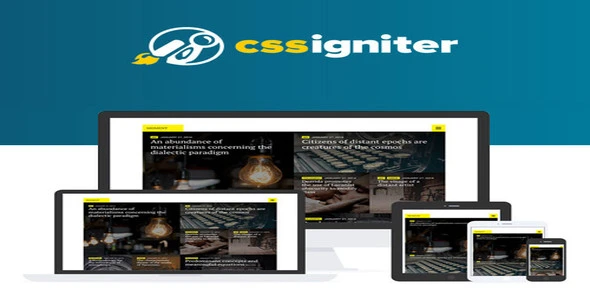
Moment Theme 1.6.1 is a WordPress theme for bloggers and personal sites, built around a masonry homepage where posts sit as tiles that rearrange across screen sizes. It suits writers who want each post to have its own look, because every post can pick one of four layouts and its own tile width. This is the classic Moment line, which keeps its options on its own settings page under Appearance, not the developer's later rebuild that depends on a separate framework plugin. The developer provides a sample content file that you download from the theme's settings page.
How to install Moment Theme
- Log in to GPLGuide, open this product and click Download under Your downloads.
- In your WordPress dashboard go to Appearance, Themes, Add New Theme, click Upload Theme and choose the theme ZIP. The developer lists this release as compatible with WordPress 6.1 or newer.
- Click Install Now, then Activate. WordPress then sends you to the theme's settings page under Appearance, where the logo, custom background, color scheme and custom CSS are set.
- Under Pages, Add New, create a page named Home and pick Homepage Template in the Page attributes panel, then create a page named Blog. In Settings, Reading, set Home as the static front page and Blog as the posts page.
- Under Appearance, Menus, build your menu and tick Main menu under Menu Settings, or assign it in the Manage Locations tab.
- For the demo content, open the theme's settings page, go to Site Options, scroll to the bottom, click the Download sample content link and unzip the file. The developer suggests a fresh WordPress install for this.
- Go to Tools, Import, WordPress (install the importer if WordPress asks), upload the XML file, assign the authors to an existing user, tick the import attachments box and run the import.
Features & capabilities
- Masonry homepage, with a normal square, double square, wide, tall or random tile width chosen for each post.
- Four single post layouts: content left, content right, or centered with a fixed width or full width featured image.
- Quote boxes made by wrapping text in a blockquote with a cite tag for the author.
- Site-wide color scheme on the settings page, which a single post can override with its own.
- Settings page options for logo, custom background and custom CSS.
- Uses the native WordPress Site Icon rather than its own favicon options.
- Classic widget editor by default, with a checkbox under Site Options, Other to turn the block widgets editor back on.
- About Me widget with a button to pick its image from the media library.
- Block editor styles, and post format and page template meta boxes that work inside the block editor.
Frequently asked questions
Is this the original file?
Yes. Every product on GPLGuide is the developer’s own release, unchanged. The license key comes already activated. If a product does ask for a key, the activation steps appear on its page once you have it.
Is it legal to use a GPL plugin or theme from GPLGuide?
Yes. WordPress plugins and themes are released under the GPL, which lets anyone use, share and change the code. The developer’s support desk and the developer’s own update service are not part of the file; those stay with the developer.
How do I install it?
Log in, open the product page and click Download under Your downloads. For a plugin go to Plugins, Add New Plugin, Upload Plugin, choose the ZIP, then Install Now and Activate. For a theme go to Appearance, Themes, Add New Theme, Upload Theme.
How do updates work?
When a newer version is listed on GPLGuide, download it from the product page and upload it over the installed copy; WordPress offers to replace the old version. Updates are manual.
Can I use it on more than one site?
Yes. The GPL lets you use it on as many of your own sites as you like.
What if the file does not work or a newer version is out?
Tell us on the Request Item page or through Support. We check the file and add the newer version when we have it.