
Point of Sale System for WooCommerce – POS Plugin
100% Original fileUnmodified copy of the developer's release
DeveloperWebkul
Up to dateOriginal released Oct 14, 2025 · File last updated Oct 29, 2026
About this product
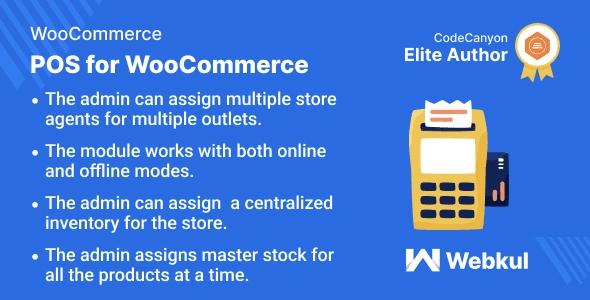
Point of Sale System for WooCommerce 6.6.0 lets you sell in a physical store from the same catalogue, stock and customer list as your online shop. It suits retailers with one or more counters, market stalls, cafes and pop-up stores that want till sales to land as normal WooCommerce orders instead of keeping a separate register. Cashiers work in a browser based POS screen where they search or scan products, pick a customer and take payment, while you set up outlets, cashiers, stock and reports from the Point of Sale menu in the WordPress sidebar. Sales made while the connection drops are kept and synced back to WooCommerce once the store is online again.
How to install Point of Sale System for WooCommerce
- Install and activate WooCommerce under Plugins, Add New Plugin; the developer's guide asks for WordPress 6.5, WooCommerce 9.1 and PHP 7.4 or higher.
- Set up your products, payment methods and shipping in WooCommerce first, as the developer's guide recommends before using the POS.
- Log in to GPLGuide, open this product and click Download under Your downloads.
- In WordPress go to Plugins, Add New Plugin, Upload Plugin, choose the ZIP, click Install Now, then Activate.
- Open Point of Sale, Settings in the WordPress sidebar to set the general options, then add your outlets and cashier accounts.
Features & capabilities
- Multiple outlets, each with its own cashiers and assigned products.
- POS master stock kept apart from the online WooCommerce stock when you want it.
- Product search by name, SKU or barcode, including variations by barcode.
- Offline sales that sync to WooCommerce when the connection returns.
- Reports section with filters by cashier and drawer reports per outlet.
- Pinned products, out of stock badges and a custom order prefix for POS orders.
- Customer search by billing phone and order status changes from the POS screen.
- Receipts sent automatically or by hand over WhatsApp, plus auto print settings per user.
- Custom CSS and JavaScript fields, colour settings, HPOS and multisite support.
Frequently asked questions
Is this the original file?
Yes. Every product on GPLGuide is the developer’s own release, unchanged. The license key comes already activated. If a product does ask for a key, the activation steps appear on its page once you have it.
Is it legal to use a GPL plugin or theme from GPLGuide?
Yes. WordPress plugins and themes are released under the GPL, which lets anyone use, share and change the code. The developer’s support desk and the developer’s own update service are not part of the file; those stay with the developer.
How do I install it?
Log in, open the product page and click Download under Your downloads. For a plugin go to Plugins, Add New Plugin, Upload Plugin, choose the ZIP, then Install Now and Activate. For a theme go to Appearance, Themes, Add New Theme, Upload Theme.
How do updates work?
When a newer version is listed on GPLGuide, download it from the product page and upload it over the installed copy; WordPress offers to replace the old version. Updates are manual.
Can I use it on more than one site?
Yes. The GPL lets you use it on as many of your own sites as you like.
What if the file does not work or a newer version is out?
Tell us on the Request Item page or through Support. We check the file and add the newer version when we have it.


