Real Spaces – WordPress Real Estate Theme
100% Original fileUnmodified copy of the developer's release
Developerimithemes
Up to dateOriginal released Jul 15, 2024 · File last updated Oct 29, 2026
About this product
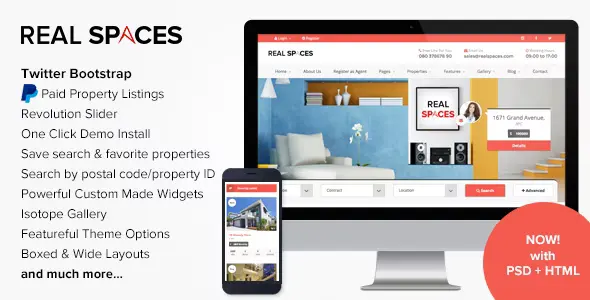
Real Spaces Theme 3.2.3 is a WordPress theme for property directories and real estate offices where agents, owners and even buyers can add listings from the front end. It suits an agency or a local listings site that wants visitors to search by city, price and amenities, contact the agent from the property page, and in some cases pay before a listing goes live. Everything runs from the WordPress dashboard and one Theme Options panel, so you don't need code to change fields, currency or maps. The developer ships it with the theme's core plugin, a slider plugin, plugins for favourite properties and paid listings, and demo data with a one click importer.
How to install Real Spaces Theme
- Check your site first: the developer's changelog lists this release as compatible with WordPress 6.5.5 and with PHP 8.3.
- Log in to GPLGuide, open this product and click Download under Your downloads.
- In WordPress go to Appearance, Themes, Add New Theme, Upload Theme, choose the ZIP, click Install Now, then Activate.
- Install and activate the theme's core plugin, because the property, agent and search functions live in that plugin rather than in the theme.
- Run the one click demo import if you want the demo layout, then set currency, map API key, submission fields and property options under Theme Options, Property Options and the other Theme Options tabs.
Features & capabilities
- Front end property submission, with an option to let buyers submit as well
- Choose whether new properties go live at once or wait as drafts
- Paid listings with PayPal and a pricing table where one plan can be highlighted
- Search form with drag and drop fields, price ranges and a city list that follows the chosen state or province
- Search by property ID, postal code or address, plus saved searches for later
- Agent profiles managed from the front end, with a banner image and a link to all of an agent's properties
- Agent contact form on every property page
- Google Maps with a zoom level per property and an API key field in Theme Options
- Currency symbol, symbol position and thousands comma set in Theme Options
- List and grid property views, boxed or wide layout and 10 prebuilt colour schemes
Frequently asked questions
Is this the original file?
Yes. Every product on GPLGuide is the developer’s own release, unchanged. The license key comes already activated. If a product does ask for a key, the activation steps appear on its page once you have it.
Is it legal to use a GPL plugin or theme from GPLGuide?
Yes. WordPress plugins and themes are released under the GPL, which lets anyone use, share and change the code. The developer’s support desk and the developer’s own update service are not part of the file; those stay with the developer.
How do I install it?
Log in, open the product page and click Download under Your downloads. For a plugin go to Plugins, Add New Plugin, Upload Plugin, choose the ZIP, then Install Now and Activate. For a theme go to Appearance, Themes, Add New Theme, Upload Theme.
How do updates work?
When a newer version is listed on GPLGuide, download it from the product page and upload it over the installed copy; WordPress offers to replace the old version. Updates are manual.
Can I use it on more than one site?
Yes. The GPL lets you use it on as many of your own sites as you like.
What if the file does not work or a newer version is out?
Tell us on the Request Item page or through Support. We check the file and add the newer version when we have it.