
Revolution Multimedia Gallery - Wordpress & WooCommerce Plugin
100% Original fileUnmodified copy of the developer's release
DeveloperFWDesign
Up to dateFile last updated Oct 30, 2026
About this product
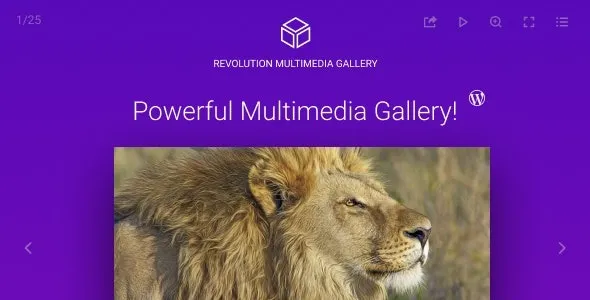
Revolution Multimedia Gallery 4.0 is a responsive gallery plugin for WordPress and WooCommerce. It suits portfolio sites, music and video pages, and shops that want product pages to show photos, clips and audio together instead of one static image. Items can be images, self-hosted audio and video, YouTube or Vimeo links, streams, PDFs and more, grouped into categories. You build galleries in the plugin's own manager, save your look as a preset, and then drop the gallery into any page, post or product description with the shortcode the plugin gives you.
How to install Revolution Multimedia Gallery
- Install and activate WooCommerce under Plugins, Add New Plugin if you want galleries on product pages. The gallery also runs as a plain WordPress plugin.
- Log in to GPLGuide, open this product and click Download under Your downloads.
- In WordPress go to Plugins, Add New Plugin, Upload Plugin, then choose the plugin ZIP from your download.
- Click Install Now, and when the install finishes click Activate Plugin.
- Open the plugin's general settings tab, create a preset with the look you want, and build your first gallery and its categories in the galleries manager.
- Paste the plugin's shortcode into a page, a post or a WooCommerce product description. Page builders such as Elementor and WPBakery can take the same shortcode.
Features & capabilities
- Mixes images, audio, video, YouTube, Vimeo, Google Drive and Dropbox items in one gallery.
- Plays HLS and DASH streams, plus Shoutcast and Icecast radio streams.
- Shows PDF files, Google Maps, HTML content and iframes as gallery items.
- Detects the media type from the URL, so you do not pick it by hand.
- Galleries manager with categories, sub-galleries and a select-box category menu.
- Presets let you save a set of options and reuse it on other galleries.
- Responsive, fluid-width and fullscreen display types.
- Slideshow with autoplay, keyboard shortcuts, drag and swipe, and deeplinking to single items.
- Built-in video and audio player with subtitles and Chromecast support.
Frequently asked questions
Is this the original file?
Yes. Every product on GPLGuide is the developer’s own release, unchanged. The license key comes already activated. If a product does ask for a key, the activation steps appear on its page once you have it.
Is it legal to use a GPL plugin or theme from GPLGuide?
Yes. WordPress plugins and themes are released under the GPL, which lets anyone use, share and change the code. The developer’s support desk and the developer’s own update service are not part of the file; those stay with the developer.
How do I install it?
Log in, open the product page and click Download under Your downloads. For a plugin go to Plugins, Add New Plugin, Upload Plugin, choose the ZIP, then Install Now and Activate. For a theme go to Appearance, Themes, Add New Theme, Upload Theme.
How do updates work?
When a newer version is listed on GPLGuide, download it from the product page and upload it over the installed copy; WordPress offers to replace the old version. Updates are manual.
Can I use it on more than one site?
Yes. The GPL lets you use it on as many of your own sites as you like.
What if the file does not work or a newer version is out?
Tell us on the Request Item page or through Support. We check the file and add the newer version when we have it.


