
RnB WooCommerce Rental & Bookings System
100% Original fileUnmodified copy of the developer's release
DeveloperRedQ
Up to dateFile last updated Oct 27, 2026
About this product
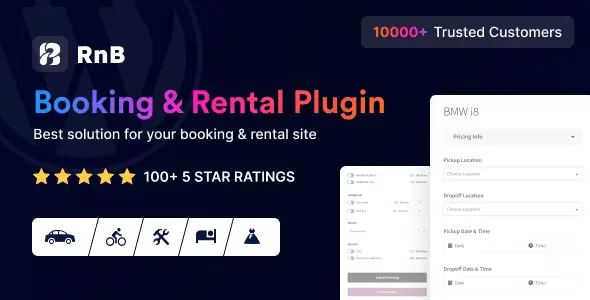
RnB WooCommerce Booking & Rental 18.0.9 turns WooCommerce products into items customers rent by the day or by the hour. It suits shops that hire things out rather than sell them: car and bike hire, equipment and tool rental, dress or costume rental and similar businesses that need pickup and return dates, deposits and live availability in one booking form. Instead of a plain quantity box, the product page shows a booking form with a calendar, pickup and return fields and a price summary, and the order then goes through the normal WooCommerce checkout. In the dashboard you add products with the rental product type, manage stock under an Inventory menu in the WordPress sidebar and set shop-wide rules under WooCommerce, Settings.
How to install RnB WooCommerce Booking & Rental
- If your site doesn't run WooCommerce yet, install and activate it under Plugins, Add New Plugin. This booking plugin is a WooCommerce extension and needs it active first.
- Log in to GPLGuide, open this product and click Download under Your downloads.
- In your WordPress dashboard go to Plugins, Add New Plugin, Upload Plugin, choose the ZIP, click Install Now, then Activate.
- If the booking calendar does not open on a product page, check the developer's FAQ. It lists fixes for a clash with another plugin's date and time picker and for themes that show skeleton loading screens.
- Open WooCommerce, Settings and the RnB Settings tab to set the global Display, Label, Conditions and Validations rules. Each product can override them with its own local settings.
Features & capabilities
- A rental product type that sits beside the standard WooCommerce types without clashing.
- Day based and hourly pricing, with four pricing plan types for rates that change with rental length.
- Discounts on longer rentals as a fixed amount or a percentage.
- Several inventory items under one product, each with its own availability, such as three bikes of one model.
- Payable and free attributes like persons, resources and pickup or return locations.
- Security deposits and a choice of full or partial payment at checkout.
- Holiday closures, opening and closing hours, and minimum and maximum booking days.
- Distance based pricing per kilometre or mile, with a map layout that works out the cost in a pop-up.
- Request For Quote and hourly booking layouts with calendar blocking.
- Google Calendar integration, and translation files with WPML support.
Frequently asked questions
Is this the original file?
Yes. Every product on GPLGuide is the developer’s own release, unchanged. The license key comes already activated. If a product does ask for a key, the activation steps appear on its page once you have it.
Is it legal to use a GPL plugin or theme from GPLGuide?
Yes. WordPress plugins and themes are released under the GPL, which lets anyone use, share and change the code. The developer’s support desk and the developer’s own update service are not part of the file; those stay with the developer.
How do I install it?
Log in, open the product page and click Download under Your downloads. For a plugin go to Plugins, Add New Plugin, Upload Plugin, choose the ZIP, then Install Now and Activate. For a theme go to Appearance, Themes, Add New Theme, Upload Theme.
How do updates work?
When a newer version is listed on GPLGuide, download it from the product page and upload it over the installed copy; WordPress offers to replace the old version. Updates are manual.
Can I use it on more than one site?
Yes. The GPL lets you use it on as many of your own sites as you like.
What if the file does not work or a newer version is out?
Tell us on the Request Item page or through Support. We check the file and add the newer version when we have it.


