Shipping Details Plugin for WooCommerce
100% Original fileUnmodified copy of the developer's release
DeveloperPatSaTECH
Up to dateOriginal released Sep 6, 2025 · File last updated Oct 23, 2026
About this product
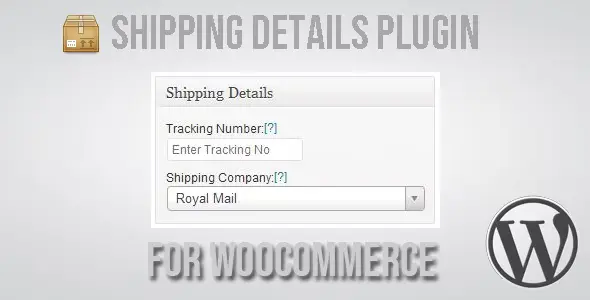
Shipping Details Plugin for WooCommerce 1.8.0.8 adds shipment tracking to the orders you already handle in WooCommerce. It's for shops that send physical goods with a postal service or courier and keep answering the same customer question: where is my parcel? You enter the tracking number on the order and pick the carrier, and the customer gets a link that opens that carrier's own tracking page. It fits a small store that ships everything with one local courier just as well as a shop that splits big orders into several parcels.
What's in the Shipping Details Plugin for WooCommerce download
Our download is the original Shipping Details Plugin for WooCommerce ZIP for version 1.8.0.8, with the license key already activated. The plugin comes with a long built-in carrier list that runs from DHL, FedEx, UPS, USPS, TNT and Royal Mail to Canada Post, Australia Post, Deutsche Post, PostNL, BlueDart, DTDC and Aramex. It also has In-Person Pickup and No Tracking choices for orders that don't travel with a tracked service.
Good to know
You need a working WooCommerce store. The developer lists the plugin for WooCommerce 5 through 9 and WordPress 4.9 through 6.8, and this release added support for WooCommerce's High-Performance Order Storage. Tracking only shows up in the customer emails WooCommerce sends after you've entered the number, so earlier emails won't carry it. To change how those emails look, you edit WooCommerce's own email templates. If your courier isn't listed, add it as a custom carrier with its tracking web address and a placeholder where the number goes.
How to install Shipping Details Plugin for WooCommerce
- If the site doesn't run WooCommerce yet, install and activate it first under Plugins, Add New Plugin.
- Log in to GPLGuide, open this product and click Download under Your downloads.
- In your WordPress dashboard go to Plugins, Add New Plugin, Upload Plugin, choose the plugin ZIP and click Install Now.
- Click Activate Plugin once WordPress has finished installing it.
- Open an order under WooCommerce, Orders and add the tracking number, courier and shipping date in the plugin's box on the order screen.
Features & capabilities
- Up to 50 tracking numbers on one order, each with its own courier
- Shipment groups such as Main Package, Fragile Items or Express Delivery, plus groups you name yourself
- Custom carriers for local couriers, built from a tracking URL template
- A shipping date field for every shipment you record
- A tracking column in the WooCommerce orders list
- Bulk actions to switch courier or group, or remove tracking, across many orders at once
- Tracking links in customer order emails and on the order page
Frequently asked questions
Is this the original file?
Yes. Every product on GPLGuide is the developer’s own release, unchanged. The license key comes already activated. If a product does ask for a key, the activation steps appear on its page once you have it.
Is it legal to use a GPL plugin or theme from GPLGuide?
Yes. WordPress plugins and themes are released under the GPL, which lets anyone use, share and change the code. The developer’s support desk and the developer’s own update service are not part of the file; those stay with the developer.
How do I install it?
Log in, open the product page and click Download under Your downloads. For a plugin go to Plugins, Add New Plugin, Upload Plugin, choose the ZIP, then Install Now and Activate. For a theme go to Appearance, Themes, Add New Theme, Upload Theme.
How do updates work?
When a newer version is listed on GPLGuide, download it from the product page and upload it over the installed copy; WordPress offers to replace the old version. Updates are manual.
Can I use it on more than one site?
Yes. The GPL lets you use it on as many of your own sites as you like.
What if the file does not work or a newer version is out?
Tell us on the Request Item page or through Support. We check the file and add the newer version when we have it.