
WebToffee Smart Coupons for WooCommerce
100% Original fileUnmodified copy of the developer's release
DeveloperWebToffee
Up to dateOriginal released Jun 4, 2026 · File last updated Oct 29, 2026
About this product
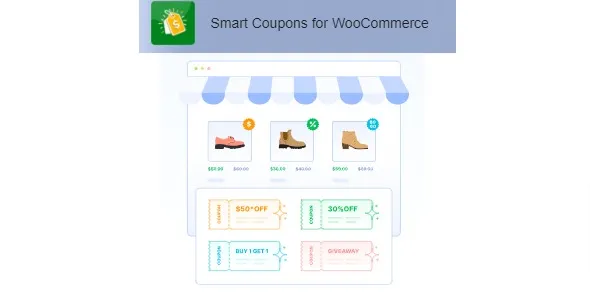
Smart Coupons for WooCommerce 3.9.0 extends the standard WooCommerce coupon screen with promotions that the default coupons cannot do. It suits shops that run buy one get one offers, sell gift cards, give store credit, or want discounts to apply by themselves when the cart qualifies. You create and manage coupons from the Smart Coupons menu in the WordPress sidebar, and shoppers see them as banners on product pages and as applied labels in the cart and checkout. Coupons can also carry restrictions, schedules and bulk generation, so a store with frequent campaigns can run them from one place.
How to install Smart Coupons for WooCommerce
- Install and activate WooCommerce under Plugins, Add New Plugin. The developer lists WooCommerce 4.0 or higher, WordPress 6.0 or higher and PHP 7.0 or higher.
- Log in to GPLGuide, open this product and click Download under Your downloads.
- In WordPress go to Plugins, Add New Plugin, Upload Plugin and choose the plugin ZIP. If the download holds more than one ZIP, unzip it on the computer first and upload the plugin ZIP. Click Install Now, then Activate.
- Open Smart Coupons in the WordPress sidebar to create your first coupon. Coupon import from a CSV file is under Smart Coupons, Import coupons.
Features & capabilities
- Buy X get Y coupons, including tiered offers
- Usage restrictions by cart value, products, categories, customer details, location, payment or shipping method
- Restriction by excluded product attributes
- Gift cards and store credit
- Coupons that apply automatically or with a click
- Bulk coupon generation and CSV import and export
- Scheduling by date, time or weekday, with countdown banners
- Coupon banners on product pages and an Applied label on coupons in the cart and checkout
- Product link shown on the gift coupon edit page
- Shortcodes to show coupons on other pages
Frequently asked questions
Is this the original file?
Yes. Every product on GPLGuide is the developer’s own release, unchanged. The license key comes already activated. If a product does ask for a key, the activation steps appear on its page once you have it.
Is it legal to use a GPL plugin or theme from GPLGuide?
Yes. WordPress plugins and themes are released under the GPL, which lets anyone use, share and change the code. The developer’s support desk and the developer’s own update service are not part of the file; those stay with the developer.
How do I install it?
Log in, open the product page and click Download under Your downloads. For a plugin go to Plugins, Add New Plugin, Upload Plugin, choose the ZIP, then Install Now and Activate. For a theme go to Appearance, Themes, Add New Theme, Upload Theme.
How do updates work?
When a newer version is listed on GPLGuide, download it from the product page and upload it over the installed copy; WordPress offers to replace the old version. Updates are manual.
Can I use it on more than one site?
Yes. The GPL lets you use it on as many of your own sites as you like.
What if the file does not work or a newer version is out?
Tell us on the Request Item page or through Support. We check the file and add the newer version when we have it.


