WooCommerce Storefront Pricing Tables
100% Original fileUnmodified copy of the developer's release
DeveloperAutomattic
Up to dateOriginal released Aug 21, 2026 · File last updated Oct 23, 2026
About this product
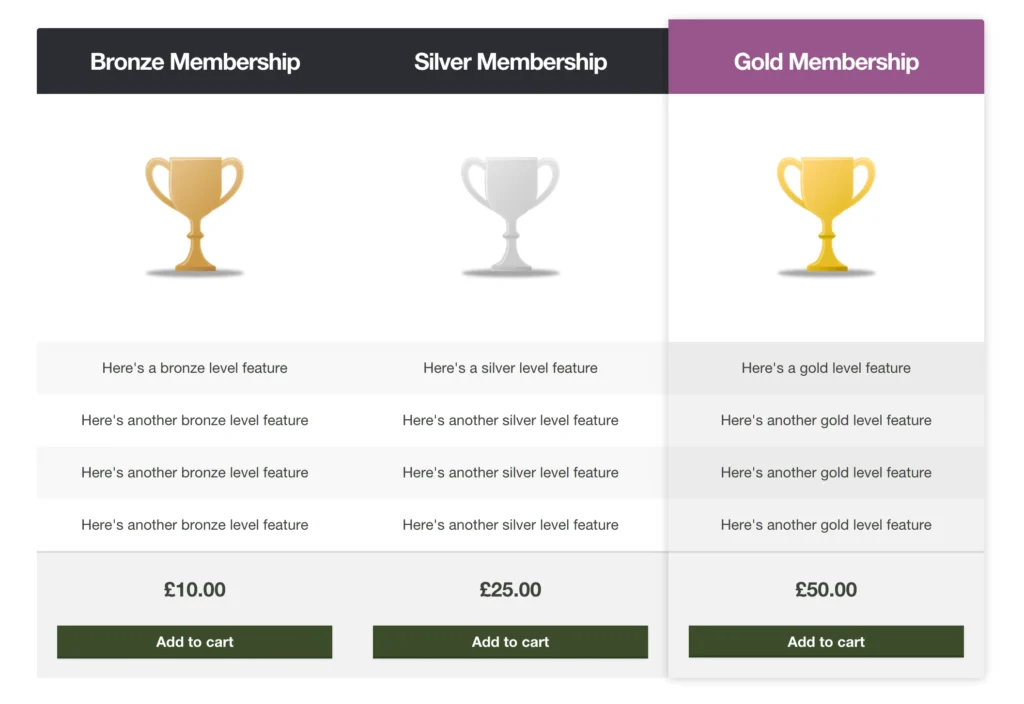
Storefront Pricing Tables 1.1.1 is a paid extension for the free Storefront theme that puts pricing tables into your posts and pages. It's made for WooCommerce shops on Storefront that sell a small number of products people compare side by side, such as different subscription levels or complex products. Each column is tied to one real product in your store, so the visitor reads the differences and adds the chosen option to the cart from the bottom of that column.
What's in the Storefront Pricing Tables download
Our download is the original Storefront Pricing Tables ZIP for version 1.1.1, with the license key already activated. It is the extension on its own. The Storefront theme and WooCommerce are free and are not in this file, and the developer's other Storefront extensions, such as Storefront Product Hero, are separate purchases.
Good to know
You need the free Storefront theme and WordPress 4.0 or newer, and each column points to a WooCommerce product by its ID, which you'll find on the edit product screen. The Pricing Tables button lives in the classic editor's Visual tab, not the Text tab, though you can also type the pricing_table and pricing_column shortcodes by hand. Values you set in a shortcode override the defaults you pick in the Customizer.
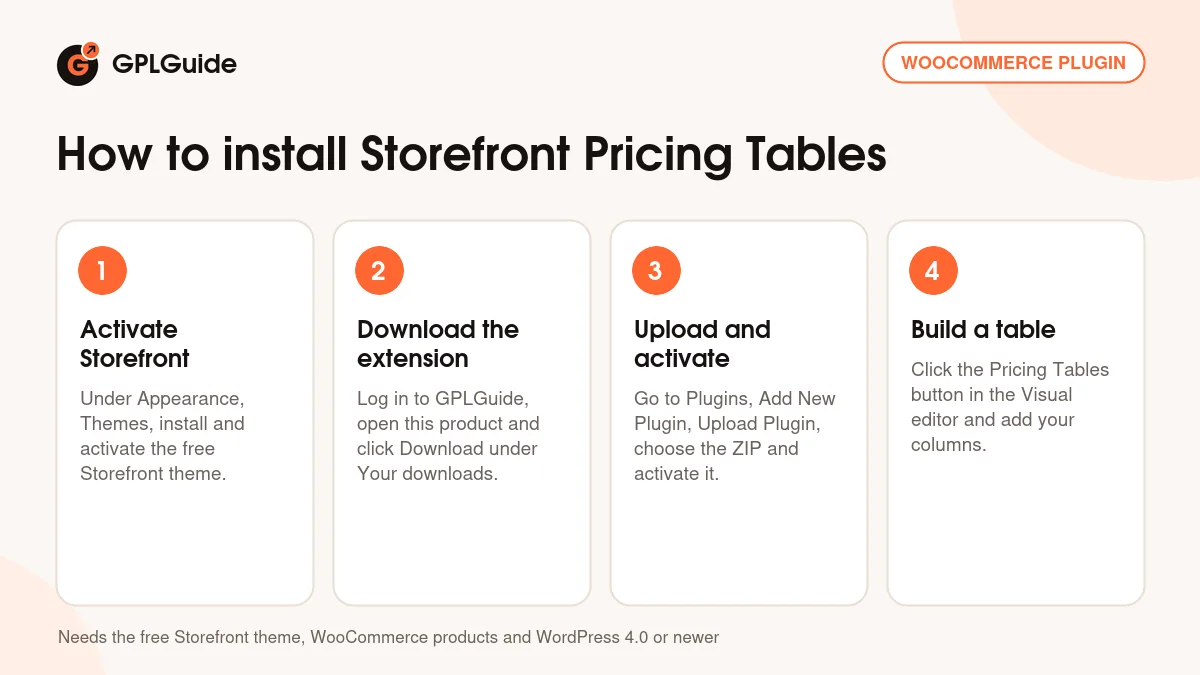
How to install Storefront Pricing Tables
Features & capabilities
- Pricing tables with any number of columns, built with a shortcode generator button.
- Every column ends in an add-to-cart button for the product ID you enter.
- Leave the column title blank and the product's own title is used.
- Feature lists typed with a pipe between items, and basic HTML is allowed.
- Show the product image, hide it, or swap in an image URL of your choice.
- Highlight one column so your recommended option stands out.
- A Pricing Tables section in the Customizer sets default columns, alignment and header colors for standard and featured columns.
- Handheld styling and product variation support came with version 1.1.0.
Frequently asked questions
Is this the original file?
Yes. Every product on GPLGuide is the developer’s own release, unchanged. The license key comes already activated. If a product does ask for a key, the activation steps appear on its page once you have it.
Is it legal to use a GPL plugin or theme from GPLGuide?
Yes. WordPress plugins and themes are released under the GPL, which lets anyone use, share and change the code. The developer’s support desk and the developer’s own update service are not part of the file; those stay with the developer.
How do I install it?
Log in, open the product page and click Download under Your downloads. For a plugin go to Plugins, Add New Plugin, Upload Plugin, choose the ZIP, then Install Now and Activate. For a theme go to Appearance, Themes, Add New Theme, Upload Theme.
How do updates work?
When a newer version is listed on GPLGuide, download it from the product page and upload it over the installed copy; WordPress offers to replace the old version. Updates are manual.
Can I use it on more than one site?
Yes. The GPL lets you use it on as many of your own sites as you like.
What if the file does not work or a newer version is out?
Tell us on the Request Item page or through Support. We check the file and add the newer version when we have it.