Streamlab – Video Streaming WordPress Theme
100% Original fileUnmodified copy of the developer's release
DeveloperGenTech Tree Design
Up to dateFile last updated Oct 30, 2026
About this product
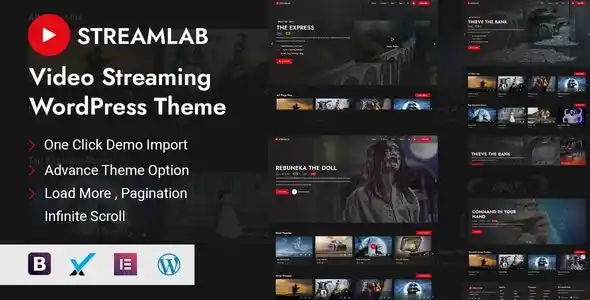
Streamlab Theme 2.0.9 is a video streaming theme for TV show sites, movie blogs and other sites built around watching video. It suits owners who want separate home page layouts for movies, TV shows and videos, a user library with playlists, and an upload page for videos, instead of building those pieces from scratch. Movies, TV shows and videos each get grid and sidebar page layouts, with options to hide the social share buttons, seasons, episodes or release year. The developer ships it with demo import files, Elementor support and a core plugin the theme needs to work properly.
How to install Streamlab Theme
- Check your hosting first. The developer asks for a PHP memory limit of 128M or more, a max execution time of 300 seconds, and upload and post size limits of 64M or more.
- Log in to GPLGuide, open this product and click Download under Your downloads.
- In WordPress go to Appearance, Themes, Add New Theme, Upload Theme, choose the ZIP, click Install Now, then Activate.
- Go to Appearance, Install Plugins and install and activate the plugins the theme asks for, starting with its core plugin and Elementor.
- Install and activate the One Click Demo Import plugin, then run its import screen and pick the demo you want to start from. Wait until the import reports that it has finished before you leave the page.
Features & capabilities
- Home page layouts for movies, TV shows and videos, plus the Red demo to start from
- A user library and playlists for visitors
- A dedicated upload video page
- Import from YouTube, Vimeo and OMDB to fill in video, movie and TV details
- A mega menu for the main navigation
- Grid pages and sidebar pages for movies, TV shows and videos
- Options to hide the social share buttons, seasons, episodes and release year
- A primary color option and a theme options panel
- Works with the Elementor page builder
Frequently asked questions
Is this the original file?
Yes. Every product on GPLGuide is the developer’s own release, unchanged. The license key comes already activated. If a product does ask for a key, the activation steps appear on its page once you have it.
Is it legal to use a GPL plugin or theme from GPLGuide?
Yes. WordPress plugins and themes are released under the GPL, which lets anyone use, share and change the code. The developer’s support desk and the developer’s own update service are not part of the file; those stay with the developer.
How do I install it?
Log in, open the product page and click Download under Your downloads. For a plugin go to Plugins, Add New Plugin, Upload Plugin, choose the ZIP, then Install Now and Activate. For a theme go to Appearance, Themes, Add New Theme, Upload Theme.
How do updates work?
When a newer version is listed on GPLGuide, download it from the product page and upload it over the installed copy; WordPress offers to replace the old version. Updates are manual.
Can I use it on more than one site?
Yes. The GPL lets you use it on as many of your own sites as you like.
What if the file does not work or a newer version is out?
Tell us on the Request Item page or through Support. We check the file and add the newer version when we have it.