
Supro – Minimalist AJAX WooCommerce WordPress Theme
100% Original fileUnmodified copy of the developer's release
Developerdrfuri
Up to dateFile last updated Oct 30, 2026
About this product
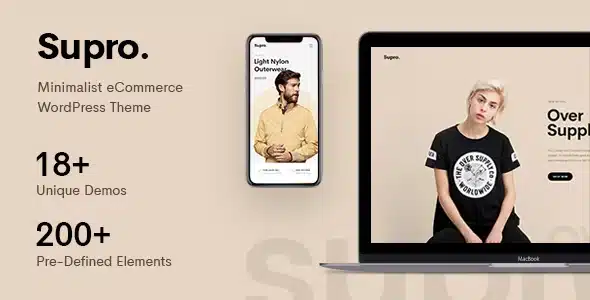
Supro Theme 2.0.6 is a minimalist WooCommerce theme for online stores that want a clean, product-first look. The developer names fashion, furniture and decoration shops as typical uses, and the demos can be adapted for other kinds of stores. Shoppers get AJAX filtering, AJAX add to cart and live search, so pages do not reload on every action. The developer ships it with the WPBakery page builder, a child theme, six header layouts, three footer layouts and a one-click demo import that brings in demo content, widgets and theme settings.
How to install Supro Theme
- Install and activate WooCommerce under Plugins, Add New Plugin, since the theme is built for it.
- Log in to GPLGuide, open this product and click Download under Your downloads.
- Go to Appearance, Themes, Add New Theme and click Upload Theme, then choose the theme's ZIP file from your download.
- Click Install Now. When the upload finishes, click Activate.
- Install and activate the bundled plugins the theme asks for, such as the page builder and the theme's addons plugin, before you import anything.
- Use the one-click demo import to bring in a demo's content, widgets and theme settings. The developer's documentation covers where it sits and how to run it; pick the demo closest to your store.
Features & capabilities
- AJAX product filtering, AJAX add to cart and live search.
- Color, label and image swatches for variable products.
- Product quick view and a mega menu.
- Six header layouts and three footer layouts, plus a sticky header and boxed layout.
- Instagram shop and product photos, and a featured video on product pages.
- Works with simple, variable, digital and external WooCommerce products.
- Page builder and child theme included.
- Compatible with YITH Wishlist, Contact Form 7, MailChimp for WordPress, WPML and WooCommerce Currency Switcher.
- Responsive, retina-ready and translation-ready.
Frequently asked questions
Is this the original file?
Yes. Every product on GPLGuide is the developer’s own release, unchanged. The license key comes already activated. If a product does ask for a key, the activation steps appear on its page once you have it.
Is it legal to use a GPL plugin or theme from GPLGuide?
Yes. WordPress plugins and themes are released under the GPL, which lets anyone use, share and change the code. The developer’s support desk and the developer’s own update service are not part of the file; those stay with the developer.
How do I install it?
Log in, open the product page and click Download under Your downloads. For a plugin go to Plugins, Add New Plugin, Upload Plugin, choose the ZIP, then Install Now and Activate. For a theme go to Appearance, Themes, Add New Theme, Upload Theme.
How do updates work?
When a newer version is listed on GPLGuide, download it from the product page and upload it over the installed copy; WordPress offers to replace the old version. Updates are manual.
Can I use it on more than one site?
Yes. The GPL lets you use it on as many of your own sites as you like.
What if the file does not work or a newer version is out?
Tell us on the Request Item page or through Support. We check the file and add the newer version when we have it.