
TaxoPress Pro
100% Original fileUnmodified copy of the developer's release
DeveloperTaxopress
Up to dateFile last updated Nov 21, 2026
About this product
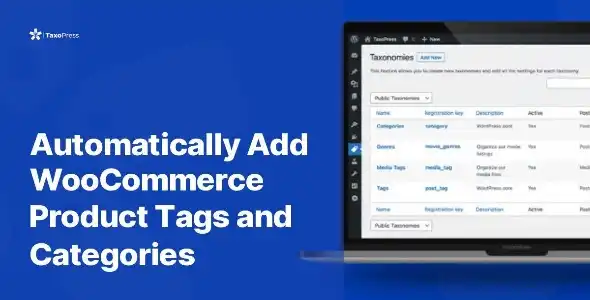
TaxoPress Pro 4.0.2 is the paid edition of a WordPress plugin for managing tags, categories and custom taxonomies, with AI tools that suggest the right terms for each post. It suits blogs, news and magazine sites whose archives have grown messy, duplicated tags, and shops that want tidy WooCommerce product categories and tag clouds. The AI features run on your own API key: OpenAI is the main service, while IBM Watson, Dandelion and LSEG Refinitiv remain as legacy options. Your OpenAI account needs API access with billing set up, because a ChatGPT-only subscription will not work. Pro runs on its own, so the free version is not required. You work from the plugin's menu in the WordPress sidebar and from a terms box on the post editing screen.
How to install TaxoPress Pro
- You don't need the free version installed first. If the free version is already active on your site, Pro disables it when you install Pro.
- Log in to GPLGuide, open this product and click Download under Your downloads.
- Keep the ZIP as it is, without unzipping it. In WordPress go to Plugins, Add New Plugin, Upload Plugin, choose the ZIP, click Install Now, then Activate.
- For AI terms, sign up on the OpenAI platform, add a payment method under Settings, Billing, then create a secret key there.
- Paste that key into the API Key field under Auto Terms, Sources in the plugin's menu.
- Open the plugin's menu in the WordPress sidebar to set up Auto Terms, Auto Links, Related Posts, Synonyms and the other term screens.
Features & capabilities
- Auto Terms scans post titles and content and adds matching terms from your existing terms, OpenAI, or several sources together.
- With an AI source switched on, it can create brand-new terms as well as pick ones already on your site.
- Custom OpenAI prompts can include the post's current terms or your site-wide terms, and you choose the OpenAI model.
- Run Auto Terms over older posts in batches or on a schedule, then check the log to see what was added.
- Synonyms attach extra words to one term, so plurals and variant names count as the main term.
- Linked Terms add related terms automatically whenever a main term goes on a post, one way or both ways.
- Manage Terms adds, renames, merges and removes terms in bulk, deletes rarely used ones and suggests likely duplicates to merge.
- Auto Links turns words in your content that match a term into links to that term's archive page, with a whole-words option.
- Related Posts, tag clouds and term lists show through a shortcode, a widget or automatically inside your content.
Frequently asked questions
Is this the original file?
Yes. Every product on GPLGuide is the developer’s own release, unchanged. The license key comes already activated. If a product does ask for a key, the activation steps appear on its page once you have it.
Is it legal to use a GPL plugin or theme from GPLGuide?
Yes. WordPress plugins and themes are released under the GPL, which lets anyone use, share and change the code. The developer’s support desk and the developer’s own update service are not part of the file; those stay with the developer.
How do I install it?
Log in, open the product page and click Download under Your downloads. For a plugin go to Plugins, Add New Plugin, Upload Plugin, choose the ZIP, then Install Now and Activate. For a theme go to Appearance, Themes, Add New Theme, Upload Theme.
How do updates work?
When a newer version is listed on GPLGuide, download it from the product page and upload it over the installed copy; WordPress offers to replace the old version. Updates are manual.
Can I use it on more than one site?
Yes. The GPL lets you use it on as many of your own sites as you like.
What if the file does not work or a newer version is out?
Tell us on the Request Item page or through Support. We check the file and add the newer version when we have it.


