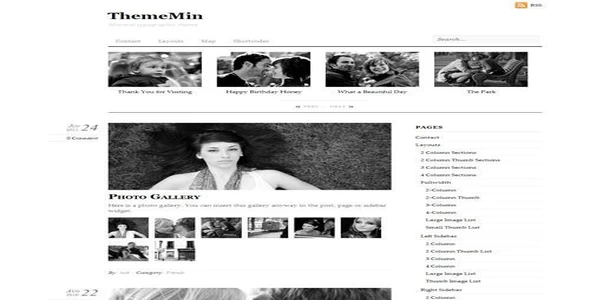
Themify Thememin WordPress Theme
100% Original fileUnmodified copy of the developer's release
DeveloperThemify
Up to dateOriginal released Oct 20, 2026 · File last updated Nov 25, 2026
About this product
Thememin Theme 7.7.4 is a minimal, light-weight theme built around typography and comfortable reading. It suits personal blogs, writers and content sites that want pages to load fast and text to stay easy on the eye. Posts, sidebars and an optional slider at the top of the home page and inner pages are laid out to keep attention on the writing. The developer includes a Demo Import tab in the theme settings that loads the sample site, so you can replace its images and text with your own instead of building every page from nothing.
How to install Thememin Theme
- Check that your site runs WordPress 5 or newer, the version the developer lists for this theme, and sign in to your WordPress admin.
- Log in to GPLGuide, open this product and click Download under Your downloads.
- If the download holds more than one ZIP, unzip it on your computer first and upload the theme's own ZIP, not the one with psd in its name.
- In WordPress, go to Appearance, Themes, Add New Theme, Upload Theme, choose the theme ZIP, click Install Now and then Activate.
- Open the developer's menu in the admin sidebar, then Settings, Demo Import, and click Import Demo to load sample posts, pages, menus and widgets. Images come in as placeholders. Erase Demo removes it again; if the import fails, use Tools, Import.
- Find the rest of the theme options under Settings, Theme Settings in the same menu, and the default layouts under Settings, Default Layouts.
Features & capabilities
- Typography-focused design that keeps text readable and pages light
- Optional sliders on the home page and inner pages, filled with feature posts or custom images
- Lightbox photo gallery
- Four color skins to change the look quickly
- Threaded comments and custom menus
- Top bar widget area for social buttons
- Header widget area for banner ads
- Dual-column sidebar widgets and up to three footer widget areas
- Custom footer text set from the theme settings
Frequently asked questions
Is this the original file?
Yes. Every product on GPLGuide is the developer’s own release, unchanged. The license key comes already activated. If a product does ask for a key, the activation steps appear on its page once you have it.
Is it legal to use a GPL plugin or theme from GPLGuide?
Yes. WordPress plugins and themes are released under the GPL, which lets anyone use, share and change the code. The developer’s support desk and the developer’s own update service are not part of the file; those stay with the developer.
How do I install it?
Log in, open the product page and click Download under Your downloads. For a plugin go to Plugins, Add New Plugin, Upload Plugin, choose the ZIP, then Install Now and Activate. For a theme go to Appearance, Themes, Add New Theme, Upload Theme.
How do updates work?
When a newer version is listed on GPLGuide, download it from the product page and upload it over the installed copy; WordPress offers to replace the old version. Updates are manual.
Can I use it on more than one site?
Yes. The GPL lets you use it on as many of your own sites as you like.
What if the file does not work or a newer version is out?
Tell us on the Request Item page or through Support. We check the file and add the newer version when we have it.