
Tour Package – WordPress Travel Tour Theme
100% Original fileUnmodified copy of the developer's release
DeveloperThemeForest
Up to dateOriginal released Oct 12, 2026 · File last updated Nov 23, 2026
About this product
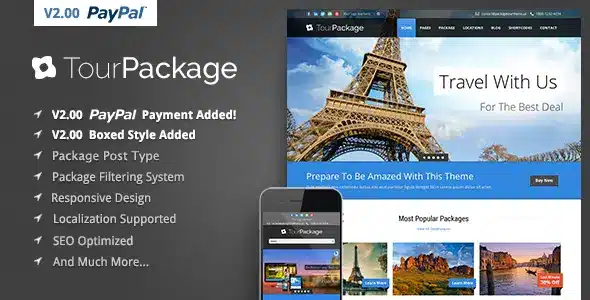
Tour Package Theme 2.4.6 is a travel theme for tour operators, travel agencies and small booking sites that sell trips as packages with a price, a duration and a booking request. It suits companies that want visitors to browse destinations, filter packages and send an enquiry without a separate booking system. The developer ships it with a dedicated package post type, a booking form that runs on a free form plugin, a PayPal option, several slider choices and a video tutorial for setting up the demo site.
How to install Tour Package Theme
- Install and activate Contact Form 7 under Plugins, Add New Plugin. The Book Now form on each package page is built with it.
- Log in to GPLGuide, open this product and click Download under Your downloads.
- If the download holds more than one ZIP, unzip it on the computer first and upload the theme's own ZIP.
- Go to Appearance, Themes, Add New Theme, Upload Theme, choose the ZIP, click Install Now, then Activate.
- If a notice asks you to install required plugins, follow it and activate them, because the bundled slider plugin can ask for this on first run.
- Open Settings, Reading and pick your static front page. Leave the Posts page field blank, or the layout can break.
- Open the theme's Admin Panel, then General, Page Style, to switch on the responsive layout, which the developer's docs say is off until you enable it.
Features & capabilities
- Package post type for tours, with a booking form and a package filter for visitors
- PayPal payment gateway and a boxed layout option
- Six custom post types: gallery, portfolio, testimonial, package, price and personnel
- Price table and built-in shortcodes for building pages
- Live colour changer in the customizer, plus a colour picker for any shade
- Six footer layouts, three blog styles and unlimited sidebars
- Flex Slider, Nivo Slider and Layer Slider with a drag and drop slider manager
- More than 500 Google Fonts, with logo and background uploaders
- WPML support and a translation file, plus WooCommerce support that runs apart from the package system
Frequently asked questions
Is this the original file?
Yes. Every product on GPLGuide is the developer’s own release, unchanged. The license key comes already activated. If a product does ask for a key, the activation steps appear on its page once you have it.
Is it legal to use a GPL plugin or theme from GPLGuide?
Yes. WordPress plugins and themes are released under the GPL, which lets anyone use, share and change the code. The developer’s support desk and the developer’s own update service are not part of the file; those stay with the developer.
How do I install it?
Log in, open the product page and click Download under Your downloads. For a plugin go to Plugins, Add New Plugin, Upload Plugin, choose the ZIP, then Install Now and Activate. For a theme go to Appearance, Themes, Add New Theme, Upload Theme.
How do updates work?
When a newer version is listed on GPLGuide, download it from the product page and upload it over the installed copy; WordPress offers to replace the old version. Updates are manual.
Can I use it on more than one site?
Yes. The GPL lets you use it on as many of your own sites as you like.
What if the file does not work or a newer version is out?
Tell us on the Request Item page or through Support. We check the file and add the newer version when we have it.


