
Triply Tour Booking WordPress Theme
100% Original fileUnmodified copy of the developer's release
DeveloperThemeForest
Up to dateOriginal released Feb 27, 2026 · File last updated Nov 20, 2026
About this product
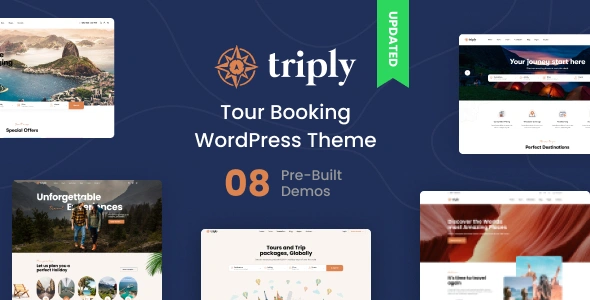
Triply Theme 2.4.11 is a WordPress theme for tour operators and travel agencies that want to show tours and destinations, and take bookings, on their own site. It is built on Elementor, so you arrange pages by dragging blocks, and it comes with several tour homepage demos and tour listing layouts. The developer ships it with a one-click demo import and says it includes the free version of its booking plugin; the Pro add-ons for that plugin are not part of the theme.
How to install Triply Theme
- Check that your site meets the minimums on the developer's requirements page: WordPress 4.6.1 or higher and PHP 5.6 or higher.
- Log in to GPLGuide, open this product and click Download under Your downloads.
- Go to Appearance, Themes, Add New Theme, Upload Theme, choose the ZIP, click Install Now, then click Activate.
- Install and activate the plugins that come with the theme, Elementor and the free version of its booking plugin, before you import the demo.
- Open Appearance, Theme Setup in the dashboard. The developer says this section guides you through the one-click demo import, which copies the main demo and swaps its pictures for placeholder images.
- After the import, set up the booking pages the developer's docs describe: search results, wishlist, booking types, booking locations and tour detail. Colors, typography, logo and layout have their own pages in the theme docs.
Features & capabilities
- Several tour listing styles for showing your tours.
- Tour pages with a map and a tour plan.
- Calendar and tour pricing.
- Smart search for finding tours.
- Booking types and booking locations to organize what you offer.
- A wishlist page for visitors.
- Header and footer builder, plus blog pages.
- More than eight tour homepage demos to start from.
- Theme options for colors, typography, buttons, layout and logo.
- Responsive, retina-ready design.
Frequently asked questions
Is this the original file?
Yes. Every product on GPLGuide is the developer’s own release, unchanged. The license key comes already activated. If a product does ask for a key, the activation steps appear on its page once you have it.
Is it legal to use a GPL plugin or theme from GPLGuide?
Yes. WordPress plugins and themes are released under the GPL, which lets anyone use, share and change the code. The developer’s support desk and the developer’s own update service are not part of the file; those stay with the developer.
How do I install it?
Log in, open the product page and click Download under Your downloads. For a plugin go to Plugins, Add New Plugin, Upload Plugin, choose the ZIP, then Install Now and Activate. For a theme go to Appearance, Themes, Add New Theme, Upload Theme.
How do updates work?
When a newer version is listed on GPLGuide, download it from the product page and upload it over the installed copy; WordPress offers to replace the old version. Updates are manual.
Can I use it on more than one site?
Yes. The GPL lets you use it on as many of your own sites as you like.
What if the file does not work or a newer version is out?
Tell us on the Request Item page or through Support. We check the file and add the newer version when we have it.


