
TW Font Preview for WooCommerce
100% Original fileUnmodified copy of the developer's release
DeveloperThemeWarriors
Up to dateOriginal released Oct 30, 2024 · File last updated Oct 29, 2026
About this product
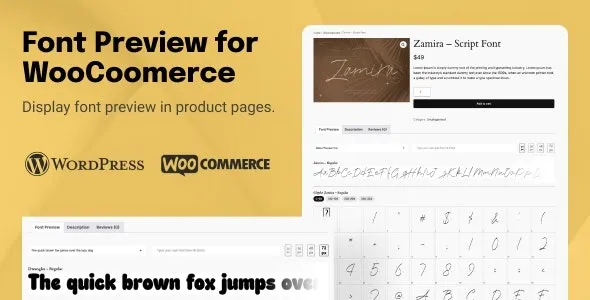
TW Font Preview for WooCommerce 1.1.0 is made for font designers and type foundries that sell their fonts through a WooCommerce shop. The usual problem with a font shop is that a buyer only sees a few static sample images and has to guess how the typeface will look with their own words. This plugin puts a live font preview on the product page, so a customer can try the font before paying for it and compare several previews side by side. Everything happens on the single product page of your shop: the visitor types, the preview updates as an image right there, and the full set of characters opens in a popup when they want to check every glyph.
How to install TW Font Preview for WooCommerce
- Install and activate WooCommerce under Plugins, Add New Plugin if your site doesn't run it yet. The developer lists WooCommerce 8 and 9 as compatible.
- Check that WordPress itself is in the range the developer lists as compatible, 5.6 up to 6.7, before you add the plugin.
- Log in to GPLGuide, open this product and click Download under Your downloads.
- In WordPress go to Plugins, Add New Plugin, Upload Plugin, choose the ZIP, click Install Now and then Activate.
- The developer's page does not name a settings screen, so after activation check the plugin's row under Plugins for its links, then open one of your font products on the shop to see the preview.
Features & capabilities
- Live font preview on the WooCommerce single product page
- Several previews per product, so you can show different styles at once
- Customers type their own text and see it set in the font
- Color options for the preview text
- All glyphs of the font shown in a popup instead of crowding the page
- Preview rendered as an image that a visitor can right click and open in a new tab at full size
- Preview image height adjusts on its own to fit the text
- Text typed into the preview is sanitized before the request is processed
Frequently asked questions
Is this the original file?
Yes. Every product on GPLGuide is the developer’s own release, unchanged. The license key comes already activated. If a product does ask for a key, the activation steps appear on its page once you have it.
Is it legal to use a GPL plugin or theme from GPLGuide?
Yes. WordPress plugins and themes are released under the GPL, which lets anyone use, share and change the code. The developer’s support desk and the developer’s own update service are not part of the file; those stay with the developer.
How do I install it?
Log in, open the product page and click Download under Your downloads. For a plugin go to Plugins, Add New Plugin, Upload Plugin, choose the ZIP, then Install Now and Activate. For a theme go to Appearance, Themes, Add New Theme, Upload Theme.
How do updates work?
When a newer version is listed on GPLGuide, download it from the product page and upload it over the installed copy; WordPress offers to replace the old version. Updates are manual.
Can I use it on more than one site?
Yes. The GPL lets you use it on as many of your own sites as you like.
What if the file does not work or a newer version is out?
Tell us on the Request Item page or through Support. We check the file and add the newer version when we have it.


