
TW Wishlist for WooCommerce
100% Original fileUnmodified copy of the developer's release
DeveloperThemeWarriors
Up to dateOriginal released Dec 9, 2024 · File last updated Oct 28, 2026
About this product
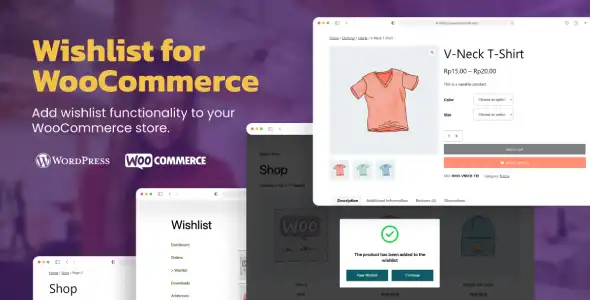
TW Wishlist for WooCommerce 1.1.0 lets shoppers save the products they like to a wishlist and come back to buy them later. It suits WooCommerce stores where people browse before they buy: fashion, gifts, home decor and other shops with big catalogs, where a customer collects ideas over several visits, plans a purchase for a birthday or a new season, or simply isn't ready to pay today. Instead of losing that interest when the tab closes, the shop keeps a list the customer can return to. Shoppers click an add to wishlist button on a product page or in the shop listings, and their saved items wait for them on a Wishlist page inside the WooCommerce My Account area.
How to install TW Wishlist for WooCommerce
- Install and activate WooCommerce under Plugins, Add New Plugin if your site doesn't run it yet; the developer lists compatibility with WooCommerce 7 to 9 and WordPress 5.7 to 6.8.
- Log in to GPLGuide, open this product and click Download under Your downloads.
- In your WordPress dashboard go to Plugins, Add New Plugin, Upload Plugin, choose the ZIP, click Install Now, then Activate.
- Open a product page in your shop to see the add to wishlist button, then sign in as a customer and check the Wishlist page under My Account.
- Look for the plugin's wishlist settings in your WordPress dashboard to set the button position on product pages, the colors and the button text.
Features & capabilities
- An add to wishlist button on single product pages
- The same button on product cards in shop and category listings
- A choice of where the button sits on the product page
- A Wishlist page inside WooCommerce My Account where shoppers see and manage saved items
- Wishlist collections, so shoppers can sort saved products into as many groups as they need
- Add to cart straight from the wishlist page
- Your own colors so the button and list match your theme
- Editable button and label text
Frequently asked questions
Is this the original file?
Yes. Every product on GPLGuide is the developer’s own release, unchanged. The license key comes already activated. If a product does ask for a key, the activation steps appear on its page once you have it.
Is it legal to use a GPL plugin or theme from GPLGuide?
Yes. WordPress plugins and themes are released under the GPL, which lets anyone use, share and change the code. The developer’s support desk and the developer’s own update service are not part of the file; those stay with the developer.
How do I install it?
Log in, open the product page and click Download under Your downloads. For a plugin go to Plugins, Add New Plugin, Upload Plugin, choose the ZIP, then Install Now and Activate. For a theme go to Appearance, Themes, Add New Theme, Upload Theme.
How do updates work?
When a newer version is listed on GPLGuide, download it from the product page and upload it over the installed copy; WordPress offers to replace the old version. Updates are manual.
Can I use it on more than one site?
Yes. The GPL lets you use it on as many of your own sites as you like.
What if the file does not work or a newer version is out?
Tell us on the Request Item page or through Support. We check the file and add the newer version when we have it.


