
Typesense Search for WooCommerce
100% Original fileUnmodified copy of the developer's release
DeveloperCodemanas
Up to dateOriginal released Jul 15, 2026 · File last updated Oct 30, 2026
About this product
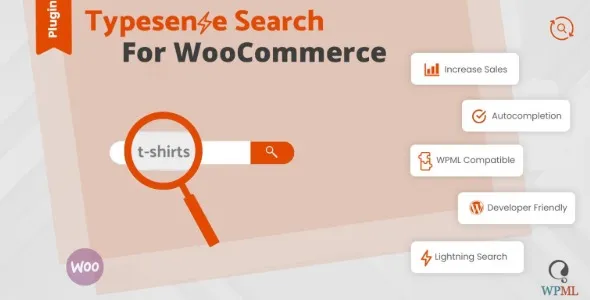
Typesense Search for WooCommerce 1.8.1 is an add-on for the free Search with Typesense plugin that moves your WooCommerce product search onto a Typesense engine. It suits shops with large catalogs where the built-in search feels slow, and stores that want search-as-you-type suggestions and faster filtering on the shop page. It needs WooCommerce, the free plugin and a working Typesense connection with your own API keys. Once your products are indexed, you control the whole thing from the Typesense menu in the WordPress sidebar, where you decide if the plugin takes over the search box, the shop page or both.
How to install Typesense Search for WooCommerce
- Install and activate WooCommerce under Plugins, Add New Plugin if your site does not run it yet; the add-on asks for PHP 7.4 or later, and MySQL 5.6 or later is recommended.
- Install and activate the free Search with Typesense plugin, then enter your own Typesense API keys in it. The add-on expects the free plugin to be set up first.
- Log in to GPLGuide, open this product and click Download under Your downloads.
- Go to Plugins, Add New Plugin, Upload Plugin, choose the ZIP you downloaded, click Install Now and then Activate.
- Open Typesense, Typesense in the WordPress sidebar, select the Products post type, set the label and the number of autocomplete suggestions, then click Index and wait for the success message.
- Open Typesense, WooCommerce to choose how search and filters behave on your shop pages, and use Customize, WooCommerce, Typesense Settings to preview changes live.
Features & capabilities
- Search-as-you-type autocomplete dropdown for product searches
- Option to replace the shop page with a Typesense search box and results view
- Replaces the WooCommerce search widget and search block
- Filters for category, brands, price, rating, attributes and sort by
- Choose between default pagination and infinite loading
- Shareable filtered URLs through a routing option
- Results are output in the standard WooCommerce HTML structure
- Works with WPML for multilingual product search
- Shortcodes to place search in specific spots on a page
- Hooks, filters and template overrides for custom designs
Frequently asked questions
Is this the original file?
Yes. Every product on GPLGuide is the developer’s own release, unchanged. The license key comes already activated. If a product does ask for a key, the activation steps appear on its page once you have it.
Is it legal to use a GPL plugin or theme from GPLGuide?
Yes. WordPress plugins and themes are released under the GPL, which lets anyone use, share and change the code. The developer’s support desk and the developer’s own update service are not part of the file; those stay with the developer.
How do I install it?
Log in, open the product page and click Download under Your downloads. For a plugin go to Plugins, Add New Plugin, Upload Plugin, choose the ZIP, then Install Now and Activate. For a theme go to Appearance, Themes, Add New Theme, Upload Theme.
How do updates work?
When a newer version is listed on GPLGuide, download it from the product page and upload it over the installed copy; WordPress offers to replace the old version. Updates are manual.
Can I use it on more than one site?
Yes. The GPL lets you use it on as many of your own sites as you like.
What if the file does not work or a newer version is out?
Tell us on the Request Item page or through Support. We check the file and add the newer version when we have it.


