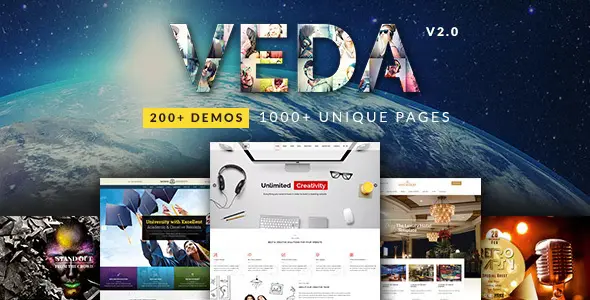
VEDA Multi-Purpose Theme
100% Original fileUnmodified copy of the developer's release
DeveloperDesignThemes
Up to dateFile last updated Oct 30, 2026
About this product
Veda Theme 4.6 is a multi-purpose WordPress theme for business and service websites that start from a finished demo. The developer's demo set includes architecture, attorney, baby photography and bar sites, so it suits small companies, studios and local businesses that would rather edit a ready layout than design every page from nothing. It is built around the WPBakery page builder. The developer ships it with a core features plugin, a demo importer plugin and the Slider Revolution and LayerSlider slider plugins, so most of what you need for the first import sits in one place.
How to install Veda Theme
- Check that your site runs WordPress 4.5 and PHP 5.6 or higher, the minimums the developer lists, and back up the site first if it already has content.
- Log in to GPLGuide, open this product and click Download under Your downloads.
- In WordPress go to Appearance, Themes, Add New Theme, then click Upload Theme.
- Choose the theme ZIP, click Install Now, then click Activate.
- A dashboard notice lists the plugins the theme needs: the core features plugin, the demo importer plugin, WPBakery, its add-on pack, Slider Revolution and LayerSlider. Install and activate all of them.
- Go to Appearance, Veda Options, Buddha Panel, Importer, choose Import Demo and pick a demo. Wait a few minutes until the success message shows. The Attorney demo also needs its own add-on plugin.
Features & capabilities
- Built on the WPBakery page builder, with an add-on pack for extra page elements.
- Demo importer inside the theme options, so a full demo site loads in one go.
- Ready demos for architecture, attorney, baby photography and bar style sites.
- Slider Revolution and LayerSlider for image and content sliders.
- Theme options panel under Appearance, Veda Options for site settings.
- Multi-purpose design, so the same theme can run company, studio and personal sites.
- A separate importer plugin keeps the demo setup apart from the theme itself.
- A hotel rooms add-on is listed among its plugins for hotel sites.
Frequently asked questions
Is this the original file?
Yes. Every product on GPLGuide is the developer’s own release, unchanged. The license key comes already activated. If a product does ask for a key, the activation steps appear on its page once you have it.
Is it legal to use a GPL plugin or theme from GPLGuide?
Yes. WordPress plugins and themes are released under the GPL, which lets anyone use, share and change the code. The developer’s support desk and the developer’s own update service are not part of the file; those stay with the developer.
How do I install it?
Log in, open the product page and click Download under Your downloads. For a plugin go to Plugins, Add New Plugin, Upload Plugin, choose the ZIP, then Install Now and Activate. For a theme go to Appearance, Themes, Add New Theme, Upload Theme.
How do updates work?
When a newer version is listed on GPLGuide, download it from the product page and upload it over the installed copy; WordPress offers to replace the old version. Updates are manual.
Can I use it on more than one site?
Yes. The GPL lets you use it on as many of your own sites as you like.
What if the file does not work or a newer version is out?
Tell us on the Request Item page or through Support. We check the file and add the newer version when we have it.