Voice – News Magazine WordPress Theme
100% Original fileUnmodified copy of the developer's release
DeveloperMeks
Up to dateFile last updated Oct 30, 2026
About this product
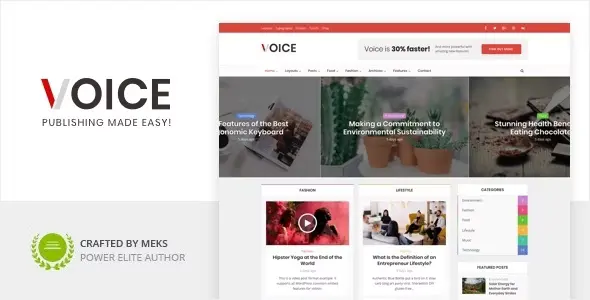
Voice Theme 3.0.3 is a news, blog and magazine theme for publishers who run several kinds of content on one site: a daily news portal, an online magazine or a busy personal blog. Editors build the front page from post listing and category modules, and the theme includes a banner ad system for sites that show or sell ad space. The developer ships it with demo content and a setup wizard for importing it, and it works with WooCommerce, bbPress and right-to-left languages.
How to install Voice Theme
- Log in to GPLGuide, open this product and click Download under Your downloads.
- If the download holds more than one ZIP, unzip it on your computer first and upload the theme's own ZIP, voice.zip.
- In WordPress, go to Appearance, Themes, Add New Theme, click Upload Theme and choose the ZIP. Click Install Now, then click Activate.
- Install and activate the plugins the theme depends on: Redux Framework for the Theme Options panel, Voice Buddy for the theme's widgets, and the developer's social share plugin for sharing buttons.
- Run the theme's demo content import (setup wizard) to load the sample site, then adjust the header, footer and layouts under Theme Options.
Features & capabilities
- Seven main post listing layouts and three featured area layouts for the front page
- Post listing modules, category modules and smart categories
- Several header layouts, a sticky header and a mega menu
- Four pagination types: older and newer posts, numbered, load more and infinite scroll
- Built-in banner ad system, plus an AdSense widget
- Custom widgets for posts and video, and twelve shortcodes
- Unlimited sidebars, including sticky sidebars
- Unlimited fonts and colors, set in Theme Options
- Post formats, RTL support and a responsive layout you can switch off
Frequently asked questions
Is this the original file?
Yes. Every product on GPLGuide is the developer’s own release, unchanged. The license key comes already activated. If a product does ask for a key, the activation steps appear on its page once you have it.
Is it legal to use a GPL plugin or theme from GPLGuide?
Yes. WordPress plugins and themes are released under the GPL, which lets anyone use, share and change the code. The developer’s support desk and the developer’s own update service are not part of the file; those stay with the developer.
How do I install it?
Log in, open the product page and click Download under Your downloads. For a plugin go to Plugins, Add New Plugin, Upload Plugin, choose the ZIP, then Install Now and Activate. For a theme go to Appearance, Themes, Add New Theme, Upload Theme.
How do updates work?
When a newer version is listed on GPLGuide, download it from the product page and upload it over the installed copy; WordPress offers to replace the old version. Updates are manual.
Can I use it on more than one site?
Yes. The GPL lets you use it on as many of your own sites as you like.
What if the file does not work or a newer version is out?
Tell us on the Request Item page or through Support. We check the file and add the newer version when we have it.