
WooCommerce Advanced Bulk Edit
100% Original fileUnmodified copy of the developer's release
DeveloperWPMelon
Up to dateOriginal released Aug 25, 2026 · File last updated Oct 26, 2026
About this product
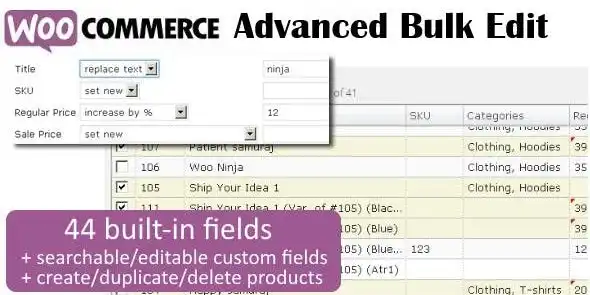
WooCommerce Advanced Bulk Edit 6.2.1 is a bulk editor for WooCommerce stores whose catalogs are too big to change one product at a time. It suits shop owners and managers who handle hundreds or thousands of products, including variable products with many variations, and who need to fix prices, stock, categories, attributes or descriptions in one pass. It works on its own screen in the WordPress admin: you load your products into a spreadsheet-style table, filter them, edit cells directly or select many rows at once, and press Save Changes. A toolbar adds percentage price changes, text replacement and SKU series.
How to install WooCommerce Advanced Bulk Edit
- Install and activate WooCommerce under Plugins, Add New Plugin if your site doesn't run it yet. This plugin edits WooCommerce products, so the store has to be running first.
- Log in to GPLGuide, open this product and click Download under Your downloads.
- In your WordPress dashboard go to Plugins, Add New Plugin, Upload Plugin, choose the ZIP you downloaded and click Install Now.
- Click Activate on the screen that appears once the upload has finished.
- Open the plugin from the WordPress admin menu, where it carries its full name, and click Get Products to load your catalog. Plugin Settings sits at the bottom of that screen.
- If your edits don't seem to save, open Plugin Settings and switch on Use API calls when possible, which the developer suggests for that problem.
Features & capabilities
- Spreadsheet-style table where you click a cell and type, with variations listed under their parent product
- Filters for title, category, attributes, prices, SKU, tags, descriptions, status, stock, product type, shipping class and more
- Bulk tools to append, prepend or replace text, and to raise or lower prices by a value or a percentage
- Generates sale prices from regular prices and fills SKU and number series across the selected rows
- Bulk set, add or remove categories and attributes, and copy the value of one field into another
- Selection Manager that picks products by search conditions, such as every variation or all duplicate products
- Creates and deletes products and variations, bulk-creates variations and splits variations into simple products
- Show or hide columns, save column sets as views and pull in custom meta fields from other plugins
- Revert selected or all rows before saving, with visual marks on every cell you changed
- Settings for a product limit on large stores, optional variation loading and administrator-only access
Frequently asked questions
Is this the original file?
Yes. Every product on GPLGuide is the developer’s own release, unchanged. The license key comes already activated. If a product does ask for a key, the activation steps appear on its page once you have it.
Is it legal to use a GPL plugin or theme from GPLGuide?
Yes. WordPress plugins and themes are released under the GPL, which lets anyone use, share and change the code. The developer’s support desk and the developer’s own update service are not part of the file; those stay with the developer.
How do I install it?
Log in, open the product page and click Download under Your downloads. For a plugin go to Plugins, Add New Plugin, Upload Plugin, choose the ZIP, then Install Now and Activate. For a theme go to Appearance, Themes, Add New Theme, Upload Theme.
How do updates work?
When a newer version is listed on GPLGuide, download it from the product page and upload it over the installed copy; WordPress offers to replace the old version. Updates are manual.
Can I use it on more than one site?
Yes. The GPL lets you use it on as many of your own sites as you like.
What if the file does not work or a newer version is out?
Tell us on the Request Item page or through Support. We check the file and add the newer version when we have it.


