
WooCommerce Deposits
100% Original fileUnmodified copy of the developer's release
DeveloperAutomattic
Up to dateFile last updated Oct 26, 2026
About this product
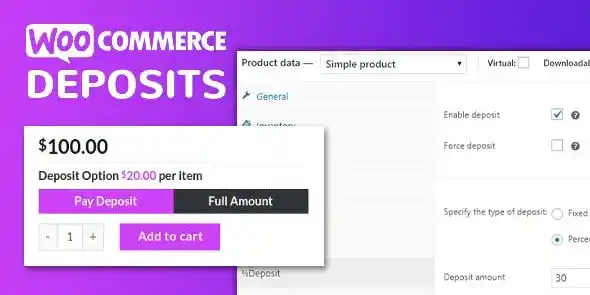
WooCommerce Deposits 2.4.8 lets customers pay for a product in parts instead of paying the full price at the start. It suits WooCommerce shops that sell higher-priced goods, made-to-order items, services and bookable products, where asking for everything upfront puts buyers off. You choose a deposit as a percentage or a fixed amount, or build a payment plan with due dates, and apply it storewide or product by product. Shoppers pick their option on the product page, and the cart and checkout show what is due today and what comes later. Each remaining payment becomes a scheduled order that the customer pays when it falls due.
How to install WooCommerce Deposits
- Install and activate WooCommerce under Plugins, Add New Plugin if your site doesn't run it yet. The developer lists WooCommerce 10.9, WordPress 6.9 and PHP 7.4 as the minimums.
- Log in to GPLGuide, open this product and click Download under Your downloads.
- In WordPress, go to Plugins, Add New Plugin, Upload Plugin and choose the ZIP you downloaded.
- Click Install Now, wait for WordPress to finish unpacking the plugin, then click Activate.
- Check your other plugins before going live. The developer says deposits don't work with Subscriptions, Pre-Orders, Composite Products or Product Bundles, and later payments are not charged to cards automatically.
- Open WooCommerce, Settings, Products, Deposits to set the storewide defaults. Build payment plans under Products, Payment Plans, and override one product in the Deposits tab of Product data.
Features & capabilities
- Take a deposit as a percentage or a fixed amount, set once for the whole shop or per product
- Make deposits optional, so shoppers choose Pay Deposit or Pay in Full, or required for every buyer
- Build payment plans where each row is a percentage of the price with a due date, adding up to 100%
- Override the storewide defaults for a single product in its Deposits tab, including per variation on variable products
- Show Due today and Future payments totals in the cart and at checkout
- Create each remaining payment as its own Scheduled order, with a View Scheduled Payments filter in the order list
- Use the Pending Deposit Payment and Partially Paid order statuses to see who still owes a balance
- Send a balance invoice with Invoice Remaining Balance, or record cash and bank payments with Mark Paid (offline)
- Block chosen payment gateways whenever a deposit is in the cart
- Works with simple and variable products, bookable products and the Cart and Checkout blocks
Frequently asked questions
Is this the original file?
Yes. Every product on GPLGuide is the developer’s own release, unchanged. The license key comes already activated. If a product does ask for a key, the activation steps appear on its page once you have it.
Is it legal to use a GPL plugin or theme from GPLGuide?
Yes. WordPress plugins and themes are released under the GPL, which lets anyone use, share and change the code. The developer’s support desk and the developer’s own update service are not part of the file; those stay with the developer.
How do I install it?
Log in, open the product page and click Download under Your downloads. For a plugin go to Plugins, Add New Plugin, Upload Plugin, choose the ZIP, then Install Now and Activate. For a theme go to Appearance, Themes, Add New Theme, Upload Theme.
How do updates work?
When a newer version is listed on GPLGuide, download it from the product page and upload it over the installed copy; WordPress offers to replace the old version. Updates are manual.
Can I use it on more than one site?
Yes. The GPL lets you use it on as many of your own sites as you like.
What if the file does not work or a newer version is out?
Tell us on the Request Item page or through Support. We check the file and add the newer version when we have it.


