
WooCommerce Email Customizer with Drag and Drop Email Builder
100% Original fileUnmodified copy of the developer's release
DeveloperFlycart
Up to dateFile last updated Oct 23, 2026
About this product
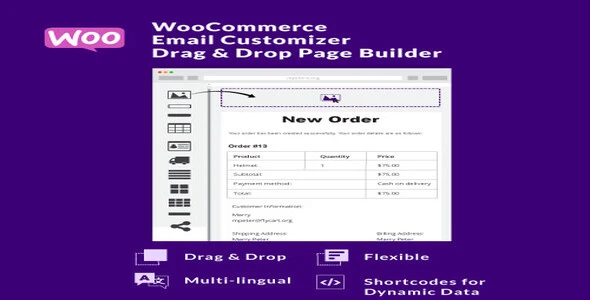
WooCommerce Email Customizer with Drag and Drop Email Builder 1.5.16 is a plugin for redesigning the emails a WooCommerce store sends to customers and to the shop owner. It suits stores that find the stock WooCommerce emails too plain and want their logo, colors and footer text in every order email, without editing PHP template files. You build each email in the WordPress dashboard by dragging blocks into place, with a live preview filled from a sample order.
What's in the WooCommerce Email Customizer with Drag and Drop Email Builder download
Our download is the original WooCommerce Email Customizer with Drag and Drop Email Builder ZIP for version 1.5.16, with the license key already activated. The plugin works on the 11 standard WooCommerce emails: New Order, Canceled Order, Failed Order, Order on Hold, Processing Order, Completed Order, Refunded Order, Customer Invoice or Order Details, Customer Note, Reset Password and New Account. The developer's newer email editor, Spark Editor, is sold separately and is not in this file.
Good to know
The plugin needs WooCommerce installed and active, since it redesigns WooCommerce's own emails. If a security plugin has added DISALLOW_UNFILTERED_HTML to wp-config.php, saving a template can hang on Loading. The developer's fix: comment that line out while you design, then put it back. On a multilingual store, build a template for every language, or orders in a missing language get the default WooCommerce email. Shortcodes that read WooCommerce email hooks only fill in real emails, so test with an actual order.
How to install WooCommerce Email Customizer with Drag and Drop Email Builder
- If your site doesn't run WooCommerce yet, install and activate it first under Plugins, Add New Plugin.
- Log in to GPLGuide, open this product and click Download under Your downloads.
- In WordPress, go to Plugins, Add New Plugin, Upload Plugin, choose the ZIP you downloaded and click Install Now.
- Click Activate Plugin when WordPress finishes installing the file.
- Open WooCommerce, WooCommerce Email Customizer, pick a language and an email, then drag blocks into the template.
Features & capabilities
- Header blocks for your logo, a title and subtitle, dividers and free text, with hover controls to move, copy or delete each block.
- An order items table with order number, products, subtotal, shipping, payment method and total, in your own colors.
- Billing and shipping address blocks in one, two or three column layouts, with an optional customer details column.
- Footer text, Facebook, Twitter and YouTube icons, and a button with your own label and link.
- Language, order status and sample order pickers for the live preview, plus a test email before going live.
- Shortcodes for order, customer and shop data, including custom fields from other plugins and hidden order meta.
- Settings for product images, SKUs, payment instructions above the order table, container width and custom CSS.
- Restore one or all templates to the default design, export all templates as a backup, and switch single emails off.
Frequently asked questions
Is this the original file?
Yes. Every product on GPLGuide is the developer’s own release, unchanged. The license key comes already activated. If a product does ask for a key, the activation steps appear on its page once you have it.
Is it legal to use a GPL plugin or theme from GPLGuide?
Yes. WordPress plugins and themes are released under the GPL, which lets anyone use, share and change the code. The developer’s support desk and the developer’s own update service are not part of the file; those stay with the developer.
How do I install it?
Log in, open the product page and click Download under Your downloads. For a plugin go to Plugins, Add New Plugin, Upload Plugin, choose the ZIP, then Install Now and Activate. For a theme go to Appearance, Themes, Add New Theme, Upload Theme.
How do updates work?
When a newer version is listed on GPLGuide, download it from the product page and upload it over the installed copy; WordPress offers to replace the old version. Updates are manual.
Can I use it on more than one site?
Yes. The GPL lets you use it on as many of your own sites as you like.
What if the file does not work or a newer version is out?
Tell us on the Request Item page or through Support. We check the file and add the newer version when we have it.


