
WooCommerce File Approval
100% Original fileUnmodified copy of the developer's release
DeveloperVanquish
Up to dateOriginal released Jul 18, 2024 · File last updated Oct 27, 2026
About this product
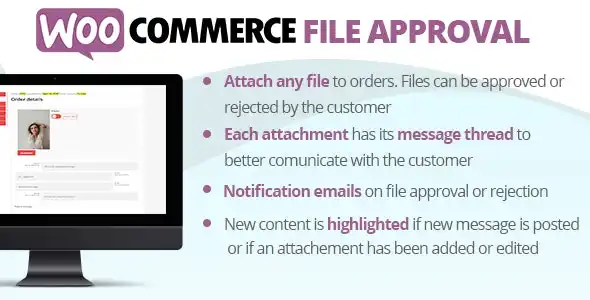
WooCommerce File Approval 10.4 lets you send files to a customer from inside their order and have them approve or reject each one before you carry on. It's made for shops that sell made-to-order work where a proof has to be signed off first: print shops, sign makers, custom apparel and engraving, photo books, logo and design services. Instead of chasing approvals by email, the whole exchange stays attached to the order. You attach files and a message on the order details page in the admin, the customer gets an email and answers in an approval area on their own order details page, and the cycle repeats until they approve.
How to install WooCommerce File Approval
- If your site doesn't run WooCommerce yet, install and activate it under Plugins, Add New Plugin before you add this plugin.
- Log in to GPLGuide, open this product and click Download under Your downloads.
- In your dashboard go to Plugins, Add New Plugin, Upload Plugin, choose the ZIP, click Install Now, then Activate.
- Open an order under WooCommerce, Orders. The approval area sits on the order details page, where you attach one or more files and an optional message for the customer.
- Check the wording of the customer and admin notifications in the plugin's Email texts menu before you send the first proof. Very large uploads are limited by the temporary storage space on your server.
Features & capabilities
- Several files per order, each with its own title, message thread and a reply policy that limits how often the customer can post.
- Attachments can be tied to a specific item in the order.
- Customers approve or reject with a slider or buttons, add a message and attach their own files to a reply.
- Email notices both ways for new files, messages, approvals and rejections, with an optional single notice when several files go out together.
- Optional reminder emails for orders whose files are still unapproved after 24 hours, at an interval you choose.
- Optional automatic approval after a set number of hours without a reply, with a notice to both sides.
- New or changed content is highlighted for you and the customer, and the orders list shows each approval status.
- Preset answers for quick replies and an option to show the approval area to logged-in users only.
- Files are stored in the WordPress media library, and a Cleaner tool bulk-deletes old attachments by order date and status.
- Theme template overrides, WPML support and compatibility with High-Performance Order Storage.
Frequently asked questions
Is this the original file?
Yes. Every product on GPLGuide is the developer’s own release, unchanged. The license key comes already activated. If a product does ask for a key, the activation steps appear on its page once you have it.
Is it legal to use a GPL plugin or theme from GPLGuide?
Yes. WordPress plugins and themes are released under the GPL, which lets anyone use, share and change the code. The developer’s support desk and the developer’s own update service are not part of the file; those stay with the developer.
How do I install it?
Log in, open the product page and click Download under Your downloads. For a plugin go to Plugins, Add New Plugin, Upload Plugin, choose the ZIP, then Install Now and Activate. For a theme go to Appearance, Themes, Add New Theme, Upload Theme.
How do updates work?
When a newer version is listed on GPLGuide, download it from the product page and upload it over the installed copy; WordPress offers to replace the old version. Updates are manual.
Can I use it on more than one site?
Yes. The GPL lets you use it on as many of your own sites as you like.
What if the file does not work or a newer version is out?
Tell us on the Request Item page or through Support. We check the file and add the newer version when we have it.


