
WooCommerce Manufacturer Price
100% Original fileUnmodified copy of the developer's release
DeveloperFantastic Plugins
Up to dateOriginal released Nov 2, 2025 · File last updated Oct 30, 2026
About this product
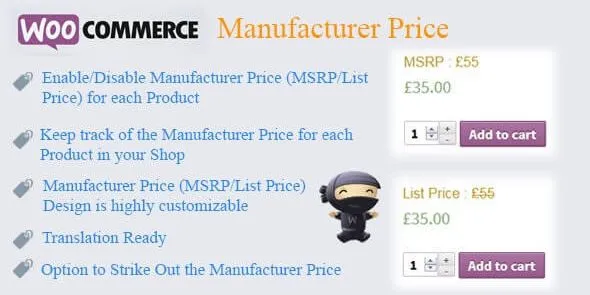
WooCommerce Manufacturer Price 2.6.0 adds a manufacturer price, also called MSRP or list price, next to your own selling price. It suits shops that sell branded goods and want customers to see the recommended retail price beside the discounted one, such as electronics, tools, furniture or fashion stores. It also keeps the manufacturer price stored on each product, so you have it on record. You enter the price for each product on its edit screen, and the plugin shows it on the shop and product pages, with a strike-out, a saved percentage and your own styling if you choose them.
How to install WooCommerce Manufacturer Price
- Install and activate WooCommerce first under Plugins, Add New Plugin. The developer lists compatibility with WooCommerce 5.x to 9.x and states no minimum version.
- Log in to GPLGuide, open this product and click Download under Your downloads.
- In WordPress go to Plugins, Add New Plugin, Upload Plugin, choose the ZIP you downloaded, click Install Now, then click Activate.
- Open a product you want to change from Products, All Products and enter its manufacturer price on the product edit screen, then click Update.
- View the product and shop pages in your store to check the new price display, and adjust the display options or custom CSS if the layout needs it.
Features & capabilities
- Show or hide the manufacturer price separately for each product.
- Strike out the manufacturer price so the saving stands out.
- Show the percentage saved next to the selling price.
- Works with simple products and with variable products, including a price per variation.
- Option to hide the manufacturer price when a product is already on sale.
- Limit who sees the manufacturer price by user role.
- Choose whether the price appears on category pages as well as product pages.
- Adjustable display design with room for your own CSS.
- Follows your WooCommerce currency position, rounding and tax display settings.
- Translation ready for stores in more than one language.
Frequently asked questions
Is this the original file?
Yes. Every product on GPLGuide is the developer’s own release, unchanged. The license key comes already activated. If a product does ask for a key, the activation steps appear on its page once you have it.
Is it legal to use a GPL plugin or theme from GPLGuide?
Yes. WordPress plugins and themes are released under the GPL, which lets anyone use, share and change the code. The developer’s support desk and the developer’s own update service are not part of the file; those stay with the developer.
How do I install it?
Log in, open the product page and click Download under Your downloads. For a plugin go to Plugins, Add New Plugin, Upload Plugin, choose the ZIP, then Install Now and Activate. For a theme go to Appearance, Themes, Add New Theme, Upload Theme.
How do updates work?
When a newer version is listed on GPLGuide, download it from the product page and upload it over the installed copy; WordPress offers to replace the old version. Updates are manual.
Can I use it on more than one site?
Yes. The GPL lets you use it on as many of your own sites as you like.
What if the file does not work or a newer version is out?
Tell us on the Request Item page or through Support. We check the file and add the newer version when we have it.


