
WooCommerce Order Approval
100% Original fileUnmodified copy of the developer's release
Developervanquish
Up to dateFile last updated Oct 27, 2026
About this product
WooCommerce Order Approval 9.5 makes you approve or reject each WooCommerce order before it goes ahead, instead of every order going straight to processing. It suits restaurants and food delivery shops that need to confirm they can cook or deliver at the requested time, made to order and wholesale stores that check stock or details first, and any shop that wants a human to look at an order before money changes hands or goods leave. You choose between two flows: the customer pays first and waits for your decision, or waits for approval and only pays once you approve. Customers follow the progress on a live timeline on their order details page, and you approve from the order or straight from the new order email.
How to install WooCommerce Order Approval
- Install and activate WooCommerce under Plugins, Add New Plugin if your site doesn't run it.
- Check your payment methods: the plugin is built for the default WooCommerce gateways, and a third party gateway plugin may break the normal payment flow.
- Log in to GPLGuide, open this product and click Download under Your downloads.
- Go to Plugins, Add New Plugin, Upload Plugin, choose the ZIP, click Install Now, then Activate.
- Open the plugin's Settings menu to pick the workflow, then use its Options and Text menus for cancellation rules and the messages customers see.
Features & capabilities
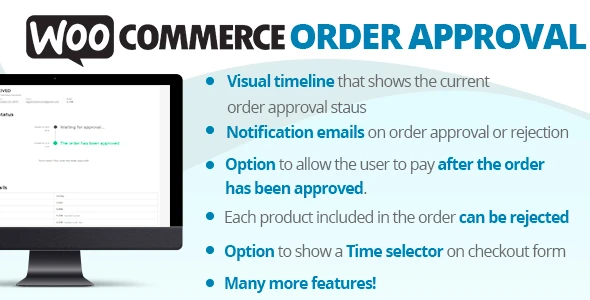
- Two flows: pay and wait for approval, or wait for approval and pay from the order page.
- New order statuses: Waiting for approval, Approved and Rejected.
- Approve or reject the whole order or single items, with the total recalculated.
- Approve and reject links inside the admin new order email.
- Approval and rejection emails to the customer with text you can edit.
- Auto approval by payment gateway, shipping method, coupon, product, category, tag, user role or subtotal.
- Optional time selector at checkout, handy for food delivery.
- Customers can cancel an approved order within a set number of minutes, and unpaid approved orders can be cancelled after a set time.
- Automatic refund on rejection when the payment gateway supports refunds.
- Works with WPML and Falang and with WooCommerce HPOS order storage.
Frequently asked questions
Is this the original file?
Yes. Every product on GPLGuide is the developer’s own release, unchanged. The license key comes already activated. If a product does ask for a key, the activation steps appear on its page once you have it.
Is it legal to use a GPL plugin or theme from GPLGuide?
Yes. WordPress plugins and themes are released under the GPL, which lets anyone use, share and change the code. The developer’s support desk and the developer’s own update service are not part of the file; those stay with the developer.
How do I install it?
Log in, open the product page and click Download under Your downloads. For a plugin go to Plugins, Add New Plugin, Upload Plugin, choose the ZIP, then Install Now and Activate. For a theme go to Appearance, Themes, Add New Theme, Upload Theme.
How do updates work?
When a newer version is listed on GPLGuide, download it from the product page and upload it over the installed copy; WordPress offers to replace the old version. Updates are manual.
Can I use it on more than one site?
Yes. The GPL lets you use it on as many of your own sites as you like.
What if the file does not work or a newer version is out?
Tell us on the Request Item page or through Support. We check the file and add the newer version when we have it.


