
ChatBot for WooCommerce - WoowBot Pro
100% Original fileUnmodified copy of the developer's release
DeveloperQuantumCloud
Up to dateFile last updated Nov 1, 2026
About this product
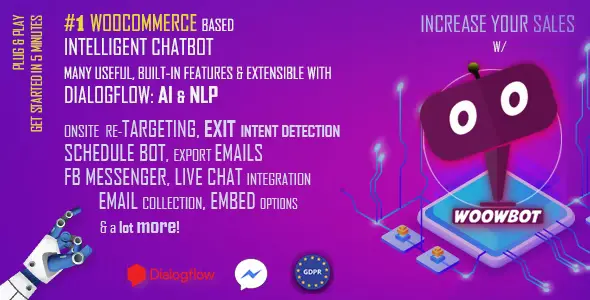
WoowBot Pro 15.2.5 is a chatbot for WooCommerce stores that talks to shoppers in a chat window, helps them find and buy products, and makes them an offer when they are about to leave. It suits shops that answer the same product, order and shipping questions every day and lose sales at the cart. The bot runs on its own menus and editable replies, so AI is optional: you can connect OpenAI, Gemini, Grok or OpenRouter with your own API key from that provider, who bills you for usage, or a self-hosted Ollama model. It is a standalone plugin, so no free core plugin is needed. Shoppers see a floating chat icon on your shop pages, and you run everything from the WordPress backend.
How to install WoowBot Pro
- Install and activate WooCommerce under Plugins, Add New Plugin if your site does not run it yet, because the bot reads your products, categories and orders from it.
- If the free version or the developer's free conversational form builder is installed, deactivate and delete both under Plugins first; your settings and chat data stay in place.
- Log in to GPLGuide, open this product and click Download under Your downloads.
- Go to Plugins, Add New Plugin, Upload Plugin, choose the ZIP, click Install Now, then Activate. On a multisite network, activate it on each site, not network-wide.
- Open the bot's menu in the WordPress sidebar, switch on the WooCommerce module and any others you need in Module Manager, since not every module is on by default, then add your AI provider's API key in the AI settings.
Features & capabilities
- Shoppers search your catalog, browse sale and featured products, and add items to the cart without leaving the chat.
- Customers can check their order status and see what is in their cart from the chat window.
- Exit intent, time on page and scroll triggers open the chat with a coupon, a newsletter sign-up or a special offer.
- Email reminders go to shoppers who added products to the cart but did not finish checkout.
- AI replies through OpenAI, Gemini, Grok, OpenRouter or Ollama, plus DialogFlow, all optional.
- A RAG knowledge base lets the AI answer from your own pages, posts and custom post types, with links back to them.
- Chat sessions and histories are kept on your own site, with nothing saved on the developer's server.
- Show the bot as a floating widget, inside a page or post, as a click-to-chat link, or on other sites with an embed code.
- Every bot reply can be changed in the backend, so the bot can talk to shoppers in your own language.
Frequently asked questions
Is this the original file?
Yes. Every product on GPLGuide is the developer’s own release, unchanged. The license key comes already activated. If a product does ask for a key, the activation steps appear on its page once you have it.
Is it legal to use a GPL plugin or theme from GPLGuide?
Yes. WordPress plugins and themes are released under the GPL, which lets anyone use, share and change the code. The developer’s support desk and the developer’s own update service are not part of the file; those stay with the developer.
How do I install it?
Log in, open the product page and click Download under Your downloads. For a plugin go to Plugins, Add New Plugin, Upload Plugin, choose the ZIP, then Install Now and Activate. For a theme go to Appearance, Themes, Add New Theme, Upload Theme.
How do updates work?
When a newer version is listed on GPLGuide, download it from the product page and upload it over the installed copy; WordPress offers to replace the old version. Updates are manual.
Can I use it on more than one site?
Yes. The GPL lets you use it on as many of your own sites as you like.
What if the file does not work or a newer version is out?
Tell us on the Request Item page or through Support. We check the file and add the newer version when we have it.


