
Wpcast – Audio Podcast WordPress Theme
100% Original fileUnmodified copy of the developer's release
DeveloperQantumThemes
Up to dateOriginal released Jan 24, 2024 · File last updated Oct 30, 2026
About this product
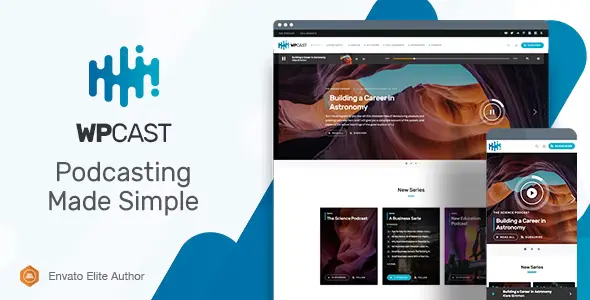
Wpcast Theme 2.1.0 is a WordPress theme for audio podcast websites. It is made for podcasters, radio-style shows and audio publishers who want episodes, series and a player on one site without writing code. A persistent player keeps audio running while visitors move between pages, and each series, author or topic archive can serve its own podcast RSS feed. The developer ships the theme with a one-click demo importer, a child theme, a bundled page builder and plugins for likes, ratings and view counts.
How to install Wpcast Theme
- Log in to GPLGuide, open this product and click Download under Your downloads.
- In WordPress go to Appearance, Themes, Add New Theme, Upload Theme, choose the theme's ZIP, click Install Now, then Activate.
- Install and activate the plugins the theme asks for, such as WPBakery Page Builder and the ReAktions plugin that handles likes, views and ratings.
- If you already publish through Seriously Simple Podcasting or PowerPress, install that plugin as well. The theme works with both, and it can import from Libsyn, Blubrry and Anchor.fm.
- Run the theme's one-click demo importer after activation to load a demo, then swap the sample episodes for your own MP3 files.
- Open Appearance, Customize to set your logo, fonts, colors and layout.
Features & capabilities
- Publish an episode by adding a title and an MP3 file, hosted in the media library or on an outside service
- Sticky player with a playlist, seek and volume controls, and Ajax page loading so audio keeps playing
- RSS feeds generated for each series, author or topic archive
- Works with Gutenberg audio blocks, classic audio shortcodes and older podcast posts
- Four blog archive styles, per-post sidebar options and an off-canvas menu and sidebar
- WPBakery Page Builder with 17 extra shortcodes for the theme
- Custom Cards and List widgets that can sort posts by date, views or likes
- Social sharing, post likes, view counts and ratings through the ReAktions plugin
- Customizer controls, a child theme and translation-ready files
Frequently asked questions
Is this the original file?
Yes. Every product on GPLGuide is the developer’s own release, unchanged. The license key comes already activated. If a product does ask for a key, the activation steps appear on its page once you have it.
Is it legal to use a GPL plugin or theme from GPLGuide?
Yes. WordPress plugins and themes are released under the GPL, which lets anyone use, share and change the code. The developer’s support desk and the developer’s own update service are not part of the file; those stay with the developer.
How do I install it?
Log in, open the product page and click Download under Your downloads. For a plugin go to Plugins, Add New Plugin, Upload Plugin, choose the ZIP, then Install Now and Activate. For a theme go to Appearance, Themes, Add New Theme, Upload Theme.
How do updates work?
When a newer version is listed on GPLGuide, download it from the product page and upload it over the installed copy; WordPress offers to replace the old version. Updates are manual.
Can I use it on more than one site?
Yes. The GPL lets you use it on as many of your own sites as you like.
What if the file does not work or a newer version is out?
Tell us on the Request Item page or through Support. We check the file and add the newer version when we have it.


