
YITH WooCommerce Bulk Product Editing
100% Original fileUnmodified copy of the developer's release
DeveloperYITH
Up to dateOriginal released Mar 26, 2026 · File last updated Oct 25, 2026
About this product
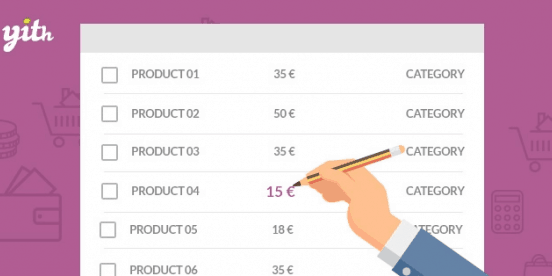
YITH WooCommerce Bulk Product Editing 3.26.0 lets you change many WooCommerce products at once instead of opening and saving each one. It suits stores with a large catalog that need to raise prices by a percentage, put a batch of items on sale, move products between categories or correct stock in one pass. Your products are listed in a table in the dashboard. You select the ones you want, click Bulk editing, set the new values in a pop-up window and save the table.
How to install YITH WooCommerce Bulk Product Editing
- Install and activate WooCommerce first if your site doesn't run it yet, under Plugins, Add New Plugin. This plugin needs it, and the developer's changelog lists support for WordPress 7.0 and WooCommerce 10.7 in this release.
- Log in to GPLGuide, open this product and click Download under Your downloads.
- In WordPress, go to Plugins, Add New Plugin, Upload Plugin and choose the ZIP you downloaded.
- Click Install Now, then click Activate once the upload finishes.
- Open Bulk Product Editing, then Products table, in the plugin's menu in the WordPress sidebar. Click Enable fields, pick the fields to edit and Save. For variable products, turn on Include variations; the plugin edits existing variations but can't add any.
Features & capabilities
- Choose which fields can be edited, including taxonomies and custom fields, and show or hide table columns.
- Save table views that filter products by name, SKU, price, stock, status, category, tag, attribute and more.
- A bulk editing window split into General, Images, Categories tags and attributes, Prices, Shipping, Stock and Advanced sections.
- Text fields can be set, prepended, appended, replaced, removed or emptied, with optional regular expressions in Replace.
- Raise or lower regular and sale prices by a set amount or a percentage, and shift sale dates by days.
- Change images, categories, tags, upsells and cross-sells, stock quantity, shipping class, weight and dimensions for every selected product.
- Edited values show in red, and Undo and Redo let you step back before you save the table.
- Edit single products inline, add a new product from a pop-up, or duplicate, trash, delete or export a view to CSV.
- Settings for rounding prices, saving views and fields per user, and a lighter query for very large catalogs.
Frequently asked questions
Is this the original file?
Yes. Every product on GPLGuide is the developer’s own release, unchanged. The license key comes already activated. If a product does ask for a key, the activation steps appear on its page once you have it.
Is it legal to use a GPL plugin or theme from GPLGuide?
Yes. WordPress plugins and themes are released under the GPL, which lets anyone use, share and change the code. The developer’s support desk and the developer’s own update service are not part of the file; those stay with the developer.
How do I install it?
Log in, open the product page and click Download under Your downloads. For a plugin go to Plugins, Add New Plugin, Upload Plugin, choose the ZIP, then Install Now and Activate. For a theme go to Appearance, Themes, Add New Theme, Upload Theme.
How do updates work?
When a newer version is listed on GPLGuide, download it from the product page and upload it over the installed copy; WordPress offers to replace the old version. Updates are manual.
Can I use it on more than one site?
Yes. The GPL lets you use it on as many of your own sites as you like.
What if the file does not work or a newer version is out?
Tell us on the Request Item page or through Support. We check the file and add the newer version when we have it.


