
YITH WooCommerce Color And Label Variations Premium
100% Original fileUnmodified copy of the developer's release
DeveloperYITH
Up to dateOriginal released Mar 31, 2026 · File last updated Oct 25, 2026
About this product
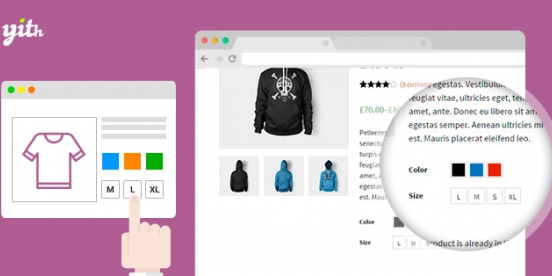
YITH WooCommerce Color and Label Variations Premium 3.18.0 replaces the plain drop-down menus on variable WooCommerce products with color swatches, image swatches and text labels. It suits shops that sell clothing, jewelry or anything else with sizes, colors, materials or shapes, where shoppers choose faster from visible options than from a list of words. You create swatch attributes under Products, Attributes and pick a type for each one. The swatches then show on product pages and, with the premium options, on shop and category pages too.
How to install YITH WooCommerce Color and Label Variations Premium
- Install and activate WooCommerce first if your site doesn't run it: Plugins, Add New Plugin, search for WooCommerce, Install Now, Activate.
- Log in to GPLGuide, open this product and click Download under Your downloads.
- In WordPress go to Plugins, Add New Plugin, Upload Plugin, choose the ZIP you downloaded, click Install Now, then Activate.
- Go to Products, Attributes, create or edit an attribute and set its Type to Colorpicker, Image or Label. Then add its terms, such as each color, image or size label.
- On a variable product, add that attribute, select its terms and turn on Used for variations. The Attributes style section on the same screen lets you override how one product's swatches look.
- Open the plugin's settings from its entry in the developer's menu in the WordPress sidebar. General options covers shop and archive pages; Customization covers tooltips, swatch size and out-of-stock display.
Features & capabilities
- Show variation attributes as color swatches, image swatches or text labels.
- Make a color swatch a single color, two colors split in half, or an image.
- Add tooltips with text or a preview image, with your choice of position and animation.
- Set swatch size, corner rounding and form colors.
- Hide, blur, or blur and cross out options that are out of stock or have no matching variation.
- Show the swatches on shop and archive pages, pick which attributes appear there, and turn on AJAX for the form.
- Give each variation its own image gallery, and import or export galleries with WooCommerce tools or WP All Import.
- Swap the product image when a shopper hovers over a swatch.
- Let shoppers edit a cart item's attributes from the cart page.
- List variations as separate products in the shop, with the parent product hidden if you want.
Frequently asked questions
Is this the original file?
Yes. Every product on GPLGuide is the developer’s own release, unchanged. The license key comes already activated. If a product does ask for a key, the activation steps appear on its page once you have it.
Is it legal to use a GPL plugin or theme from GPLGuide?
Yes. WordPress plugins and themes are released under the GPL, which lets anyone use, share and change the code. The developer’s support desk and the developer’s own update service are not part of the file; those stay with the developer.
How do I install it?
Log in, open the product page and click Download under Your downloads. For a plugin go to Plugins, Add New Plugin, Upload Plugin, choose the ZIP, then Install Now and Activate. For a theme go to Appearance, Themes, Add New Theme, Upload Theme.
How do updates work?
When a newer version is listed on GPLGuide, download it from the product page and upload it over the installed copy; WordPress offers to replace the old version. Updates are manual.
Can I use it on more than one site?
Yes. The GPL lets you use it on as many of your own sites as you like.
What if the file does not work or a newer version is out?
Tell us on the Request Item page or through Support. We check the file and add the newer version when we have it.


