
YITH WooCommerce Compare Premium
100% Original fileUnmodified copy of the developer's release
DeveloperYITH
Up to dateOriginal released Mar 31, 2026 · File last updated Oct 25, 2026
About this product
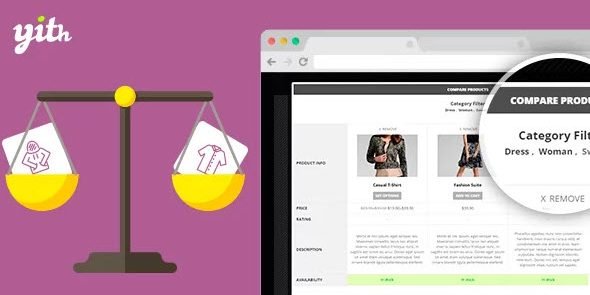
YITH WooCommerce Compare 3.9.0 adds a product comparison table to your WooCommerce shop. It suits stores with a large catalog or products that differ in many small details, such as electronics, tools, furniture or clothing, where shoppers hesitate because they can't line items up side by side. Visitors click a compare button, link or checkbox on the shop or product pages, and the chosen products open in one table, either in an overlay or on a Compare page the plugin creates. You decide in the plugin settings which products can be compared, which rows the table shows and how it looks.
How to install YITH WooCommerce Compare
- Install and activate WooCommerce first under Plugins, Add New Plugin if your shop doesn't run it yet. The changelog for this build lists support for WordPress 7.0 and WooCommerce 10.7.
- Log in to GPLGuide, open this product and click Download under Your downloads.
- In WordPress, go to Plugins, Add New Plugin, Upload Plugin, choose the ZIP you downloaded and click Install Now.
- Click Activate. The plugin creates a Compare page for the table by itself, and you can pick a different page later if you prefer.
- Open the developer's menu in the WordPress sidebar and choose Compare. Under General settings, Compare button, set the Compare style, Show compare in and Open comparison table, then work through Compare options, Comparison tables and Style.
Features & capabilities
- Compare control shown as a button, a link or a checkbox, on the shop page, product pages or both
- Offer comparison on all products or only chosen categories, and hide the control on products you list
- Allow any products in one table, or only products from the same category, with an optional category filter above the table
- Cap how many products a shopper can add to a single table
- Table opens as an overlay, manually or right after the first product is added, or on a separate Compare page
- Drag the rows into your order: price, rating, description, SKU, availability, weight, attributes and custom attributes
- Choose the short or full description, an original or thumbnail image, and a Clear all button
- Keep the first columns fixed while the table scrolls sideways, and highlight rows where products differ
- Table title, description and a logo or image of your own at the top
- Related products slider under the table, built from shared tags or categories
Frequently asked questions
Is this the original file?
Yes. Every product on GPLGuide is the developer’s own release, unchanged. The license key comes already activated. If a product does ask for a key, the activation steps appear on its page once you have it.
Is it legal to use a GPL plugin or theme from GPLGuide?
Yes. WordPress plugins and themes are released under the GPL, which lets anyone use, share and change the code. The developer’s support desk and the developer’s own update service are not part of the file; those stay with the developer.
How do I install it?
Log in, open the product page and click Download under Your downloads. For a plugin go to Plugins, Add New Plugin, Upload Plugin, choose the ZIP, then Install Now and Activate. For a theme go to Appearance, Themes, Add New Theme, Upload Theme.
How do updates work?
When a newer version is listed on GPLGuide, download it from the product page and upload it over the installed copy; WordPress offers to replace the old version. Updates are manual.
Can I use it on more than one site?
Yes. The GPL lets you use it on as many of your own sites as you like.
What if the file does not work or a newer version is out?
Tell us on the Request Item page or through Support. We check the file and add the newer version when we have it.


