
YITH WooCommerce Frequently Bought Together Premium
100% Original fileUnmodified copy of the developer's release
DeveloperYITH
Up to dateOriginal released Mar 31, 2026 · File last updated Oct 25, 2026
About this product
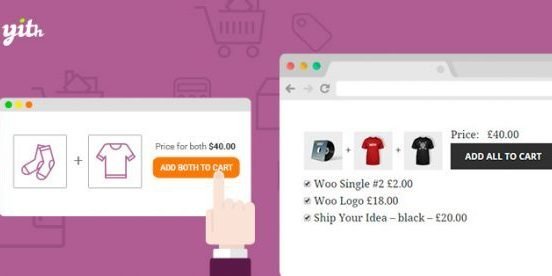
YITH WooCommerce Frequently Bought Together Premium 1.60.0 adds a frequently bought together box to your WooCommerce product pages, listing companion products with tick boxes and one Add to Cart button. It suits shops with accessories, add-ons or items that naturally pair up, and owners who want shoppers to add several products at once without building bundles by hand. You choose the companion products on each product's edit screen, and the box shows on the product page in the position you pick, with optional discounts when shoppers buy the group.
How to install YITH WooCommerce Frequently Bought Together Premium
- Install and activate WooCommerce first under Plugins, Add New Plugin if your site doesn't run it. This version's changelog lists support for WooCommerce 10.7 and WordPress 7.0.
- Log in to GPLGuide, open this product and click Download under Your downloads.
- In WordPress, go to Plugins, Add New Plugin, Upload Plugin, choose the ZIP you just downloaded and click Install Now.
- When the upload finishes, click Activate Plugin so the plugin's menu appears in the WordPress sidebar.
- Open the developer's menu in the WordPress sidebar and choose Frequently Bought Together. The General settings, Customization and Linked products tabs are there.
- Edit a product and choose its companion products with Use related, Use cross-sells, Use up-sells or Custom products, then view the product page to see the box.
Features & capabilities
- Four ways to fill the box: related products by shared tags or categories, cross-sells, up-sells, or hand-picked products found by name, ID or SKU.
- Show every selected product, or a random limited number, with the products ticked or unticked when the page loads.
- Box position set in General settings: below the product summary, above or below the product tabs, above the product meta, or through a shortcode.
- Percentage or fixed-amount discounts on the linked products, with optional minimum subtotal and minimum product count rules.
- Separate total and button labels for a single, double, triple or larger group, plus colors for the form background and button.
- A variation popup, with its own button label, title and Add to Cart text, so shoppers can pick options for variable products.
- An option to send shoppers straight to checkout after they add the group, and a highlighted discount price in the box.
- A Linked products tab that lists every product shown in the box, with buttons to edit or delete each one.
- A block and shortcode that print a product's box on any page you build in the editor.
- An optional slider of linked products on the wishlist page, which needs the developer's wishlist plugin active in both its free and premium versions.
Frequently asked questions
Is this the original file?
Yes. Every product on GPLGuide is the developer’s own release, unchanged. The license key comes already activated. If a product does ask for a key, the activation steps appear on its page once you have it.
Is it legal to use a GPL plugin or theme from GPLGuide?
Yes. WordPress plugins and themes are released under the GPL, which lets anyone use, share and change the code. The developer’s support desk and the developer’s own update service are not part of the file; those stay with the developer.
How do I install it?
Log in, open the product page and click Download under Your downloads. For a plugin go to Plugins, Add New Plugin, Upload Plugin, choose the ZIP, then Install Now and Activate. For a theme go to Appearance, Themes, Add New Theme, Upload Theme.
How do updates work?
When a newer version is listed on GPLGuide, download it from the product page and upload it over the installed copy; WordPress offers to replace the old version. Updates are manual.
Can I use it on more than one site?
Yes. The GPL lets you use it on as many of your own sites as you like.
What if the file does not work or a newer version is out?
Tell us on the Request Item page or through Support. We check the file and add the newer version when we have it.

