
YITH WooCommerce Popup Premium
100% Original fileUnmodified copy of the developer's release
DeveloperYITH
Up to dateOriginal released Jun 22, 2026 · File last updated Oct 25, 2026
About this product
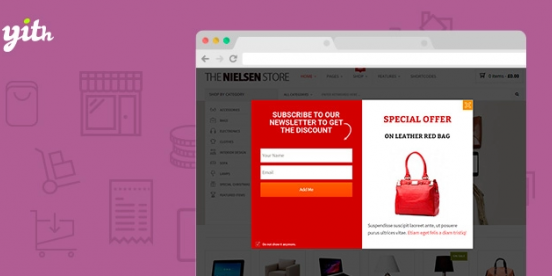
YITH WooCommerce Popup Premium 1.58.0 shows popups on your WooCommerce shop to promote an offer, collect email addresses or suggest a product. It suits stores that run sales, build a mailing list by giving a coupon or gift for an address, or want to catch a visitor who is about to leave. You create popups from the menu the plugin adds to the WordPress sidebar, start from a built-in template, choose which pages show it and set when it appears, such as on page load, after a delay or as the visitor moves to leave.
How to install YITH WooCommerce Popup Premium
- Install and activate WooCommerce first if your site doesn't run it yet, under Plugins, Add New Plugin. This plugin needs it, and the developer's changelog lists support for WooCommerce 10.9 in this release.
- Log in to GPLGuide, open this product and click Download under Your downloads.
- In WordPress, go to Plugins, Add New Plugin, Upload Plugin and choose the ZIP you downloaded.
- Click Install Now, then click Activate once the upload finishes.
- Have your own MailChimp or Mad Mimi account and API key ready if you want a newsletter popup. Know the limits too: a page shows one popup, and you can't design one from scratch outside the templates.
- Open the Popup entry in the plugin's menu in the WordPress sidebar. Switch the popup on, choose the default popup and the pages that show it, or leave Show on all pages enabled, then use Add New Popup to build more.
Features & capabilities
- Five content types: text, newsletter, form, social buttons and a WooCommerce product, picked from one Content-type drop-down.
- Six ready-made popup templates to start from, each with a preview.
- Five triggers: on page load, when the mouse leaves the browser window, when a visitor tries to leave, on a click on an external link, or on a click on a link you mark for it.
- Set a delay in seconds, the position (centre or a corner) and the overlay color and opacity.
- The product type picks a random item from chosen products, categories, discounted or featured items, with name, image, price and Add to Cart toggles.
- Newsletter forms connect to MailChimp or Mad Mimi, or post to a custom form action, with an optional name field.
- A Popup option on each page lets you use the plugin default, a custom popup or none, and product pages have a metabox for the same choice.
- Visitors can tick a box to hide the popup, and you set the number of days and the label next to the box.
- A Customization tab takes your own CSS, and the closing button icon can be swapped for your own.
Frequently asked questions
Is this the original file?
Yes. Every product on GPLGuide is the developer’s own release, unchanged. The license key comes already activated. If a product does ask for a key, the activation steps appear on its page once you have it.
Is it legal to use a GPL plugin or theme from GPLGuide?
Yes. WordPress plugins and themes are released under the GPL, which lets anyone use, share and change the code. The developer’s support desk and the developer’s own update service are not part of the file; those stay with the developer.
How do I install it?
Log in, open the product page and click Download under Your downloads. For a plugin go to Plugins, Add New Plugin, Upload Plugin, choose the ZIP, then Install Now and Activate. For a theme go to Appearance, Themes, Add New Theme, Upload Theme.
How do updates work?
When a newer version is listed on GPLGuide, download it from the product page and upload it over the installed copy; WordPress offers to replace the old version. Updates are manual.
Can I use it on more than one site?
Yes. The GPL lets you use it on as many of your own sites as you like.
What if the file does not work or a newer version is out?
Tell us on the Request Item page or through Support. We check the file and add the newer version when we have it.


