
YITH WooCommerce Questions and Answers Premium
100% Original fileUnmodified copy of the developer's release
DeveloperYITH
Up to dateOriginal released Feb 20, 2024 · File last updated Oct 25, 2026
About this product
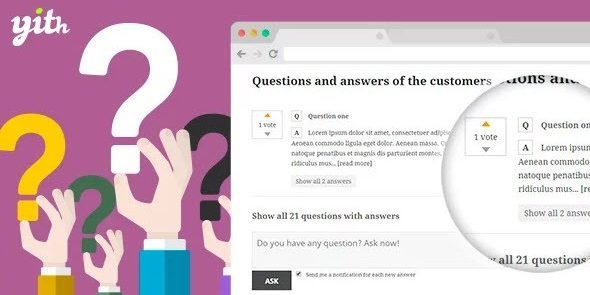
YITH WooCommerce Questions and Answers 1.34.0 adds a questions and answers section to your WooCommerce product pages, so shoppers can ask what they need to know before they buy. It suits shops where doubts the product description doesn't settle turn into abandoned carts, returns or support emails. Visitors post questions, you or other customers answer them, and everyone reads the replies on the same page. The section shows as a tab on the product page, or wherever you place the shortcode, and you manage it from the plugin's own screens in the developer's menu in the WordPress sidebar.
How to install YITH WooCommerce Questions and Answers
- Install and activate WooCommerce under Plugins, Add New Plugin if your shop doesn't run it yet.
- Log in to GPLGuide, open this product and click Download under Your downloads.
- In WordPress, go to Plugins, Add New Plugin, Upload Plugin, choose the ZIP you downloaded and click Install Now.
- Click Activate once the upload has finished, then check that WooCommerce is still active.
- Know the limits first: questions belong to the parent product, not to single variations, and the shortcode works on product pages only. reCAPTCHA needs your own site key and secret key from Google.
- Open the developer's menu in the WordPress sidebar and go to Questions & Answers, General. Set the paging, approval and guest options, and turn on Show on product tabs to add the tab to your product pages.
Features & capabilities
- Show questions and answers as a tab on each product page, or place them with a shortcode.
- Page the lists by setting how many questions load per product and how many answers per question.
- Hold new questions and answers for approval before they appear.
- Let guests post after entering a name and email, or limit replies to administrators.
- Switch on FAQ mode so shoppers read your questions and answers but cannot add their own.
- Let visitors vote on questions and answers and flag inappropriate content, which is then hidden.
- Anonymous mode hides the name of whoever posted.
- Email the admin about new questions and answers, tell customers when their question is answered, and ask past buyers to answer a new question.
- Block spam with Google reCAPTCHA (the No CAPTCHA version) and an Akismet check when Akismet is installed.
- Override the notification email templates from your theme.
Frequently asked questions
Is this the original file?
Yes. Every product on GPLGuide is the developer’s own release, unchanged. The license key comes already activated. If a product does ask for a key, the activation steps appear on its page once you have it.
Is it legal to use a GPL plugin or theme from GPLGuide?
Yes. WordPress plugins and themes are released under the GPL, which lets anyone use, share and change the code. The developer’s support desk and the developer’s own update service are not part of the file; those stay with the developer.
How do I install it?
Log in, open the product page and click Download under Your downloads. For a plugin go to Plugins, Add New Plugin, Upload Plugin, choose the ZIP, then Install Now and Activate. For a theme go to Appearance, Themes, Add New Theme, Upload Theme.
How do updates work?
When a newer version is listed on GPLGuide, download it from the product page and upload it over the installed copy; WordPress offers to replace the old version. Updates are manual.
Can I use it on more than one site?
Yes. The GPL lets you use it on as many of your own sites as you like.
What if the file does not work or a newer version is out?
Tell us on the Request Item page or through Support. We check the file and add the newer version when we have it.


