Advanced Custom Fields Component Field Addon
Note
Note: This is an Addon for Advanced Custom Fields (ACF) Pro
100% Original fileUnmodified copy of the developer's release
Developergummi.io
Up to dateOriginal released Aug 24, 2026 · File last updated Oct 23, 2026
About this product
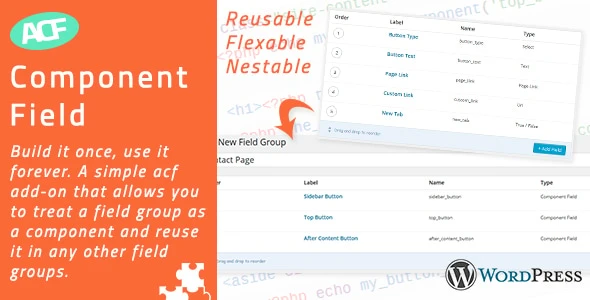
ACF Component Field 2.0.10 is an add-on for ACF Pro that lets you build a field group once and reuse it inside other field groups as a component. It's made for developers and agencies who keep rebuilding the same sets of fields, such as a button, a testimonial block, a slider or a list menu, across pages, post types and client projects. When the component changes, every field group that uses it changes with it, so you stop copying fields by hand.
What's in the ACF Component Field download
Our download is the original ACF Component Field ZIP for version 2.0.10, with the license key already activated. The file holds the add-on only. ACF Pro is not included and has to be on your site, because the developer states the add-on only works with the Pro version of Advanced Custom Fields, not with the free plugin.
Good to know
You need WordPress 6.8 or newer and ACF Pro 6 or newer. A component stores its values like a Repeater, so your theme reads it the same way it would read a Repeater field. If a component group contains Tab fields, choose the Block layout where you include it, or the layout breaks. Using ACF local JSON? Sync it before you edit component fields, otherwise saved values can get lost.
How to install ACF Component Field

Features & capabilities
- Turn any field group into a component and add it to other groups with a Component field
- Edit a component once and the change shows up everywhere it's used
- Convert an existing Repeater into a component, or a component back into a Repeater
- Set the default button label, min, max and layout on the component itself
- Nest components inside other components for layered layouts
- A Component tab in the field group list shows how often each component is used
- Pagination for top-level Repeater-based components, plus WPML and WPGraphQL for ACF support
- Imports version 1 exports, with a migration tool under Custom Fields, Tools
Frequently asked questions
Is this the original file?
Yes. Every product on GPLGuide is the developer’s own release, unchanged. The license key comes already activated. If a product does ask for a key, the activation steps appear on its page once you have it.
Is it legal to use a GPL plugin or theme from GPLGuide?
Yes. WordPress plugins and themes are released under the GPL, which lets anyone use, share and change the code. The developer’s support desk and the developer’s own update service are not part of the file; those stay with the developer.
How do I install it?
Log in, open the product page and click Download under Your downloads. For a plugin go to Plugins, Add New Plugin, Upload Plugin, choose the ZIP, then Install Now and Activate. For a theme go to Appearance, Themes, Add New Theme, Upload Theme.
How do updates work?
When a newer version is listed on GPLGuide, download it from the product page and upload it over the installed copy; WordPress offers to replace the old version. Updates are manual.
Can I use it on more than one site?
Yes. The GPL lets you use it on as many of your own sites as you like.
What if the file does not work or a newer version is out?
Tell us on the Request Item page or through Support. We check the file and add the newer version when we have it.