Advanced Custom Fields – Theme Code Pro
Note
Note: This is an Addon for Advanced Custom Fields (ACF) Pro
100% Original fileUnmodified copy of the developer's release
DeveloperAdvanced Custom Fields
Up to dateFile last updated Oct 23, 2026
About this product
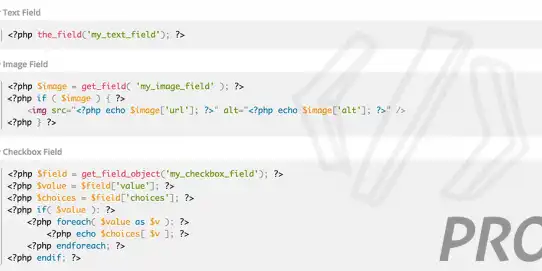
ACF Theme Code Pro 2.5.6 is a helper plugin for developers who build WordPress themes with Advanced Custom Fields. Instead of looking up the right template function for each field, you open a field group and get the PHP you need, ready to paste into your theme files. It's meant for freelancers and agencies who build custom themes for clients, and for anyone working with ACF Pro field types who wants the same clean, escaped output every time without rereading the ACF docs.
What's in the ACF Theme Code Pro download
Our download is the original ACF Theme Code Pro ZIP for version 2.5.6, with the license key already activated. It holds the Pro plugin only. Advanced Custom Fields is not part of the file, so you need ACF or ACF Pro on the site already. The developer also has a free ACF Theme Code plugin, a separate and smaller version that only handles free ACF fields and Post and Page locations.
Good to know
ACF Theme Code Pro works with Advanced Custom Fields or ACF Pro 5.8 or newer, on WordPress 5.4 or newer and PHP 7 or newer; version 2.5.6 adds PHP 8.2 support. The code only shows up after you publish or update a field group, so save first and then scroll to the Theme Code section below the field group settings. The PHP that registers ACF blocks and options pages comes from the Location Registration Tool on the ACF Tools page, not from the field group.
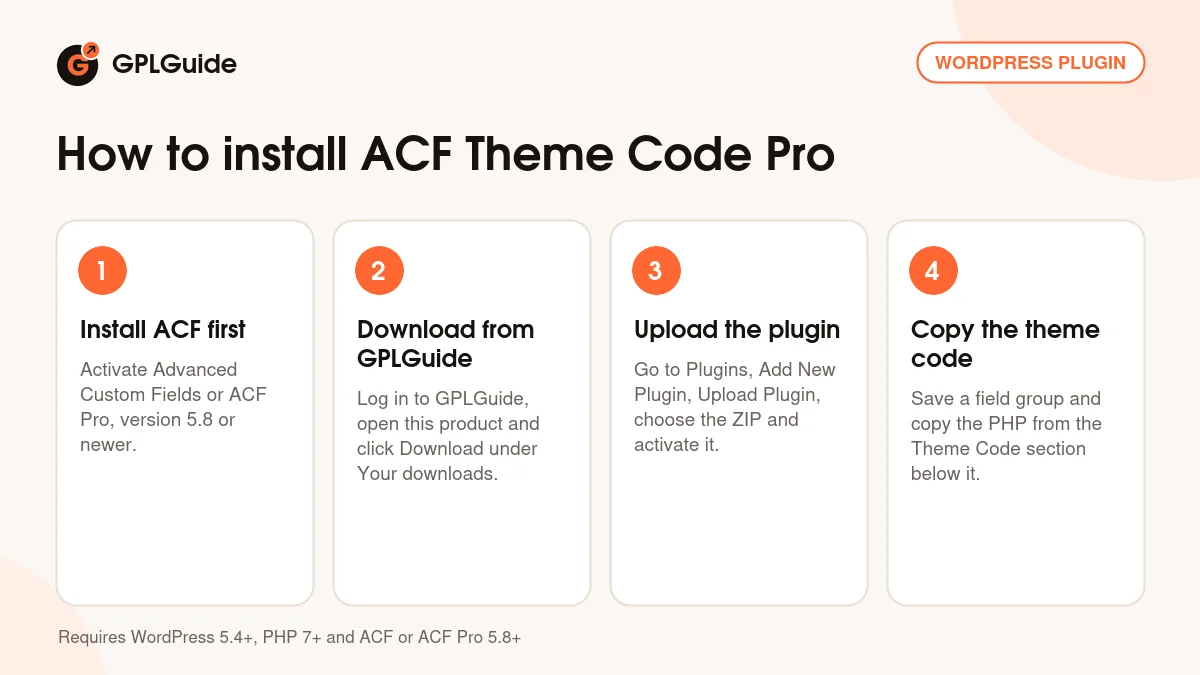
How to install ACF Theme Code Pro
Features & capabilities
- PHP for every field in a group, shown in a Theme Code panel under the field group settings
- Clipboard icons copy one snippet, and Copy All grabs the code for the whole group
- Covers the ACF Pro fields Repeater, Flexible Content, Gallery and Clone
- Code for locations beyond posts and pages: blocks, options pages, widgets, taxonomies, comments, attachments and users
- Location Registration Tool writes the code that registers ACF blocks and options pages
- Output follows each field's return format and single or multiple setting, with escaping in line with the ACF docs
- Quicklinks jump straight to the code block of the field you need
- Handles third-party fields such as Font Awesome, Gravity Forms, Contact Form 7, Table and TablePress
Frequently asked questions
Is this the original file?
Yes. Every product on GPLGuide is the developer’s own release, unchanged. The license key comes already activated. If a product does ask for a key, the activation steps appear on its page once you have it.
Is it legal to use a GPL plugin or theme from GPLGuide?
Yes. WordPress plugins and themes are released under the GPL, which lets anyone use, share and change the code. The developer’s support desk and the developer’s own update service are not part of the file; those stay with the developer.
How do I install it?
Log in, open the product page and click Download under Your downloads. For a plugin go to Plugins, Add New Plugin, Upload Plugin, choose the ZIP, then Install Now and Activate. For a theme go to Appearance, Themes, Add New Theme, Upload Theme.
How do updates work?
When a newer version is listed on GPLGuide, download it from the product page and upload it over the installed copy; WordPress offers to replace the old version. Updates are manual.
Can I use it on more than one site?
Yes. The GPL lets you use it on as many of your own sites as you like.
What if the file does not work or a newer version is out?
Tell us on the Request Item page or through Support. We check the file and add the newer version when we have it.