
Bookly PRO – Appointment Booking and Scheduling Software System
100% Original fileUnmodified copy of the developer's release
DeveloperBookly
Up to dateFile last updated Oct 23, 2026
About this product
Bookly PRO is the paid add-on for the free Bookly plugin, and it turns a basic WordPress booking form into a full appointment system for any business that sells its time by the slot. It lifts the free version's cap of five services and adds unlimited staff with their own schedules and prices, online payments, Google Calendar sync, WooCommerce, Zoom and Google Meet links and extra reminder templates. This page is for Bookly PRO 10.6. On GPLGuide you download the original plugin file to install on your own websites.
Good for: hair and beauty salons, spas, medical and dental practices, personal trainers, driving schools, tutors, coaches and photographers, plus agencies that build booking sites for clients.
Requirements: the free Bookly core plugin, which you install separately from the WordPress plugin directory. It is not inside this ZIP, and the Bookly Pro add-on does nothing without it. The core listing asks for WordPress 3.7 or higher and PHP 5.3.7 or higher, and the CodeCanyon item page lists WordPress 6.9.x, WooCommerce 9.x.x, Elementor and WPML. The 10.6 changelog adds support for Bookly 28.4. The Bookly PRO file from GPLGuide comes with the license key already activated.
What Bookly PRO does
Bookly comes as two plugins. The free core holds the booking engine, the calendar and the classic step-by-step form. Bookly PRO sits on top and switches on what a working business needs: no cap on services or staff, online payments, the right to install other Bookly add-ons, and many more settings on each service and staff card.
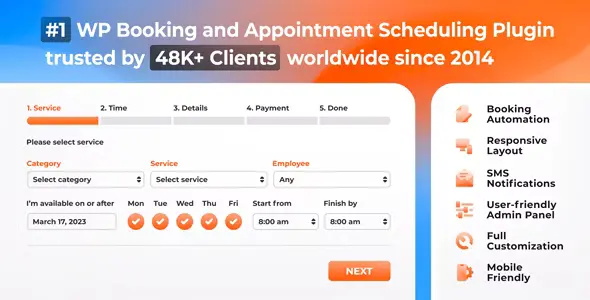
Customers book through a form on your site. They choose a service, a staff member (or Any), a date and a time slot, enter their details, pay if needed and get a confirmation by email or text. You run it all from the Bookly menu: Calendar, Appointments, Staff Members, Services, Customers, Payments, Appearance and Settings.
The calendar shows day, week, month, timeline and list views. The Appointments screen filters by staff, service, customer, status and date, with Export to CSV and Print. Bookly PRO also adds an importable customer list, built-in analytics and nine bundled languages.
Staff members and services in Bookly PRO
Open Bookly, Staff Members to add people. Each staff card has three parts. Properties holds Full Name, Image, WP user, Email, Phone, Color, Visibility, Available payment methods, Limit working hours per day, an ICalendar feed URL, the Zoom and Google Calendar connections and a Timezone. Services sets what they offer and at what price. Schedule & Days Off holds their own hours and holidays. Leave it empty and they follow the company Business Hours.
Link someone to a WP user and they see their own calendar and settings, while administrators see everyone. Visibility set to Private keeps a person off the public form but bookable from the backend. When someone leaves, archive them. Their history stays, and Show archived brings them back.
Services live in categories. Each one gets a Color for the calendar, a Price, its Providers, Tags for the Tags form and a Duration anywhere from 5 minutes to 7 days. The settings to check first are Padding time (cleanup or prep around each appointment), Time slot length, Limit appointments per customer, Minimum time requirement prior to booking & canceling, and Final step URL, for a separate thank-you page per service.
When a customer picks Any, Providers preference for ANY decides who gets the booking: Specified order, Most/least occupied that day, Most/least occupied for period, or Most/least expensive. It looks like a minor setting. On a busy team it decides who works the hardest.
Booking forms, payments and WooCommerce
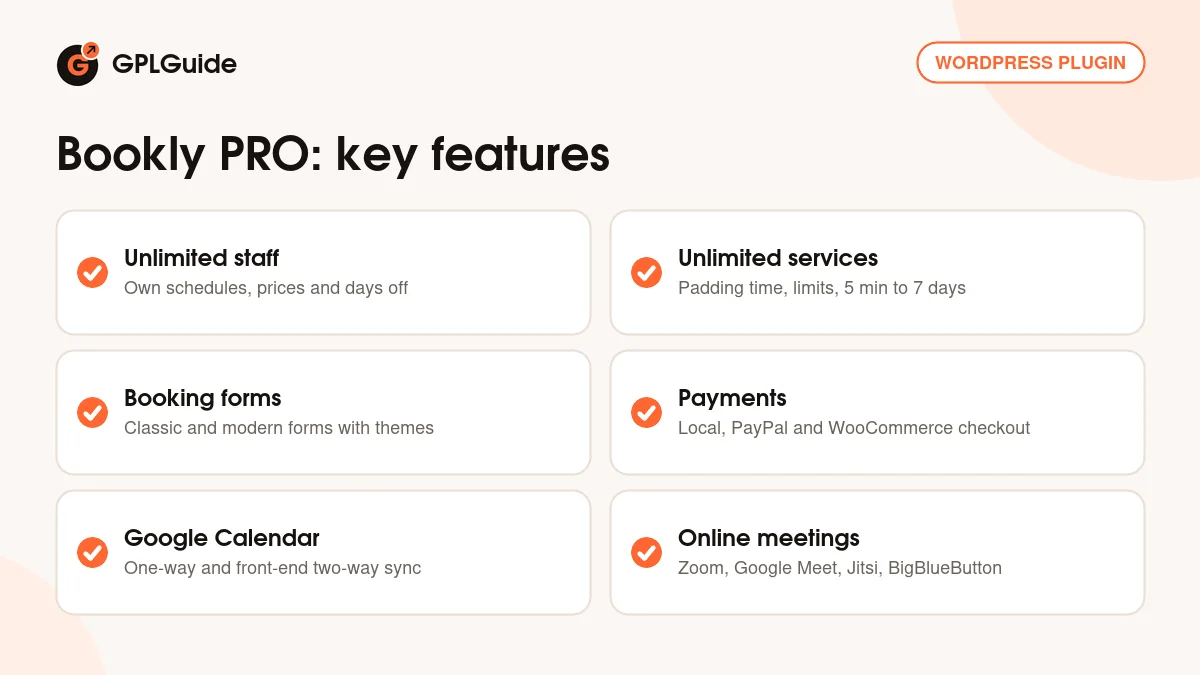
The classic form goes step by step. There are also four modern forms: Search (date first), Services (a catalog view), Staff (staff first) and Tags. Their shortcodes are [bookly-form], [bookly-search-form], [bookly-services-form], [bookly-staff-form] and [bookly-tags-form]. Style them under Bookly, Appearance. Since Pro 10.4 the Themes tab has preset themes plus controls for a card grid, transparent background, corner rounding and card shadows.
Payment methods sit under Settings, Payments, where you drag them into the order the payment step shows. Each staff member can have their own Available payment methods, handy for switching off pay-at-the-desk for online-only sessions. Bookly PRO gives you local payment, WooCommerce and PayPal Express Checkout, which PayPal has deprecated. Card gateways such as Square, Authorize.net, Mollie and 2Checkout are separate payment add-ons.
For WooCommerce, create a placeholder product, open Settings, WooCommerce, set it to Enabled and choose that product as Booking Product. Bookly swaps in the real service at checkout. Write a generic Cart item data title, then decide on Create a WooCommerce order if the cost of the service is zero and Create a WooCommerce order from backend. Normally the WooCommerce cart replaces Bookly's own payment methods. Since 10.5 you can list WooCommerce as one separate method instead.
Customers can manage their own bookings too. Put [bookly-appointments-list] on a page, turn on Create WordPress user account for customers under Settings, Customers, and add a Cancel column.
Calendars, online meetings and reminders
Bookly PRO has three Google Calendar modes: one-way, two-way (front-end only), where Google events block slots but don't appear in Bookly, and full two-way sync, which needs the separate Advanced Google Calendar add-on and HTTPS. In the Google Cloud console, enable the Google Calendar API and create a Web application client with Bookly's Redirect URI. Paste the Client ID and Client secret into Bookly, Settings, Google Calendar. Getting Error 403: access_denied? Set the app's Publishing status to In production.
Online meetings cover Zoom (OAuth with a General App from the Zoom App Marketplace), Google Meet (it rides on Google Calendar sync), Jitsi Meet and BigBlueButton on your own server. Under Services, Edit, Advanced, set Create online meetings to a provider and add {online_meeting_url} to the confirmation email.
The Bookly Pro add-on brings the scheduled templates: Appointment reminder, Customer's last appointment (your follow-up), Customer's birthday greeting and Staff next day agenda. The scheduled ones need cron, so set up a real server cron job before you trust your reminders.
Bookly PRO setups you can copy
Each of these uses only the settings above.
- Hair salon: categories for Cuts and Colour, Padding time after colour, and Providers preference for ANY set to least occupied that day.
- Online consultant: one staff member, Create online meetings set to Zoom and {online_meeting_url} in the confirmation email.
- Clinic with several doctors: each doctor linked to a WP user with their own Schedule & Days Off, plus two-way (front-end only) Google sync.
- Shop on WooCommerce: a placeholder Booking Product, Cart item data with {service_name} and {staff_name}, and backend orders for phone bookings.
- Studio with many classes: Tags on every service and [bookly-tags-form] on the booking page.
- Self-service page: [bookly-appointments-list] with a Cancel column and Cancel appointment action set to Cancel.
What's new in Bookly PRO 10.6
Version 10.6 is the newest Bookly PRO entry in the developer's changelog, and its first line reads "Added support for Bookly 28.4". The changelog gives no date for it, but it came after 10.5, which the developer announced on September 23, 2026. The new parts sit in the backend booking wizard: you can fill in customer custom fields while creating an appointment, and rescheduling compound and collaborative services is clearer.
The rest are fixes. Deposits display properly in modern forms, and customers get back to the form after a payment error. Collaborative services get three: rescheduling in the wizard, availability search with four or more sub-services, and compatibility with Group Booking. Custom durations now work with the Multiply Appointments feature, and modern forms show the right slots to customers whose time zone is behind the site's.
Before that, 10.5 (September 23, 2026) added WooCommerce as a separate payment method, also in the AI Assistant booking form, and fixed gift cards on packages and Square payments. 10.4 (August 27, 2026) brought the modern form themes.
Good to know before you buy
Bookly PRO is an add-on, not a standalone plugin. You need the free Bookly core installed and active. You install it yourself from the WordPress plugin directory, because it is not part of this download. The developer says the core should be updated together with the Pro add-on and other Bookly items.
This ZIP is the Bookly Pro add-on only. Deposit Payments, Coupons, Customer Cabinet, Staff Cabinet, Group Booking, Collaborative Services, Packages, Events and the card gateways are separate add-ons, and they only run while Bookly PRO is active.
Several services run on the developer's servers through a paid Bookly Cloud account: SMS (priced by destination country, and a custom Sender ID of 3 to 11 characters costs about 20 to 25% more), WhatsApp and voice notifications, Stripe through the cloud, Zapier, Cloud Cron, the Staff Cabinet mobile app and the AI Assistant booking form. The developer says the AI Assistant is free for now and will become a paid product.
Bookly PRO from GPLGuide vs the official subscription
From GPLGuide you get the original Bookly PRO 10.6 add-on ZIP, with unlimited staff and services, payments, WooCommerce, Google Calendar, online meetings and the extra templates. The license key is already activated, so there's no purchase code to type in under Bookly, Add-ons. Under Envato's licence for this item, its PHP code is licensed under the GPL.
Buying from the developer gets you their support, refunds and account. On the CodeCanyon item page the Regular License is $199 with 6 months of support, extendable to 12 months. On the developer's own site the Pro plan shows $39 per year for one site, marked down from $99, with priority support and a 30-day money-back guarantee. Bookly Cloud credit is bought from the developer either way.
How to install Bookly PRO
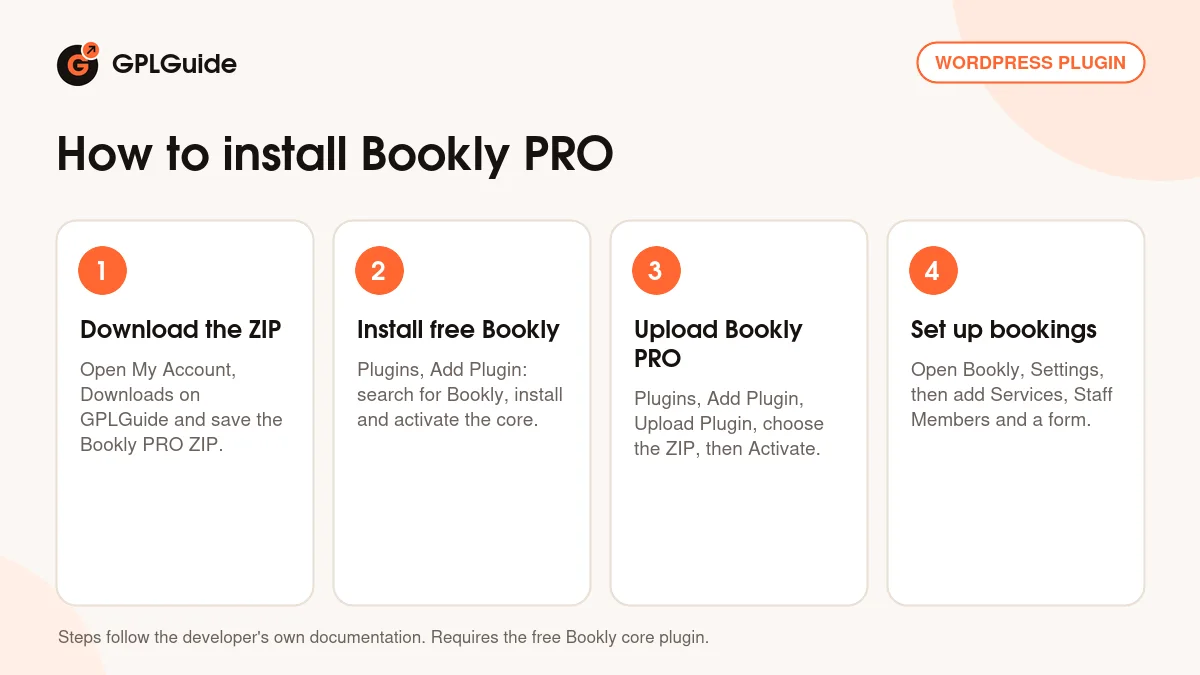
- Sign in to GPLGuide, open My Account, Downloads and save the Bookly PRO ZIP.
- Install the free core first: in WordPress go to Plugins, Add Plugin, search for Bookly, click Install Now, then Activate.
- Go to Plugins, Add Plugin, Upload Plugin, choose the Bookly PRO ZIP, click Install Now, then Activate Plugin.
- The license key is already activated, so open Bookly, Settings, fill in Company and Business Hours, then add Services and Staff Members.
For a first test, make one category with two services, add yourself as staff, and put [bookly-form] on a new page. Book a slot in a private browser window. Then turn on the Appointment reminder and cron, and only after that connect Google Calendar or WooCommerce. One layer at a time keeps problems easy to trace.
Keeping it up to date
Updates from GPLGuide are manual. When a new Bookly PRO version is listed, download it from your account and upload it under Plugins, Add Plugin, Upload Plugin. WordPress offers to replace the installed copy, and your staff, services and bookings stay in the database. Update the free core in the same session. If you see a newer version we haven't added, tell us on the Request Item/Update page.
Questions about Bookly PRO
Do I need the free Bookly plugin as well? Yes. Bookly PRO is an add-on that requires the free core. Install the core first, then upload the Pro ZIP.
Do I have to enter a purchase code? No. The file comes with the license key already activated, so unlimited staff, services and payments work right after activation.
Are add-ons like Deposit Payments included? No. This download is the Bookly Pro add-on only. Each Bookly add-on is its own plugin and needs Bookly PRO active.
Does SMS cost extra? Yes. Text messages go through Bookly Cloud, the developer's paid service, priced by country. Email doesn't need it.
How many services and staff members can I add? As many as you need. The free core stops at five services and has no online payments. Bookly PRO removes both limits.
Can customers pay through WooCommerce? Yes. Enable it under Settings, WooCommerce and choose a Booking Product. Since 10.5 it can also appear as one payment method among the others.
What does version 10.6 change? Mostly fixes. It adds support for Bookly 28.4, lets you fill customer custom fields in the backend wizard, and fixes collaborative services and deposits in modern forms.
Why aren't my reminders going out? Usually cron. Scheduled notifications need a working cron job, and the developer's Cloud Cron service is the hosted alternative.
Building a booking site? Browse more WordPress plugins, or pair Bookly PRO with Elementor Pro. Running several premium plugins? See what a GPLGuide membership includes.
Features & capabilities
- Unlimited staff members with their own schedules, prices and days off
- Unlimited services with padding time, booking limits and durations up to 7 days
- Classic and modern booking forms with themes and styling presets
- Local payments, PayPal Express Checkout and WooCommerce checkout
- Google Calendar sync in one-way and front-end two-way modes
- Zoom, Google Meet, Jitsi and BigBlueButton meeting links
- Reminder, follow-up, birthday and next day agenda email templates
- Customer import and export, built-in analytics and staff ICalendar feeds


