Ave – Responsive Multi-Purpose WordPress Theme
100% Original fileUnmodified copy of the developer's release
DeveloperLiquidThemes
Up to dateOriginal released Jan 21, 2026 · File last updated Oct 25, 2026
About this product
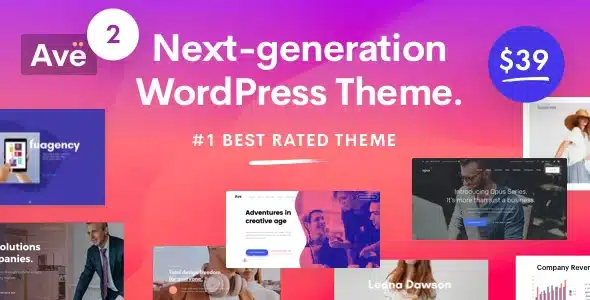
Ave Theme 2.9.2 is a multi-purpose WordPress theme for agencies, studios, portfolios, small businesses and online shops that want a custom look without writing code. Pages are built in a visual editor, and headers and mega menus are built the same way, with a template library for the common sections. The developer ships it with dozens of demos you can import in one click, a child theme and bundled plugins such as a page builder and a slider plugin, so a first site can be live from a demo and then reworked piece by piece.
How to install Ave Theme
- Check your hosting first. The developer's minimums are PHP 7.4 or higher, memory_limit 256M (512M if you use WooCommerce or WPML), max_execution_time 400, max_input_vars 4000, upload_max_filesize 64M and post_max_size 64M.
- Log in to GPLGuide, open this product and click Download under Your downloads.
- If the download holds more than one ZIP, unzip it on your computer first and upload the theme's own ZIP, Ave.zip, not the child theme ZIP.
- In WordPress go to Appearance, Themes, Add New Theme, Upload Theme, choose Ave.zip, click Install Now, then click Activate.
- Open the theme's Plugins page in the dashboard and install and activate its bundled plugins, at least the theme's core plugin and the page builder. For a shop demo, install the free WooCommerce plugin there too.
- Open the Import Demo page in the theme's own dashboard menu. The theme must be active first. Tick only what you need: demo content, media or theme options. The developer recommends importing on a fresh WordPress install.
- Go to Settings, Permalinks, choose your structure and click Save. The developer says this prevents 404 errors on portfolio and other custom post type pages.
Features & capabilities
- A header builder and a mega menu builder, so navigation is laid out visually.
- Prebuilt section templates that you can save and reuse, plus a template library of headers, footers, banners and testimonials.
- WooCommerce shop styling with a Quick View option.
- Carousels, parallax, pinned and sticky backgrounds, and shape dividers.
- Dark and light layouts with a color manager.
- Built-in coming soon and maintenance pages.
- Modal popups, device mockups and a built-in slideshow.
- Unlimited sidebars, Mailchimp newsletter support and RTL support.
- Works with WPML, qTranslate, Loco Translate and Polylang for multilingual sites.
- Lazy loading and adaptive images, with PHP 8.4 support.
Frequently asked questions
Is this the original file?
Yes. Every product on GPLGuide is the developer’s own release, unchanged. The license key comes already activated. If a product does ask for a key, the activation steps appear on its page once you have it.
Is it legal to use a GPL plugin or theme from GPLGuide?
Yes. WordPress plugins and themes are released under the GPL, which lets anyone use, share and change the code. The developer’s support desk and the developer’s own update service are not part of the file; those stay with the developer.
How do I install it?
Log in, open the product page and click Download under Your downloads. For a plugin go to Plugins, Add New Plugin, Upload Plugin, choose the ZIP, then Install Now and Activate. For a theme go to Appearance, Themes, Add New Theme, Upload Theme.
How do updates work?
When a newer version is listed on GPLGuide, download it from the product page and upload it over the installed copy; WordPress offers to replace the old version. Updates are manual.
Can I use it on more than one site?
Yes. The GPL lets you use it on as many of your own sites as you like.
What if the file does not work or a newer version is out?
Tell us on the Request Item page or through Support. We check the file and add the newer version when we have it.