
Classiera – Classified Ads WordPress Theme
100% Original fileUnmodified copy of the developer's release
DeveloperJoinWebs
Up to dateOriginal released Apr 1, 2026 · File last updated Oct 25, 2026
About this product
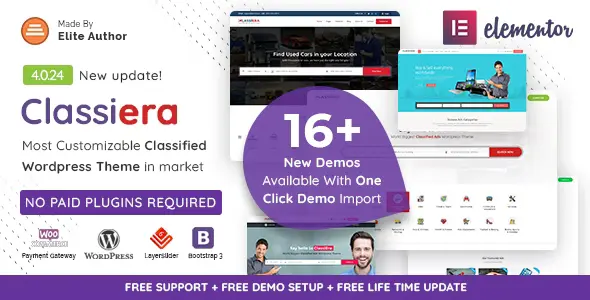
Classiera Theme 4.0.37 is a WordPress theme for classified ads and marketplace sites where visitors post their own listings. It suits general classifieds as well as niche sites for cars, real estate, jobs or pets, and owners who want paid or featured ads, membership plans and map search without building them from scratch. Users submit ads from the front end and others search them by category fields and location. The developer ships it with a child theme, a one-click demo importer, an Elementor add-on, a slider plugin and its own helper plugins, plus a separate Classic edition.
How to install Classiera Theme
- Log in to GPLGuide, open this product and click Download under Your downloads.
- If the download holds more than one ZIP, unzip it on the computer first and upload classiera.zip, the theme's own ZIP. The Classic edition has its own theme file; use it only if you want that edition.
- Go to Appearance, Themes, Add New Theme, Upload Theme, choose classiera.zip, click Install Now, then click Activate. If WordPress says Are you sure you want to do this, your host's upload limit is too low, so ask the host to raise it.
- After activation, WordPress offers a plugin list. Install and activate Redux Framework from it, because the theme's options panel needs it.
- Install and activate One Click Demo Import and the theme's helper, locations and Elementor add-on plugins, using the plugin list or Plugins, Add New Plugin, Upload Plugin. All four must be active before you import a demo.
- Go to Appearance, Demo Importer, choose a demo and click Import Demo. Category icons are not part of the import, so add them afterwards under Posts, Categories.
- Open Classiera Options to set your logo and favicon, replace the demo social links, and enter your Google Maps API key under Google Settings.
Features & capabilities
- Pay Per Post pricing by category, plus paid and featured ads that you can feature per category.
- Membership plans, with the user's active plan shown on the profile page.
- Front-end ad submission with custom fields that change by category.
- Advanced search using those custom fields, with Google Maps and location-based results, and a price low-to-high filter.
- Buyers can send an offer on an ad, authors can mark ads as sold, and readers can report ads.
- Elementor editing with ready-made widgets such as FAQ and header, and LayerSlider sliders.
- Social login, Google reCAPTCHA on the contact-the-author form and a security question on registration.
- WooCommerce support for paid plans and WPML support for multilingual sites.
- Options panel built on Redux Framework for colours, layouts and general settings.
Frequently asked questions
Is this the original file?
Yes. Every product on GPLGuide is the developer’s own release, unchanged. The license key comes already activated. If a product does ask for a key, the activation steps appear on its page once you have it.
Is it legal to use a GPL plugin or theme from GPLGuide?
Yes. WordPress plugins and themes are released under the GPL, which lets anyone use, share and change the code. The developer’s support desk and the developer’s own update service are not part of the file; those stay with the developer.
How do I install it?
Log in, open the product page and click Download under Your downloads. For a plugin go to Plugins, Add New Plugin, Upload Plugin, choose the ZIP, then Install Now and Activate. For a theme go to Appearance, Themes, Add New Theme, Upload Theme.
How do updates work?
When a newer version is listed on GPLGuide, download it from the product page and upload it over the installed copy; WordPress offers to replace the old version. Updates are manual.
Can I use it on more than one site?
Yes. The GPL lets you use it on as many of your own sites as you like.
What if the file does not work or a newer version is out?
Tell us on the Request Item page or through Support. We check the file and add the newer version when we have it.


