
Depicter - Popup & Slider Builder Pro
100% Original fileUnmodified copy of the developer's release
DeveloperDepicter
Up to dateOriginal released Oct 15, 2026 · File last updated Nov 23, 2026
About this product
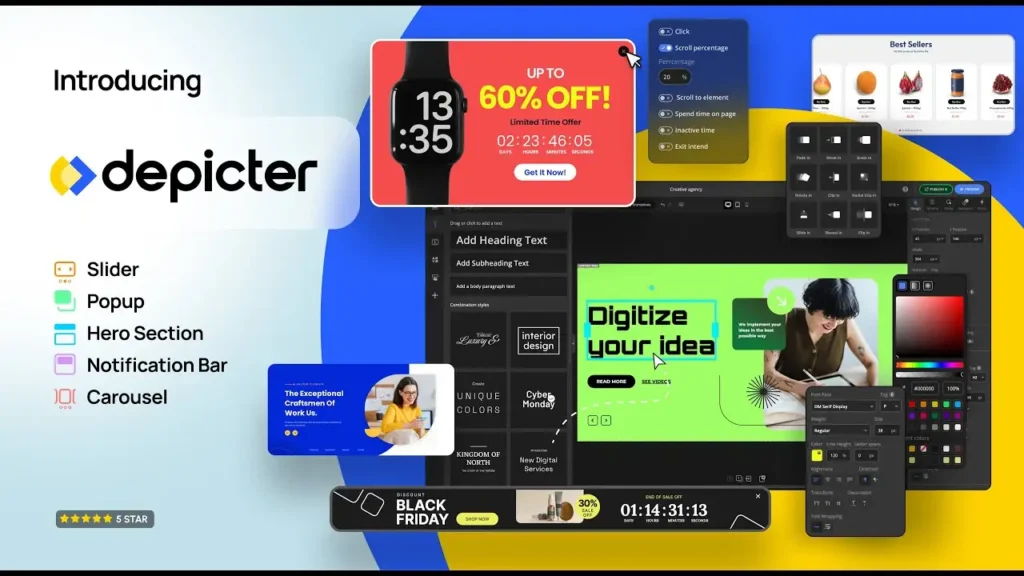
Depicter Pro 4.8.6 is a visual builder for sliders, carousels, popups and notification bars in WordPress. It suits online shops, agencies and marketers who want a hero slider or product carousel on the homepage and, in the same tool, a discount or exit intent popup that collects email addresses. You design on a drag and drop canvas with animated elements, then decide when, where and for whom each piece shows. It runs on its own and doesn't need a page builder, yet you can place a slider with its block in the block editor, a shortcode, or its element in Elementor and Divi. Everything starts from the Depicter dashboard in the WordPress sidebar.
How to install Depicter Pro
- Make sure your site runs WordPress 5.9 or newer and PHP 7.4 or newer, the minimum the developer's listing gives for this plugin.
- Log in to GPLGuide, open this product and click Download under Your downloads.
- Go to Plugins, Add New Plugin, Upload Plugin, choose the ZIP, click Install Now, then Activate.
- Open the Depicter dashboard from the WordPress sidebar. Start a slider, carousel, popup or notification bar there, then copy its shortcode or add it with the block or your page builder's element.
Features & capabilities
- Sliders of many kinds: image, video, layer, fullscreen, post, WooCommerce product, testimonial and gallery sliders, plus carousels and hero sections.
- Popups and notification bars with triggers such as exit intent, scroll depth, time on page and inactivity, including multi-step popups.
- Display rules by page, device, referrer, location, cookies or visitor behaviour, with start and end scheduling.
- A form builder for email, name and phone fields, with a Leads page where you view and export what visitors send.
- Dynamic slides from posts, custom post types and WooCommerce products, and a Google Reviews source for review carousels.
- Element and text animations, Ken Burns, parallax, marquee effects, a before and after element and a hover switch for product images.
- Countdown timer, coupon and confetti elements for sales and launch campaigns.
- Deep links that give each slide or carousel item its own URL, plus an admin bar shortcut to edit the sliders on a page.
- YouTube and Vimeo video backgrounds, WebP output, adaptive images and lazy loading.
Frequently asked questions
Is this the original file?
Yes. Every product on GPLGuide is the developer’s own release, unchanged. The license key comes already activated. If a product does ask for a key, the activation steps appear on its page once you have it.
Is it legal to use a GPL plugin or theme from GPLGuide?
Yes. WordPress plugins and themes are released under the GPL, which lets anyone use, share and change the code. The developer’s support desk and the developer’s own update service are not part of the file; those stay with the developer.
How do I install it?
Log in, open the product page and click Download under Your downloads. For a plugin go to Plugins, Add New Plugin, Upload Plugin, choose the ZIP, then Install Now and Activate. For a theme go to Appearance, Themes, Add New Theme, Upload Theme.
How do updates work?
When a newer version is listed on GPLGuide, download it from the product page and upload it over the installed copy; WordPress offers to replace the old version. Updates are manual.
Can I use it on more than one site?
Yes. The GPL lets you use it on as many of your own sites as you like.
What if the file does not work or a newer version is out?
Tell us on the Request Item page or through Support. We check the file and add the newer version when we have it.


