
Dynamic Content for Elementor
100% Original fileUnmodified copy of the developer's release
DeveloperDynamic ooo
Up to dateOriginal released Oct 8, 2026 · File last updated Oct 23, 2026
About this product
Dynamic Content for Elementor is a big Elementor add-on with more than 150 extra tools: post grids built from any query, show and hide rules for any element, widgets for ACF, Meta Box, Pods and JetEngine fields, maps, PDFs and a long list of Elementor Pro form extensions. It suits designers and agencies who build listing sites, directories and member areas with Elementor. This page is for Dynamic Content for Elementor 3.4.19, released on October 8, 2026. On GPLGuide you download the original plugin file to install on your own websites.
Good for: Elementor sites built around custom post types and custom fields, such as property listings, event calendars and staff directories, and anyone who wants an Elementor Pro form to save posts, take payments or produce a PDF.
Requirements: PHP 7.4 or newer, WordPress 6.3 or newer, MySQL 5.6 or newer and Elementor 3.30.0 or newer, going by the developer's requirements page and the 3.4.6 changelog. Elementor Pro is optional, but the form extensions need it, and it must also be 3.30.0 or newer. With every feature switched on, the developer asks for a 256 MB memory limit.
What Dynamic Content for Elementor does
Think of it as a toolbox, not a single widget. After activation you get a Dynamic Content for Elementor menu in the admin with a Features page, redesigned in 3.4.7, where each widget, extension and dynamic tag is switched on or off. The developer advises enabling only what you need so the editor stays quick. Anything you leave off adds no front-end code.
The catalog has 15 groups, from Calendar and Custom Fields to PDF, Payments, Users and Video. Most buyers come for three jobs, though: listing content from a query, hiding or showing parts of a page by rule, and turning the Elementor Pro form into something closer to a small app.
So which parts need Elementor Pro? The developer's pricing FAQ says you don't need it to use Dynamic Content for Elementor, but some features are specific to the Pro version, such as form extensions. That covers everything named "for Elementor Pro Form", about 50 items in the docs, among them Save, Dynamic Email, PDF Generator, Stripe, PayPal, Conditional Fields and the Signature field. The plugin's dynamic tags work on free Elementor too.
Dynamic Posts, Views and templates in Dynamic Content for Elementor
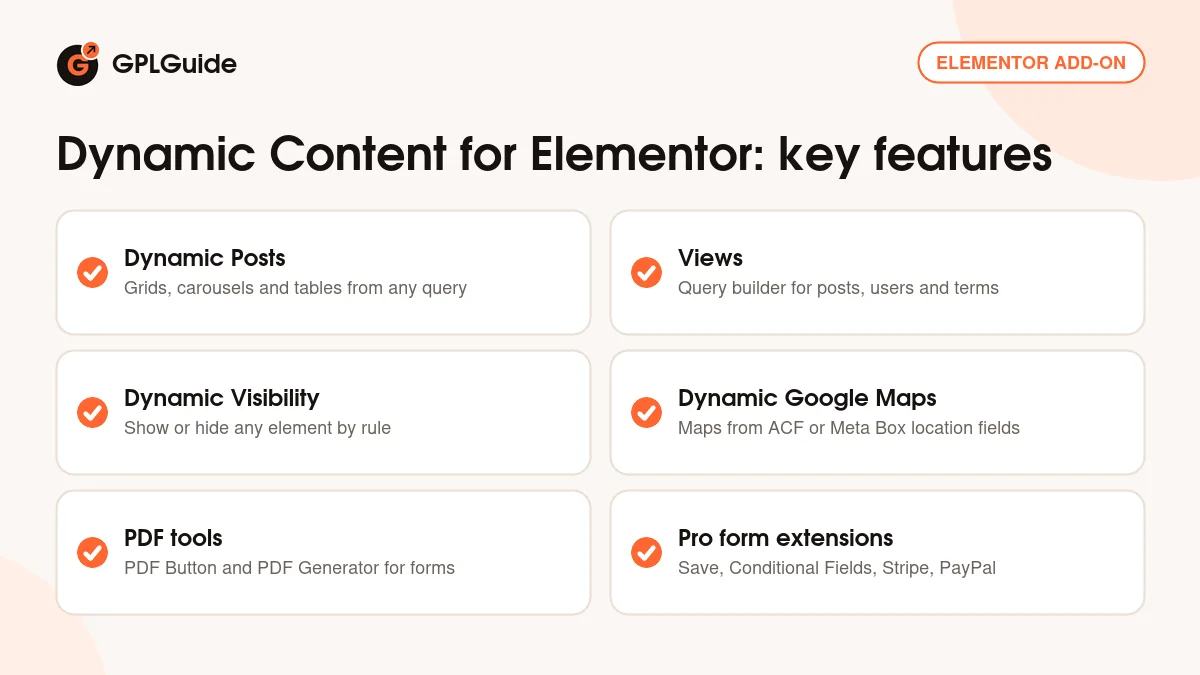
Dynamic Posts. You'll use this widget most. Pick a skin (Grid, Carousel, Dual Carousel, Grid with Filters, Accordion, List, Table or Timeline), then a query such as From Post Type, Dynamic for the current archive, ACF Relationship, From Pods Relationship, Search & Filter Pro, Sticky Posts or Custom Query. Query Filter narrows it by Terms & Taxonomy, Date, Meta key or Author. Under Items you choose what each card shows, from Title and Featured Image to Custom Meta Fields, JetEngine Field and Product Price.
Pagination supports infinite scroll on a button or on scroll. One limit catches people out: only one Dynamic Posts widget per page can paginate. Plan archive layouts around it.
Views. This is a query builder that reads almost like SQL. Choose an Object Type (Posts, Users or Terms) and show each result as Fields, HTML or a Template, laid out as a Grid, a List or a Table with DataTables. Where compares native fields, ACF or Pods meta, taxonomy terms or user roles. Group By, Order By, Exposed Sort, Limit and a Fallback for empty results finish it off. The old Exposed Form is deprecated, so I wouldn't build new filters on it.
Template System. Here you assign Elementor templates to post types, taxonomies and the Search and Author archives. A Single Page template can use the Full-Width Template to drop the theme sidebar. Archives come as Boxed, FullWidth or Canvas, and Canvas needs a Dynamic Posts or View widget to print the current query.
Dynamic Visibility, maps and PDFs
Dynamic Visibility. Every element gets its own Visibility tab, also reachable from the Navigator and the right-click menu. It hides a widget, column, container, section, popup or whole page. Trigger groups include User and Role, Archive, Device and Browser, Date and Time, Geotargeting, WooCommerce, Favorites, Custom Condition and JS Events. Hidden content is removed from the DOM, so it stays out of the page source. A Fallback shows text or a template instead. The paid edition of the developer's separate visibility plugin is built into Dynamic Content for Elementor.
Dynamic Google Maps. A map takes an Address, Latitude and Longitude, an ACF Google Map field or a Meta Box Google Map field. With ACF or Meta Box data you can switch on Multiple Locations and feed it a query such as Dynamic Current Query, ACF Relationship or ACF Repeater. Markers can come from an ACF Image field, the Media Library or the featured image. You also get four map types, Marker Clustering, Geolocation and Snazzy Maps or JSON styles on classic rendering.
You need your own Google key with the Maps JavaScript API, Geocoding API and Places API enabled. Sort that out before you place the first map.
PDF Button. This widget prints a page or an Elementor template to PDF. The Converter can be JS, HTML or Browser (DomPDF and TCPDF are deprecated), the Body is the Current Post or a Template, and you set Page Size, Page Orientation and Page Margin.
Elementor Pro form extensions in Dynamic Content for Elementor
Save. Add Save under Actions After Submit and a Save section appears. Save as Post, Term, User or Option, and for posts pick the type and a Status of Published or Draft. Form fields to save takes your field Custom IDs separated by commas, and IDs such as post_title and post_content fill the matching WordPress fields. Update existent data edits a post instead of creating one. Creating users needs "Anyone can register" turned on in WordPress.
Conditional Fields. Each field gets a conditions tab for short expressions such as Age >= 18 and Age <= 45, or Email == ConfirmEmail. Separate lines combine with AND, the word "or" gives OR, and it's case-sensitive. A step whose fields are all hidden is skipped, except the first and last.
Payments and new fields. The Stripe field has Transaction Amount, Transaction Currency, Item Name, Custom Amount for donations and Do not capture. Keys come from the Stripe dashboard under Developers, API Keys and go into the plugin's APIs settings. PayPal works too, so a few items can be sold without WooCommerce. Version 3.4.0 added Google Address Autocomplete, International Phone, Rating, Country and a Woo Add to Cart action.
Setups you can copy with Dynamic Content for Elementor
- Property listings: a Property post type with an ACF Google Map field, a Dynamic Posts Grid with Filters on the archive and a Dynamic Google Maps widget on Dynamic Current Query with Marker Clustering.
- Member-only section: Dynamic Visibility on a section with the User and Role trigger, plus a Fallback template with a short sign-up message.
- Front-end submissions: an Elementor Pro form with Save as Post, Status Draft and Form fields to save set to post_title,post_content.
- Paid event booking: a Stripe field with a fixed Transaction Amount, Save storing each booking as a Draft post and the PDF Generator mailing a confirmation.
- Staff directory: a View with Object Type Users, a Where rule on the role and a Table layout with DataTables.
What's new in Dynamic Content for Elementor 3.4.19
Version 3.4.19 came out on October 8, 2026. It's a small release. Dynamic Posts now prints the CSS of an item template once per widget instead of once for every item, which trims long grids. Dynamic Google Maps no longer zooms out so far on narrow screens that grey bands appear. The rest is minor fixes.
Just before it, 3.4.17 (October 5, 2026) made Save for Elementor Pro Form clear the page cache after an update and stopped one bad field from blocking the others. 3.4.16 (September 24, 2026) fixed Conditional Fields comparisons, and 3.4.14 (September 15, 2026) made PHP 7.4 the minimum. The changelog already lists 3.4.19 (October 19, 2026), with a Select all option for suggested Save fields and PHP 8.4 fixes.
Good to know before you buy
The form extensions need Elementor Pro installed and active. Without it, Dynamic Content for Elementor still gives you the listing, visibility, map, template and PDF Button tools.
Two changes are coming. Versions released from October 15, 2026 need Elementor 3.35.0 or newer (and Elementor Pro 3.35.0 if used), so check your Elementor version before you move past 3.4.19. The DomPDF converter will be removed in versions released from October 30, 2026. If your PDFs use it, rebuild them on the HTML converter now.
Some parts rely on outside accounts you set up yourself: a Google Cloud key for maps and address autocomplete, Stripe or PayPal for payments, and a CoinMarketCap key for the cryptocurrency tags. Previewing HTML templates for PDFs uses the developer's separate shortcodes plugin. Search & Filter Pro, used by several query types, is a separate plugin too.
Dynamic Content for Elementor from GPLGuide vs the official subscription
From GPLGuide you get the original Dynamic Content for Elementor 3.4.19 ZIP, the same file the developer ships, with every widget, extension and dynamic tag inside. The license key is already activated, so the Features page and the form extensions are ready once Elementor is in place.
Only the developer gives you their support (email from your registered address, up to three conversations a day, no custom coding), the 30-day money-back guarantee on new purchases and updates through their account area. The developer lists Starter at 69 euros a year for one site, Expanded at 119 euros for three sites and Enterprise at 209 euros for 1,000 sites, plus lifetime plans at 189 and 499 euros, all before VAT. The developer states that Dynamic Content for Elementor is licensed under the GNU GPL.
How to install Dynamic Content for Elementor
- Sign in to GPLGuide, open My Account, Downloads and save the Dynamic Content for Elementor ZIP.
- In WordPress go to Plugins, Add New Plugin, Upload Plugin and choose the ZIP. Elementor should already be active.
- Click Install Now, then Activate. If WordPress says "The link you followed has expired.", your upload limit is too small for the ZIP.
- Open Dynamic Content for Elementor, Features, tick what you plan to use and save.

For a good first setup, switch on Dynamic Posts and Dynamic Visibility and leave the rest off. Build one archive with a Grid skin on the Dynamic query, add a Visibility rule to one section and test it in a private window. Then add form extensions one at a time.
Keeping it up to date
Updates from GPLGuide are manual. When a new version of Dynamic Content for Elementor is listed here, download it from your account and upload it under Plugins, Add New Plugin, Upload Plugin. WordPress offers to replace the installed copy, and your templates and settings stay in place. Spotted a newer version we haven't added? Tell us on the Request Item/Update page.
Questions about Dynamic Content for Elementor
Do I need Elementor Pro? Only for the form extensions. The developer says the plugin works without Elementor Pro, and its dynamic tags work on free Elementor.
Do I have to enter a license key? No. The GPLGuide file comes with the license key already activated, so you can go straight to the Features page.
Will Dynamic Content for Elementor slow down my site? Not if you're picky. Features you leave off add no front-end code.
Does it work with ACF, Meta Box, Pods and JetEngine? Yes. All four are listed integrations, with query types such as ACF Relationship and a JetEngine Field item in Dynamic Posts.
Can I take payments without WooCommerce? Yes. The Stripe and PayPal extensions for Elementor Pro forms handle payments and donations on their own.
Do I still need the free visibility plugin? No. The full Dynamic Visibility module, Custom Condition and popup rules included, is part of Dynamic Content for Elementor.
Is it ready for Elementor 4? Yes. The changelog added compatibility tags for Elementor 4.0.0 in 3.4.7 and 4.2.4 in 3.4.15.
Will 3.4.19 run on Elementor 3.30? It will. The 3.35.0 minimum only applies to versions released from October 15, 2026.
Building more Elementor sites? Browse more WordPress plugins on GPLGuide, or see what a GPLGuide membership includes if you use Dynamic Content for Elementor alongside other premium plugins.
Features & capabilities
- Over 150 widgets, extensions and dynamic tags you switch on one by one
- Dynamic Posts with eight skins, 11 query types and infinite scroll
- Views query builder for posts, users and terms with DataTables output
- Dynamic Visibility by user, date, device, location and WooCommerce data
- Dynamic Google Maps from ACF or Meta Box fields with marker clustering
- PDF Button and PDF Generator with HTML, JS and Browser converters
- Save, Conditional Fields, Stripe and PayPal for Elementor Pro forms
- Template System for single posts, archives, search and author pages


