
Events Schedule WP Plugin
100% Original fileUnmodified copy of the developer's release
DeveloperCode Canyon
Up to dateFile last updated Oct 23, 2026
About this product
Events Schedule is a WordPress plugin that puts your classes, courses and events on a page as a weekly timetable, a list, a carousel or a monthly calendar, with filters visitors can click without a page reload. It suits studios, gyms, schools and venues that run the same sessions week after week. This page is for Events Schedule 2.7.2. On GPLGuide you download the original plugin file to install on your own WordPress websites.
Good for: dance and yoga studios, fitness and sports centers, schools and course providers, conference and festival organisers, clinics and salons with fixed session times, and agencies that build timetable pages for clients.
Requirements: a working WordPress site. The developer doesn't publish a minimum WordPress or PHP version. The CodeCanyon page lists WordPress 4.9 to 6.4 as tested, and the developer's team says Events Schedule should work with current WordPress and PHP versions. WooCommerce is only needed for bookings, and on Multisite it must be activated per site. Elementor and WPBakery Page Builder are optional. Maps need your own Google Maps API key.
What Events Schedule does
Everything starts with classes. A class is a post with a start time, a duration and an optional repeat rule, so a Tuesday yoga session is one entry that shows up every Tuesday until the Last Repeat Date you set. You sort classes with Class Types, Locations and Instructors. Class Types carry their own color, which is how a timetable ends up with every spin class in orange.
Schedules are the other half. In Classes, Schedule Builder you pick which classes a schedule shows, choose one of 12 styles and set filters, labels and colors. Each schedule gets a shortcode such as [wcs-schedule id=1] for any page, and Events Schedule also has a WPBakery element and an Elementor widget. You can make as many schedules as you like.
On the front end, visitors filter by type, location, instructor, day and time of day. A click on a class opens a modal with the image, the description and an action button. If you sell places, Events Schedule links each class to a WooCommerce product, so people book through your normal checkout.
Building classes in Events Schedule
Go to Classes, Add New. The Schedule Class box holds the timing. Starting Date & Time takes seconds as well, which sounds odd until two classes start at 18:00 and you want to decide which one is listed first. Duration runs from 5 minutes to 24 hours. Tick Multi-day event and Duration becomes an Ending Date & Time, for retreats or festivals. Multi-day events only appear in the Plain List, Events Carousel, Masonry Grid, Cover and Countdown styles.
Repeat offers No Repeat, Daily, Weekly, Every Two Weeks, Monthly, Yearly and Custom. Daily lets you tick weekdays, so a Monday to Friday morning class is a single entry. Status switches a class between Live and Canceled, and Canceled Dates skips single dates inside a series. Use it for public holidays.
Below that sit Class Image, the Action Button and Map Details. The Action Button has a Label (blank hides it), an action (Go to page, Go to custom URL, Email or Download iCal Event) and a target window. Map Details takes Latitude and Longitude, Map Type, Map Color Theme and a Map Zoom from 1 to 18. No valid coordinates, no map. You can also duplicate a class from the list, which helps when only the instructor changes.
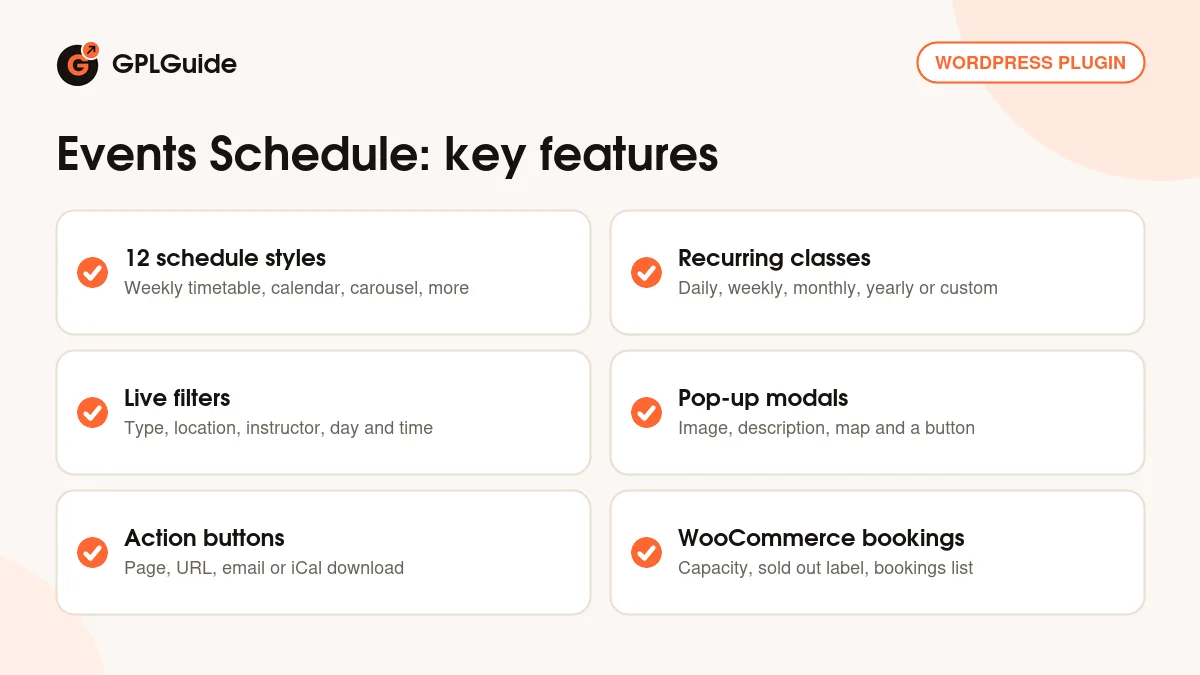
The Events Schedule builder and its 12 styles
The styles are Plain List, Compact List, Large List, Weekly Schedule, Weekly Tabs, Events Carousel, Daily Agenda, Masonry Grid, Monthly Calendar, Timeline, Cover and Countdown. A gym usually wants Weekly Schedule. A venue with one-off shows looks better as a Masonry Grid or Large List, and Countdown or Cover make a good hero block for the next big event.
Choose Contents limits a schedule to certain Class Types, Locations or Instructors. Available Filters decides which of those visitors can filter by, shown as switches or checkboxes, and Filters Position puts them left, center or right. How many days to show goes from all days down to one day or up to four weeks, and a slider caps the number of events (0 shows all). Display Options toggles ending time, duration, instructors, excerpt and a 12-hour clock.
Date Format uses Moment.js tokens, not the PHP format WordPress uses, so you type dddd, MMMM D rather than l, F j. That catches almost everyone once. Modal Options picks Small Image, Large Image or Disabled. Each style has its own extras: Weekly Schedule can Group by Starting Hour, Cover offers 16:9, 4:3 and 1:1, and Monthly Calendar has Show Weekends and Round Day Highlight. Backup Options exports a schedule to a JSON file you can import on another site.
Selling places with WooCommerce
Bookings are optional. First create a product with the Schedule Ticket product type, set its price on the General tab, and set Catalog Visibility to Hidden so the ticket stays out of your shop. Then open a class, go to the WooCommerce Tickets tab and pick that product as the WooCommerce Event Ticket.
The same tab holds Capacity (leave it empty and booking is off), Button Label, Sold Out Label and a Sold Out Link, for example to a waiting list form. Under WooCommerce, Settings, Event Schedule Bookings you set the cart labels, choose whether Add Ticket to Cart goes to the Cart or straight to Checkout, and write the message shown when a class is full.
Classes, Bookings lists each class with its Occupancy and Capacity. Expand a row to see the Order ID, name, email, phone and quantity of every booking. It's plain, but for a studio with 20 spots per class it covers what the front desk needs.
Events Schedule setups you can copy
These only use the settings described above.
- Studio timetable: weekly classes with one Class Type per style (Ballet, Jazz, Hip Hop), the Weekly Schedule style with Group by Starting Hour on, and filters for type and instructor.
- Gym with two branches: a Location per branch and two schedules on separate pages, each with Choose Contents set to one location.
- Course dates: one class per course, Repeat set to Weekly with a Last Repeat Date, shown as a Large List.
- Paid workshops: a Schedule Ticket product for each price, a Capacity of 12 per class and the cart redirect set to Checkout.
- Festival program: multi-day events in a Masonry Grid, plus a Countdown on the home page limited to the main stage.
- Clinic hours: Daily repeats on chosen weekdays, Canceled Dates for holidays and an Action Button set to Email.
What's new in Events Schedule 2.7.2
We'll be straight with you. The developer hasn't published release notes for the 2.7 releases, and its changelog stops at 2.6.0. So we can't tell you what changed in 2.7.0, 2.7.1 or 2.7.2, and we won't guess. The release date of 2.7.2 isn't published either. In replies on its CodeCanyon page, the developer's team has named Events Schedule 2.7.2 as the current version and said recent versions bring no major changes.
The last documented release, 2.6.0 (July 21, 2023), added compatibility with WooCommerce cart product names and with Fusion Builder on event pages, fixed special characters in the Schedule Title and improved object caching. Before it, 2.5.14 (November 8, 2019) fixed the Daily Agenda after filtering. The CodeCanyon page shows a last update on June 15, 2026, but doesn't say which version number it carries.
Good to know before you buy
The CodeCanyon page lists WordPress versions only up to 6.4 and marks Events Schedule as not Gutenberg optimized. In practice you place schedules in the block editor with a Shortcode block. Deeper layout changes mean copying template files into a wcs_templates folder in a child theme, and the developer's support doesn't cover custom CSS.
A few limits came up in the developer's own replies. Bookings respect Capacity, but the schedule doesn't show how many spots are left. The Download iCal Event button gives a one-off ICS file, not a live calendar subscription. Very long repeating series are capped by a loop protection, so set a few weeks and a More Classes button label instead of showing everything. Opening a class in a new tab instead of the modal needs a child theme change.
One security note. The Patchstack vulnerability database lists an SQL injection issue, CVE-2025-69135, that covers the version on this page and earlier ones. It needs a logged-in account with at least Subscriber access, and no fixed version was listed when this page was written. If your site lets visitors register, keep registration closed or wait until a newer file is listed here.
Nothing runs on the developer's servers. Maps use Google's API with your own key, and the demo images aren't part of the product.
Events Schedule from GPLGuide vs the official licence
From GPLGuide you get the original Events Schedule 2.7.2 plugin file, with the 12 styles, the Schedule Builder, filters, modals, iCal buttons and WooCommerce bookings that are in it. The license key is already activated, so there's nothing to enter before you build your first schedule. Under Envato's licence for this item, its PHP code is licensed under the GPL.
On CodeCanyon the developer sells a Regular License for $39 and an Extended License for $365, the second for an end product that end users pay for. The developer also sells Events Schedule direct for $39. Buying from the developer gets you their ticket support (six months included on CodeCanyon, with an option to extend), future updates from them and Envato's refund process. Support and refunds come only from the developer.
How to install Events Schedule
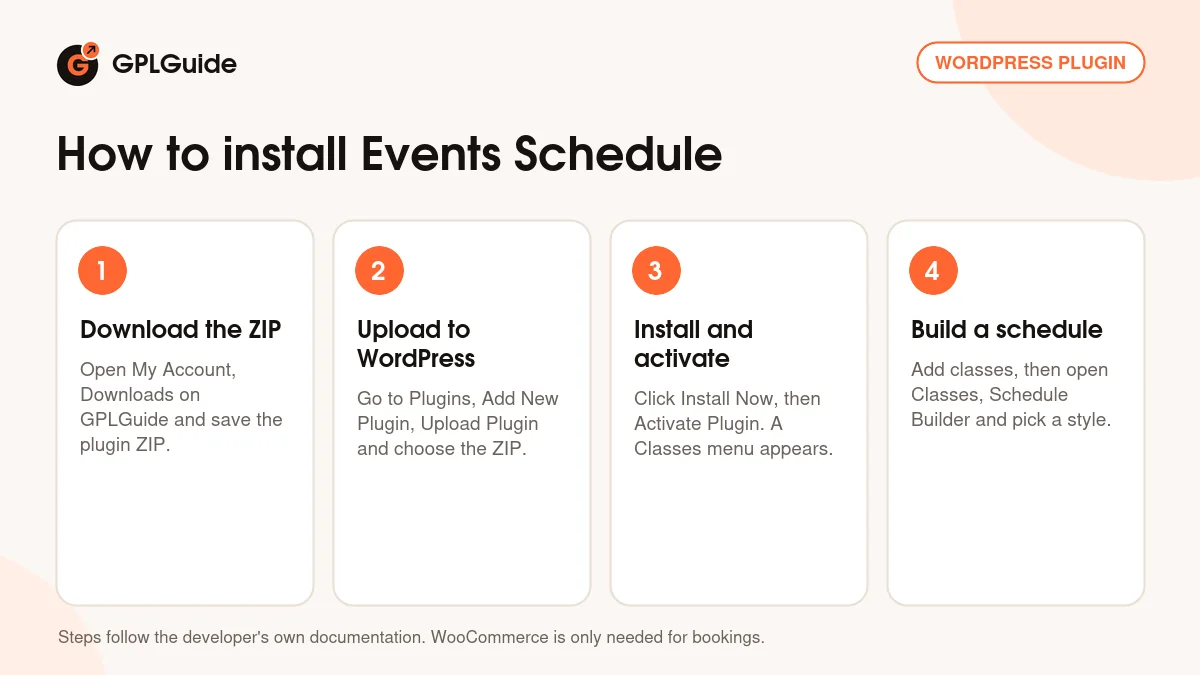
- Sign in to GPLGuide, open My Account, Downloads and save the Events Schedule ZIP.
- In WordPress go to Plugins, Add New Plugin, Upload Plugin and choose the ZIP.
- Click Install Now, then Activate Plugin. A new Classes menu appears in the admin sidebar.
- Add a few classes under Classes, Add New, then open Classes, Schedule Builder and create your first schedule.
For a good first setup, create two Class Types with different colors, one Location and one Instructor, then add three or four weekly classes. Build a schedule in the Weekly Schedule style, paste its shortcode into a new page and check it on your phone. Then set your Date Format and Event Page Slug under Classes, Settings. If you change the slug later, save Settings, Permalinks again.
Keeping it up to date
Updates from GPLGuide are manual. When a newer version of Events Schedule is listed here, download it from your account and upload it under Plugins, Add New Plugin, Upload Plugin. WordPress offers to replace the installed copy. Your classes, schedules and bookings stay, because they're stored in the WordPress database, not in the plugin folder. Export each schedule with Backup Options first anyway. If you spot a newer version we haven't added, tell us on the Request Item/Update page.
Questions about Events Schedule
Do I need WooCommerce? No. You only need it to sell places in classes. Timetables, filters, modals and iCal buttons work without it.
Does Events Schedule work in the block editor? Yes, through its shortcode. Paste [wcs-schedule id=1] with your schedule's ID into a Shortcode block. Elementor and WPBakery Page Builder users get a widget or element instead.
Can I show several timetables on one site? Yes. Build as many schedules as you want, each with its own style, contents and filters.
Do I have to enter a license key? No. The Events Schedule file from GPLGuide comes with the license key already activated, so you can install it and start adding classes.
Can visitors subscribe to the calendar? Not as a live feed. The Download iCal Event button gives them an ICS file for one class to add to Google Calendar, Apple Calendar or Outlook. Later changes don't sync.
Does it show how many places are left? No. Capacity stops bookings once a class is full and shows your Sold Out Label, but the remaining count isn't displayed.
Is Events Schedule multilingual? Yes, with WPML, which the CodeCanyon page lists as compatible. The developer's team suggests a separate schedule per language.
Can I change how a style looks? Yes. Colors and labels live in the Schedule Builder. For markup changes, copy files from the plugin's templates folder into wcs_templates in your child theme.
Do class pages need extra setup? A little. Turn on Event Single Page under Classes, Settings, pick an Event Page Template, and save Settings, Permalinks if a class page shows a 404.
Running a site with bookings or a busy event calendar? Browse more WordPress plugins on GPLGuide, or see what a GPLGuide membership includes if you use several premium plugins. If you build pages with Elementor, Elementor Pro is here too.
Features & capabilities
- 12 schedule styles, from Weekly Schedule and Monthly Calendar to Countdown
- Repeats: daily on chosen weekdays, weekly, every two weeks, monthly, yearly or custom
- Class Types with their own colors, plus Locations and Instructors
- Live filters by type, location, instructor, day and time of day
- Pop-up modals with image, description, map and action button
- Action buttons for a page, a URL, an email or an iCal download
- WooCommerce bookings with capacity, sold out label and a bookings list
- Shortcode, WPBakery element, Elementor widget and template overrides


