
Fancy Product Designer | WooCommerce WordPress
100% Original fileUnmodified copy of the developer's release
DeveloperCode Canyon
Up to dateFile last updated Oct 23, 2026
About this product
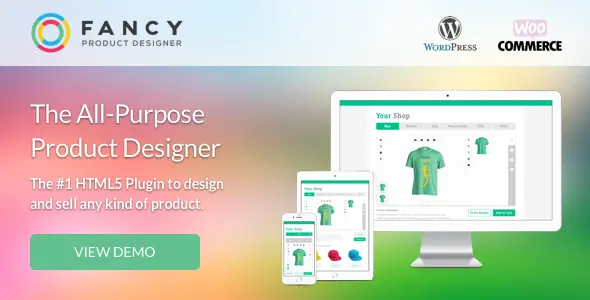
Fancy Product Designer is a WooCommerce plugin that puts a product designer on your product pages, so shoppers can add their own text, photos and artwork to a T-shirt, mug or business card before they buy. It is built for print shops, merch stores and anyone selling personalised goods. This page is for Fancy Product Designer 6.5.1. On GPLGuide you download the original plugin file to install on your own websites.
Good for: print and print-on-demand shops, T-shirt and merch stores, sign makers, engravers, team kit sellers who print names and numbers, and stationery shops selling business cards or invitations. It also runs on a plain WordPress page with a quote form if you don't use a cart.
Requirements: the developer lists compatibility with WordPress 4.9 up to 7.0, WooCommerce 7.x to 10.x and WPML. Its server notes ask for nginx or Apache, a PHP memory limit of at least 256MB, a post max size of at least 64MB and the ZipArchive extension. Imagick is needed for some image tools. The Fancy Product Designer file from GPLGuide comes with the license key already activated.
What Fancy Product Designer does
The plugin splits the job in two. In the admin you build a "Fancy Product": a template made of views, such as front, back and sleeve, each with its own layers. On the shop side, customers get a designer app where they change those layers, add text and images, pick colors and watch the price update.
A Fancy Product isn't a WooCommerce product. You build it once, then attach it to one or many shop products through a meta box. That split is handy. One T-shirt template can serve ten shop products, and a variable product can swap templates when the shopper picks a color. When an order arrives, you open the design in the Order Viewer and export it for production.
Building products in Fancy Product Designer
Everything starts under Fancy Product Designer, Products. Click New and type a title. The plus icon next to a product adds a view, each with its own title and thumbnail, so a hoodie might have Front, Back and Hood.
The Product Builder is where the real work happens. Open it from the Layers icon (Edit View in Product Builder), pick the view in the Selected View drop-down, then add image and text elements in the Layers panel. SVG, PNG and JPEG all work. Use SVG or PNG for anything a customer should recolor, because the colorizer only handles those two.
Upload Zones. An Upload Zone is a placeholder the customer clicks to add their own content, like the photo area on a mug. Click Upload Zone in the Layers panel, give it a unique title and a default image, then set Image uploads, Custom texts, Designs and Movable in the Upload Zone tab. Scale Mode picks fit (the whole image, maybe with gaps) or cover (fills the zone and clips the rest). Each zone holds one element.
Bounding boxes and colors. Bounding boxes keep customer elements inside the print area, with the modes Inside, Clipping, Limit Modification and None. For color, one hex value gives a free color picker, several hex values give a fixed palette, and a color link ID makes every element with that ID change together. Set your defaults once in Settings, Element Properties, and customer-added text and images follow them.

How Fancy Product Designer works with WooCommerce
You switch the designer on product by product. Open a WooCommerce product, find the Fancy Product Designer meta box and use Source Type to attach single Fancy Products or whole categories. Give the product a price, because the Add to cart button only shows once a price is set.
Placement lives in Settings, WooCommerce. Product Designer Position offers Replace Product Image, Under Product Title, After summary and Custom Hook. The Display tab under Settings, General then asks where to open the designer: Page, Lightbox or Next Page Customization. Lightbox only works with the sidebar layout, so pick that layout first if you want the popup.
Variable products can load a different Fancy Product for each variation, the tidy way to handle color changes. Keep an initial product set in the meta box, since the designer needs one to load. Shoppers can re-edit their design from the cart. A design thumbnail in the cart only works with the Classic Cart, not the Cart block.
For orders, open WooCommerce, Orders, pick the order and click Load in Order Viewer in the Item panel. The Export panel saves all views or one view as PDF, PNG, JPEG or SVG. PNG and JPEG come out at 72 DPI, so lean on PDF or SVG for anything that goes to a printer.
Pricing rules and the designer layout
Prices can follow the design. The simple route is a fixed price per customer-added element, set in Element Properties or per view in View Options. For anything smarter, go to Fancy Product Designer, Pricing Rules and click Add Pricing Rules Group. Each group has a Name, a Property, a Target (views, element types or one element by title), a Match setting of ANY or ALL, and the rules with their prices.
The properties cover most print pricing: Text Length, Text Size, Lines Length, Image Size, Amount of elements, Canvas Size, Coverage and Pattern. Turn groups on for every designer in Settings, Addons, Pricing Groups, or per product. With ANY, the first matching rule wins. Prefer no price at all? A Get a quote button can replace it.
Fonts sit under Settings, Fonts: over 1,500 Google Fonts, or your own files in the Custom Fonts Manager. System fonts can't be embedded in PDF files, so skip them for print work. The UI Composer sets the look: choose a layout, switch modules and actions on or off, and add CSS. Modules include Images (with Facebook, Instagram and Pixabay sources), Text, Designs, Dynamic Designs, Products and Names & Numbers.
Fancy Product Designer setups you can copy
All of these use settings covered above.
- Two-sided T-shirt: Front and Back views, a bounding box in Clipping mode over each print area, and an Upload Zone with Image uploads and Custom texts on.
- Team jerseys: the Names & Numbers module, one text and one number placeholder on the Back view, a number range of 1 to 99 and an extra price per entry.
- Business cards: two views, fixed-width text boxes, a palette of your brand hex values and a Pricing Rule on Amount of elements.
- Color variants: a variable product with a Color attribute and one Fancy Product per variation.
- Engraved gifts: the Engraving industry mode plus an automatic threshold filter on uploaded photos.
- Quote-only page: the [fpd] and [fpd_form] shortcodes on a normal page, with requests listed under Fancy Product Designer, Shortcode Orders.
What's new in Fancy Product Designer 6.5.1
The honest answer first: I couldn't find public release notes from the developer for 6.5.1, so there are no change lines to quote. The developer's changelog forum shows 6.5.0 as the newest numbered post, and the CodeCanyon listing was last updated on June 9, 2026, with WordPress 7.0 and WooCommerce 10 on its compatibility list.
Earlier notes show the direction. 6.4.4 fixed two security vulnerabilities reported by an outside security team. 6.2.2 moved image filters to the server with Imagick and added an industry mode per product, starting with Engraving. The item is now maintenance-only, and the developer says no further feature updates or new versions will be released on CodeCanyon. Treat Fancy Product Designer 6.5.1 as close to its final shape.
Good to know before you buy
Read this before you plan a print workflow. The developer's knowledge base says the Genius features, including Pro Export and the AI image services, were removed from the plugin and now live only in the developer's newer hosted product. So this file has no print-ready export with embedded fonts, no Dropbox or AWS S3 upload of print files, and no AI upscale, background removal or text-to-image. The sales page still lists some AI items. The docs are the newer word.
What stays is the basic Order Viewer export, without embedded fonts, so whoever prints needs the same fonts. The 3D preview's model manager was tied to the Genius Premium plan too, and the Premium Template Library is sold separately.
Some parts are separate products and aren't in this file: the Multistep Product Configurator plugin, the Plus add-on with its Bulk-Add Variations Form, and the developer's bulk variations plugin. Facebook and Instagram photos need your own Facebook app, and Pixabay needs your own API key.
Support is thin even for direct buyers. CodeCanyon states the developer does not currently provide support for this item, and the knowledge base says direct support ended on March 1, 2025, except for holders of an active support license. The docs are still online.
Fancy Product Designer from GPLGuide vs the official licence
From GPLGuide you get the original Fancy Product Designer 6.5.1 plugin ZIP, the same file the developer ships, with the Product Builder, Upload Zones, Pricing Rules, UI Composer and WooCommerce integration inside. The license key is already activated, so you install it and start building. Under Envato's licence for this item, its PHP code is licensed under the GPL.
On CodeCanyon the developer sells a Regular License at $19 and an Extended License at $999, the second for an end product that end users pay for. Buying there gives you updates through your Envato account, Envato's refund process and whatever help the developer still offers support license holders. The hosted Pro Export and AI services are the developer's own, and we don't provide them or the developer's support.
How to install Fancy Product Designer
- Sign in to GPLGuide, open My Account, Downloads and save the Fancy Product Designer ZIP.
- In WordPress go to Plugins, Add New Plugin, Upload Plugin and choose the ZIP. Activate WooCommerce first if you sell through the shop.
- Click Install Now, then Activate. A Fancy Product Designer menu appears in the admin.
- Go to Fancy Product Designer, Products, click New and add your first view. The license key is already activated.

For a first test, build one simple product: a single view with a PNG mockup, a bounding box in Clipping mode, one Upload Zone and one text element. Attach it to a test product with a price, set Product Designer Position to Replace Product Image and place a test order. Then export a PDF from the Order Viewer. One full loop shows where your theme or printer needs adjusting.
Keeping it up to date
Updates from GPLGuide are manual. When a new version shows up in your account, download the ZIP and upload it under Plugins, Add New Plugin, Upload Plugin. WordPress offers to replace the installed copy, and the developer says your products and settings are kept. New releases will be rare now, so back up before each one and test the cart afterwards. Seen a newer version we haven't added? Tell us on the Request Item/Update page.
Questions about Fancy Product Designer
Do I need WooCommerce? No. It's only needed to sell through the cart. On a normal page, the [fpd] and [fpd_form] shortcodes show the designer and a form that sends the design to you.
Do I have to enter a license key? No. The Fancy Product Designer file comes with the license key already activated, so every setting is ready once you activate the plugin.
Can it make print-ready PDFs with embedded fonts? Not anymore. Pro Export was removed. The Order Viewer still exports PDF, SVG, PNG and JPEG, without embedded fonts.
Are the AI image tools included? No. The developer moved them out of the plugin and into a separate hosted product.
Can each variation load a different design? Yes. Assign a Fancy Product to each variation and keep an initial product set in the meta box.
Does it work with page builders? Yes. The docs include a guide for builders such as Elementor Pro, and the developer's FAQ says it works with Divi.
Can I translate the designer? Yes. Every frontend label can be changed in the settings, and WPML handles multilingual shops.
Will Fancy Product Designer get more updates? Probably very few. The developer says no new versions will be released on CodeCanyon, though the item remains fully functional.
Selling more than personalised products? Browse more WooCommerce plugins on GPLGuide, or see what a GPLGuide membership includes if you run several premium plugins.
Features & capabilities
- Product Builder with multiple views, layers and product categories
- Upload Zones for images, text or designs with fit or cover scaling
- Bounding boxes with Inside, Clipping and Limit Modification modes
- Color picker, palettes and color link groups for SVG, PNG and text
- Pricing Rules on text length, image size, canvas size and coverage
- WooCommerce variations that load a different product template
- Order Viewer export to PDF, SVG, PNG and JPEG
- Names & Numbers, Dynamic Designs, 1,500+ Google Fonts and WPML


