
Formidable Forms Datepicker Options

100% Original fileUnmodified copy of the developer's release
DeveloperFormidable Forms
Up to dateOriginal released Oct 8, 2026 · File last updated Oct 23, 2026
About this product
Formidable Datepicker Options is the official add-on that gives the Date field in Formidable Forms Pro firm rules about which days people can pick. Block weekends and holidays, set the earliest and latest allowed date, work out one date from another, collect a start and end date, and show the calendar right on the form. This page is for Formidable Datepicker Options 3.1.2. On GPLGuide you download the original add-on file to install on your own WordPress sites, next to Formidable Forms Pro.
Good for: anyone who takes bookings, rentals, appointments, event sign-ups or orders with a delivery date through Formidable Forms, and anyone who needs an age check or a fixed date window on a form, such as "no dates in the past" or "only the last 90 days".
Requirements: the free Formidable Forms plugin and Formidable Forms Pro, both active. The free plugin asks for WordPress 6.3 or newer and PHP 7.0 or newer. The developer says the Date Range option needs Formidable Pro 6.24 or newer and the Flatpickr date picker library. The Formidable Forms Pro 6.35 file we sell is new enough, and nothing in the 3.1.2 changelog asks for a newer Pro.
What Formidable Datepicker Options does
Formidable Forms Pro already has a Date field with a pop-up calendar, a date format, a calendar language and a Start Year and End Year range. That lets visitors choose any day inside those years. Formidable Datepicker Options adds rules on top of the field. You decide which weekdays are open, which dates are closed, and how early or late a date can be.
Every setting sits in the normal field settings of each Date field, so there is no new screen to learn. Each field keeps its own rules. One form can have a delivery date that skips Sundays and a birthdate field that turns away anyone under 18.
Formidable Datepicker Options works inside your own WordPress site, and the docs describe no part of it that depends on the developer's servers.
Blocking days and dates with Formidable Datepicker Options
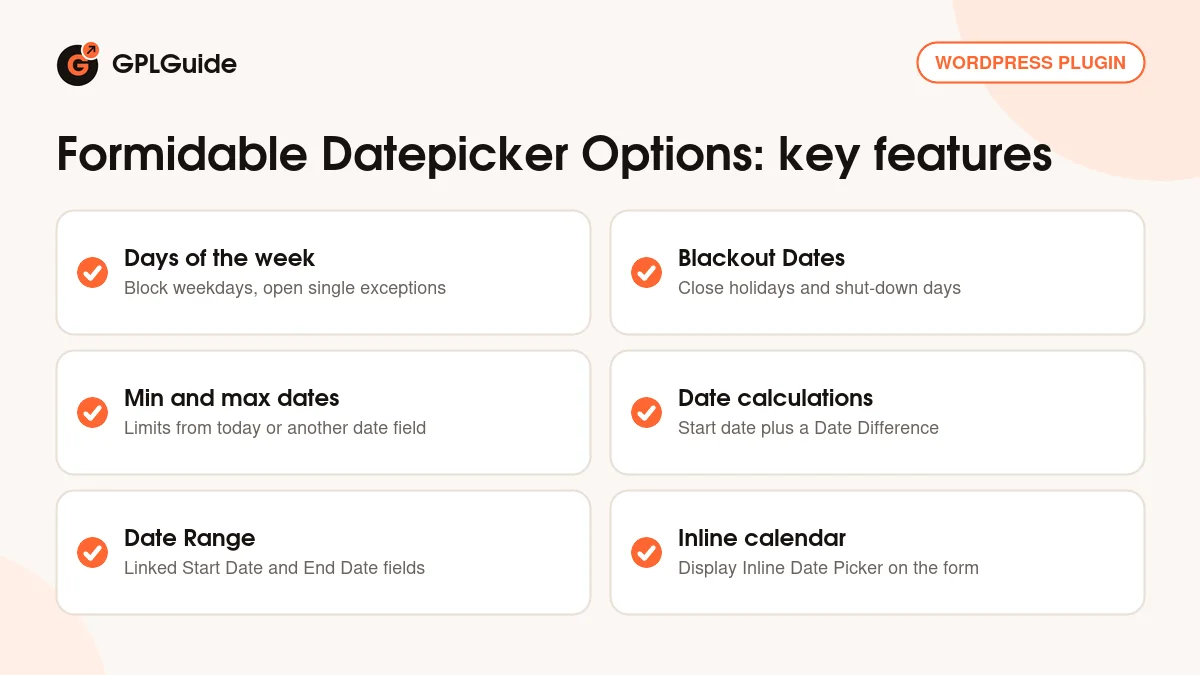
Days of the week. In the field settings, Days of the week has All days ticked. Untick it, then untick each weekday you are closed. An Exceptions link then appears, where you pick single dates that stay open anyway, such as one Saturday before a holiday.
Blackout Dates. Click the Blackout Dates link in the field settings and choose the dates to remove, such as public holidays or the week your office is shut. A single day or a whole run of days both work.
Minimum and maximum dates. Tick Set specific minimum and maximum dates. A limit can follow the current date with an offset or another date field. The docs give these examples. Current date with +0 as the minimum blocks the past. Current date with +0 as the maximum blocks the future, which suits a birthdate. Current date with -18 years as the maximum allows only visitors over 18. A second date field linked to the first with +2 days starts two days after the first choice.
Pro on its own only offers the relative Start Year and End Year. You need Formidable Datepicker Options when the allowed range should move with another date field, or start or end on a set date.
Date calculations and date ranges
Date calculations. Open a Date field, go to the Advanced section and click the calculator icon in the Default Value box. You get two boxes, Start date and Date Difference. The start can be a fixed date written as yyyy-mm-dd, the [date] shortcode for today, a [get param="param_name"] value from the page address, or another field's ID in brackets, such as [10]. That field can be a date, text, hidden, radio or dropdown field.
Date Difference follows the pattern {operator} {number} {unit}. The operator is + or - and defaults to +. The number can be typed or taken from a number, text, hidden, radio or dropdown field. The unit is d, w, m or y, or the words day, week, month or year in singular or plural. So +14 days, -1 y and +[10][11] are all valid. If the result lands on a blacked-out date, the next open date is used.
Date Range. Tick Date Range in a Date field's Field Options and an End Date field is added next to it, while the original becomes the Start Date. This only works with the Flatpickr library. Go to Formidable, Global Settings, General, set Date Picker Library to Flatpickr (Beta) and click Update. jQuery stays the default, and the docs say Flatpickr keeps the same functions with small visual changes.
Inline calendar, phones and developer hooks
Tick Display Inline Date Picker in Formidable Datepicker Options to show the calendar open on the page instead of a text box that opens a pop-up. That is handy when the date is the main question, such as a day for an event.
Phones get the same rules. Before version 3.1, phones using Flatpickr fell back to the browser's own date input, which ignored the date rules. Since 3.1 the Flatpickr calendar shows on mobile too, so Formidable Datepicker Options applies the same limits everywhere.
For developers, the docs list the frm_date_field_options filter with examples for blacking out dynamic dates, hiding the month and year selectors, and setting the first day of the week for all forms or one field.
Date setups you can copy into your forms
These Formidable Datepicker Options setups use only documented settings, so copy them and change the numbers.
- Delivery or collection date: set the minimum to Current date +2 days, untick Sunday under Days of the week and add your public holidays as Blackout Dates.
- Age check: on a birthdate field, set the maximum to Current date -18 years so younger visitors can't pick a valid date.
- Holiday rental or hire form: switch to Flatpickr, tick Date Range for arrival and departure, and set the minimum to Current date +0 so nobody books the past.
- Return date worked out for you: add a number field for the length and a dropdown with day, week and month. In a second Date field, use the first date's ID as Start date and +[10][11] as Date Difference, using your own field IDs.
- Claim or report form: Start Year -1, End Year +0, minimum Current Date -90 days and maximum Current Date, so only the last 90 days can be chosen.
After each change, preview the form and click through the calendar. Check a blocked weekday, a holiday and the first allowed date, and try it on a phone.
What's new in Formidable Datepicker Options 3.1.2
Version 3.1.2 came out on October 8, 2026, and is all about editing saved entries. With an inline jQuery calendar, opening an entry could change its saved date, so saving again stored the wrong day. That is fixed. A saved date that is now blacked out or outside the minimum and maximum also stays valid when you edit the entry, while other blocked dates stay blocked. The same fix covers repeater rows, and each half of a date range can now select the date its partner was saved with.
Version 3.1 (September 9, 2026) moved date ranges and other datepicker settings into Formidable Datepicker Options where possible, for better compatibility across Pro versions. It also brought the Flatpickr calendar to phones, let exceptions override blackout dates, kept ranges linked when a form is duplicated and fixed several JavaScript issues.
Version 3.0 (September 9, 2025) added the Date Range setting and reworked the date field settings.
Good to know before you buy
This is an add-on, not a standalone plugin. It needs the free Formidable Forms plugin and Formidable Forms Pro. We sell Formidable Forms Pro 6.35. The developer released Pro 7.0 on October 14, 2026, but its changelog sets no new minimum for this add-on, and 3.1.2 does not ask for it.
Date Range only works with Flatpickr, which the developer still labels Beta in the settings. Date calculations accept only the field types and unit formats listed above. A calculated date that hits a blackout date moves to the next open day instead of showing an error.
Formidable Datepicker Options controls which dates can be picked. The docs don't describe a limit on how many people can choose the same day, and for advanced scheduling they point to a separate booking plugin. A calendar may also fail to appear if your theme lacks the wp_footer hook.
Formidable Datepicker Options from GPLGuide vs the official subscription
From GPLGuide you get the original Formidable Datepicker Options 3.1.2 file, released under the GPL, for your own sites. The settings work the same way: weekday rules, exceptions, blackout dates, minimum and maximum dates, date calculations, date ranges and the inline calendar. The file from GPLGuide comes with the license key already activated, so there is no key to enter.
Officially the add-on is part of the Formidable Business plan and higher. Business costs $199.50 for the first year (up to 7 sites, renews at $399 a year) and Elite costs $299.50 (unlimited sites, renews at $599 a year). Those plans add things we can't pass on: the developer's support team, a 14-day money-back guarantee and a year of official updates. If you need vendor support, buy from them. If you only need the files, buying them here costs less.
How to install Formidable Datepicker Options
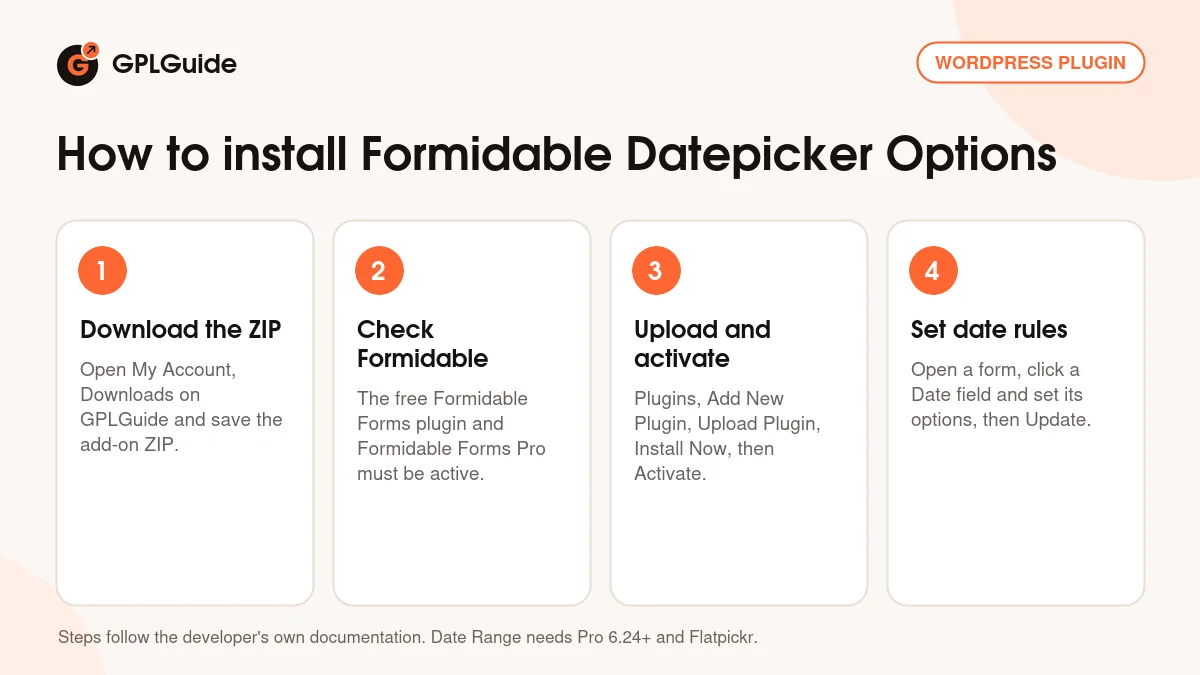
- Sign in to GPLGuide, open My Account, Downloads and save the Formidable Datepicker Options ZIP.
- Make sure the free Formidable Forms plugin and Formidable Forms Pro are installed and active.
- In WordPress go to Plugins, Add New Plugin, Upload Plugin, choose the ZIP, click Install Now, then Activate.
- Open a form in Formidable, click a Date field and set its new options in the field settings, then click Update.
A good first setup in Formidable Datepicker Options is one Date field with three rules. Set the minimum to Current date +1 day so nobody picks today or the past, untick the days you are closed, and add your next public holidays as Blackout Dates. Save and preview the form. Then try a date calculation or a Date Range.
Keeping it up to date
Updates from GPLGuide are manual. When a new version of Formidable Datepicker Options is listed here, download it from your account and upload it under Plugins, Add New Plugin, Upload Plugin. WordPress offers to replace the installed copy, and your date rules stay in place because they are saved with your forms. If you see a newer version that we haven't added, tell us on the Request Item/Update page.
Questions about Formidable Datepicker Options
Does Formidable Datepicker Options need Formidable Forms Pro? Yes. It works on the Date field, which is a Pro field, and it also needs the free Formidable Forms plugin.
Which Formidable plan includes Formidable Datepicker Options officially? The Business and Elite plans, not Basic or Plus.
Does it work with the Pro 6.35 file sold here? Yes, as far as the developer's changelogs show. Date Range needs Pro 6.24 or newer, and 3.1.2 lists no newer minimum.
Can I block weekends but open one Saturday? Yes. Untick Saturday and Sunday under Days of the week, then open that date with the Exceptions link.
Why don't I see the Date Range option? It needs the Flatpickr library. Set Date Picker Library to Flatpickr (Beta) under Formidable, Global Settings, General and click Update.
Can I stop people under 18 from choosing a birthdate? Yes. Set the maximum to Current date -18 years, so any later date can't be picked.
Do the rules work on phones? Yes. Since version 3.1 the Flatpickr calendar shows on mobile too.
What happens to old entries whose date is now blocked? Since 3.1.2, the saved date stays valid when you edit the entry, while other blocked dates stay closed.
Do I need a license key? No. The Formidable Datepicker Options file you download here comes with the license key already activated.
Want more form tools to go with Formidable Datepicker Options? Browse the WordPress plugins in our shop, or see what a GPLGuide membership includes if you need Formidable Forms Pro and other premium plugins together. The free Formidable Forms plugin is on WordPress.org.
Features & capabilities
- Block any weekday under Days of the week, with an Exceptions link for single open dates
- Blackout Dates for holidays and closed days
- Minimum and maximum dates based on today, an offset or another date field
- Age checks such as Current date -18 years on a birthdate field
- Date calculations with a Start date and a Date Difference such as +14 days
- Date Range setting that adds a linked End Date field (Flatpickr library)
- Display Inline Date Picker to show the calendar open on the form
- Same date rules on phones, plus the frm_date_field_options filter for developers