
Formidable Forms – API Webhooks

100% Original fileUnmodified copy of the developer's release
DeveloperCode Canyon
Up to dateOriginal released Oct 13, 2026 · File last updated Oct 23, 2026
About this product
Formidable Forms API is the official add-on that connects your Formidable forms to other websites, apps and services. It sends entries out as webhooks when something happens to them, and it opens a REST API so other systems can read and change your forms, entries and Views. Version 2 also adds the WordPress Abilities API and a built-in MCP server, so an AI assistant can work with Formidable for you. This page is for Formidable Forms API 2.0.2. On GPLGuide you download the original plugin file to install on your own WordPress websites.
Good for: Formidable Forms Pro users who want to push entries to Zapier, a CRM or another WordPress site, developers who need a REST API for forms and entries, agencies that show one form on several sites, and site owners who want to manage forms with an AI client.
Requirements: the free Formidable Forms plugin and Formidable Forms Pro, both active. Formidable Forms needs WordPress 6.3 or newer and PHP 7.0 or newer. The Abilities API and the MCP server need WordPress 6.9 or later, and the View routes need Formidable Views. Your site's REST API must be reachable, HTTPS is strongly recommended, and sending entries does not work with plain permalinks. The developer lists no minimum Pro version for 2.0.2.
What Formidable Forms API does
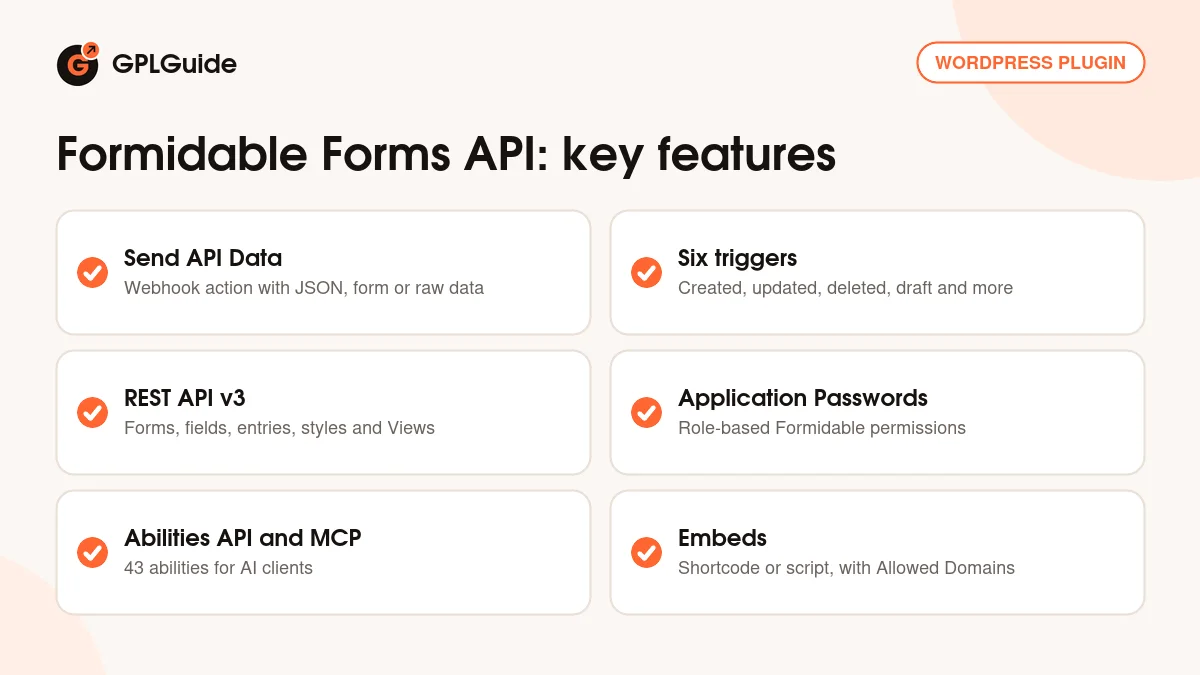
Formidable Forms API works in two directions. Going out, it adds a form action called Send API Data. Each time an entry is created, updated, deleted, imported, saved as a draft or abandoned, Formidable can send the data to any address that accepts it, such as Zapier, a CRM or another WordPress site that also runs Formidable.
Coming in, it opens REST routes on your site. Another system can create and update entries, read stats, or build forms and fields without opening the dashboard. The older v2 routes still work, and the newer v3 routes cover forms, fields, entries, form actions, styles, Views, View layouts and applications.
Formidable Forms API can also show a form or View from one site on another. On a WordPress site you use the [frm-api] shortcode, and elsewhere you paste a small embed script. An Allowed Domains setting controls where those embeds may load.
Sending entries with the Send API Data action
You set up each webhook inside the form. Open the form, go to Settings, Actions & Notifications and pick Send API Data from the Featured tab or the search box. The Action Name is only a label for you. Under "Trigger this action when" you tick the events that should fire it, and the Notification URL is the address that receives the data.
Basic Auth holds the username and password the other service expects, with a colon between them. Data Format can be JSON, form or raw, and Method can be POST, GET, PUT, PATCH or DELETE. Character Set offers your blog charset, UTF-8, ASCII or ANSI. The developer says the Test Connection button is not a reliable check, so submit a real entry to be sure.
The data is a list of key and value pairs. The key is the name the receiving service wants, such as email. The value can be a field shortcode, static text or shortcodes such as [date] or [user_id]. The Formidable Forms API docs show how to send address parts, names, file URLs and repeater rows.
The Formidable Forms API key and Application Passwords
The settings for incoming requests live under Formidable, Global Settings, API. Here you switch REST API, Embeds and MCP Server on or off and copy the API Key. Turning REST API off removes both the v2 and v3 routes. The Generate Key button creates a new key, but this cannot be undone, and every integration that used the old key stops working until you update it.
The legacy API key runs requests with administrator rights. For new work the developer recommends a WordPress Application Password for a dedicated user, because it only has that user's permissions. You choose those under Formidable, Global Settings, Permissions, with options such as View Forms List, Add and Edit Forms, and View Entries from Admin Area.
The v3 routes start at /wp-json/frm/v3. List routes accept page, page_size, order and search, and new Views created through Formidable Forms API stay private until you publish them. The docs advise reading an object back after each change and testing deletes on a staging site first.
Formidable Forms API and the MCP server for AI assistants
Version 2.0 registers Formidable operations with the WordPress Abilities API. With Pro and Views active there are 43 abilities, with names such as formidable-forms/list-forms and formidable-forms/create-entry. Each one checks the user's Formidable permission every time it runs.
The same abilities are offered through an MCP server called formidable-mcp. Turn on MCP Server in the API settings and click Update. Formidable Forms API bundles the WordPress MCP Adapter, so there is no extra plugin to install. You connect locally through WP-CLI or over HTTPS with an Application Password. The docs cover Claude Code, Claude Desktop, Codex CLI and the ChatGPT desktop app, and an MCP Connections screen lists recent HTTP activity.
The developer advises testing on a staging site, using a dedicated non-admin user and never pasting passwords into an AI chat.
Setups you can copy with Formidable Forms API
These setups use settings from the developer's docs.
- Leads to Zapier: create a Catch Hook in Zapier, paste its address as the Notification URL, set Data Format to JSON and trigger the action when an entry is created.
- Copy entries to a second site: on site A, add a Send API Data action that posts to the entries route of site B, with a form_id key for the matching form. Put site B's API key in Basic Auth.
- Update instead of duplicate: set Method to PATCH and put the entry ID in the Notification URL, so an edit changes the same record on the other side.
- Remove copies on delete: add a second action that fires when an entry is deleted and uses the DELETE method.
- One form on many sites: place [frm-api type="form" id="5" url="https://example.com"] on a second WordPress site and add that site to Allowed Domains.
- Follow up on abandoned forms: with Formidable's Abandonment add-on, trigger Send API Data when a form is abandoned to pass partial details to your CRM.
- Let an AI do the busywork: connect Claude Code through MCP as a user that may only View Forms List and View Entries from Admin Area, then ask it for the newest entries.
What's new in Formidable Forms API 2.0.2
Version 2.0.2 came out on October 13, 2026. The main change is about MCP. Formidable Forms 7.0 and some other add-ons now carry their own MCP abilities, so they take over and Formidable Forms API only fills the gaps. Entries can now be created or updated with a user ID to set the owner, the form actions list has pagination, and deleting a style moves its forms to the default style.
Fixes include webhook JSON that now escapes lone line breaks (merged lines in services like Twilio), a PHP notice on WordPress older than 6.9, repeater rows that got the parent's post ID on update, and style and application endpoints that accepted IDs from other post types. Deleting a View through the API now moves it to the trash.
Version 2.0.1 (August 17, 2026) made the MCP server work with older MCP adapters bundled in plugins such as WooCommerce and Rank Math. Version 2.0 (August 11, 2026) brought the v3 routes, the Abilities API and MCP server, Allowed Domains, the abandoned trigger and tighter API key checks.
Good to know before you buy
This is an add-on, not a standalone plugin. You need the free Formidable Forms plugin and Formidable Forms Pro. Some setups in the docs also rely on other add-ons: Formidable Views for View routes, Form Action Automation for automatic deletion and embedded forms, and Logs for seeing what each call sent and received.
Simple webhooks need no code, but custom headers, other authentication types and saving a response back into a field all use PHP hooks such as frm_api_request_args. The default timeout is 15 seconds. Values sent to a credit card field never trigger a payment, and updating a registration entry without a password is not supported yet.
The webhooks, REST routes and MCP server all run on your own site. Services you connect, such as Zapier or a CRM, are third parties with their own accounts, and the developer's support does not cover external APIs. Keep the legacy API key private, since it gives full administrator access.
Formidable Forms API from GPLGuide vs the official subscription
From GPLGuide you get the original Formidable Forms API 2.0.2 plugin file, released under the GPL, for your own websites. Everything in the file is the same: Send API Data, the v2 and v3 routes, embeds, the Abilities API and the MCP server. The file from GPLGuide comes with the license key already activated, so there is no key to enter. The API Key under Global Settings, API is separate, and your site creates it itself.
Officially the add-on comes with the Business or Elite plan. Business costs $199.50 for the first year (normally $399 a year, up to 7 sites) and Elite $299.50 (normally $599, unlimited sites). Those plans include things we can't pass on: the developer's support, its 14-day refund and premium templates downloaded from its servers. If you need vendor support, buy from them.
How to install Formidable Forms API
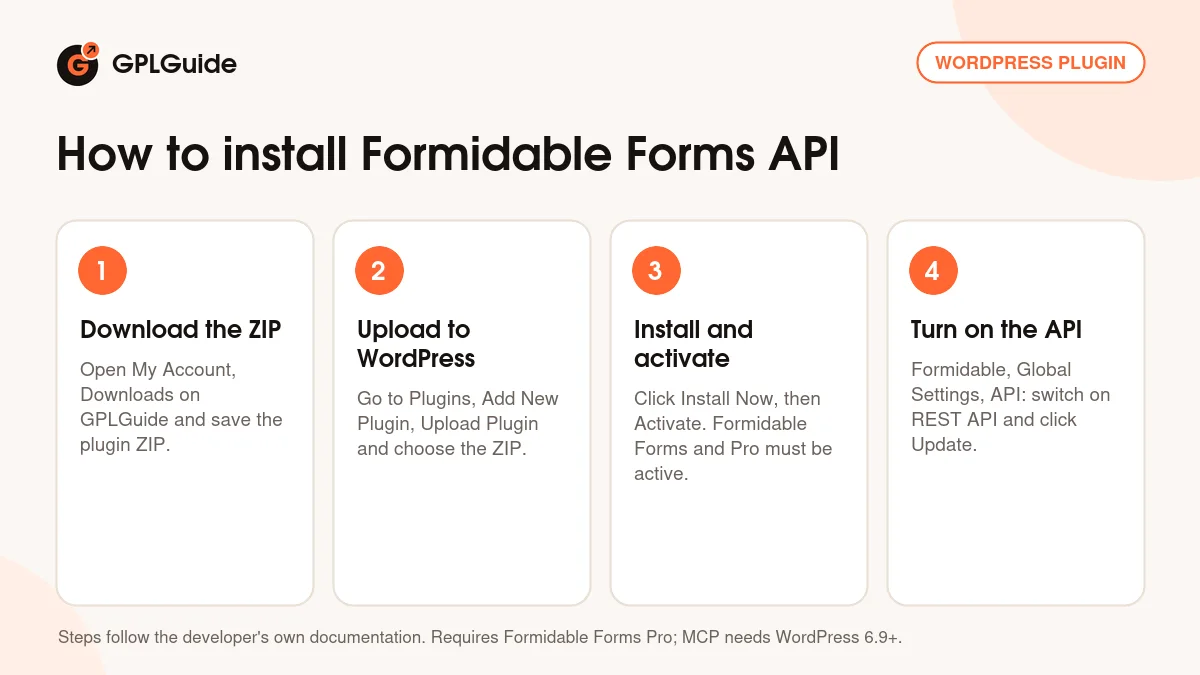
- Sign in to GPLGuide, open My Account, Downloads and save the Formidable Forms API ZIP.
- In WordPress go to Plugins, Add New Plugin, Upload Plugin and choose the ZIP.
- Click Install Now, then Activate. Formidable Forms and Formidable Forms Pro must already be active.
- Go to Formidable, Global Settings, API, switch on REST API (and MCP Server if you want it) and click Update.
A good first Formidable Forms API setup is one webhook on a simple contact form. Create a Catch Hook in Zapier or any test endpoint, then add Send API Data to the form. Trigger it when an entry is created, choose JSON and POST, and add keys such as name and email that point to your fields. Submit a test entry and check that the data arrives.
Keeping it up to date
Updates from GPLGuide are manual. When a new version of Formidable Forms API is listed, download it from your account and upload it under Plugins, Add New Plugin, Upload Plugin. WordPress offers to replace the installed copy, and your API actions and settings stay because they are saved in the database. Keep Formidable Forms and Pro current too. If you spot a newer version we haven't added, tell us on the Request Item/Update page.
Questions about Formidable Forms API
Which Formidable plan includes this add-on officially? Business and Elite. Basic and Plus do not include Formidable Forms API.
Is it the same as the Zapier add-on? No. Both can send entries to Zapier, and the developer suggests the Zapier add-on when you only need created or deleted entries. Formidable Forms API handles more events and any service with an API.
Do I need to write code? Not for normal webhooks. Custom headers, other login types and saving responses into fields need PHP hooks.
Can it receive data as well as send it? Yes. Other systems can create, update, read and delete entries, and work with forms, fields, Views and styles.
What happens if I click Generate Key? A new API key replaces the old one, and integrations using the old key stop working until you update them.
Does the MCP server need a separate plugin? No. Formidable Forms API bundles the WordPress MCP Adapter. You need WordPress 6.9 or later.
Which Pro version do I need? The developer lists no minimum. If your Formidable plugins do not have their own MCP abilities yet, Formidable Forms API supplies them itself.
Can I embed a form on a site that does not run WordPress? Yes, with the embed script. Forms with payment actions or reCAPTCHA load in an iframe instead.
Browse more WordPress plugins on GPLGuide, get Formidable Forms Pro if you don't have it yet, or see what a GPLGuide membership includes. The free Formidable Forms plugin is on WordPress.org.
Features & capabilities
- Send API Data action that sends entries to any URL as JSON, form or raw data
- Triggers on created, updated, deleted, imported, draft and abandoned entries
- POST, GET, PUT, PATCH and DELETE methods with Basic Auth
- REST API v3 for forms, fields, entries, styles, Views, actions and applications
- Legacy v2 routes kept for existing integrations
- Application Password support with role-based Formidable permissions
- WordPress Abilities API and built-in MCP server for AI clients
- [frm-api] shortcode and embed script with an Allowed Domains setting


