
Formidable Forms Quiz Maker
100% Original fileUnmodified copy of the developer's release
DeveloperFormidable Forms
Up to dateOriginal released Sep 8, 2026 · File last updated Oct 23, 2026
About this product
Formidable Forms Quiz Maker is the official quiz add-on for the Formidable Forms form builder. It turns a normal Formidable form into a graded test, a trivia quiz or a personality quiz, and it scores each entry when it is submitted. This page is for Formidable Forms Quiz Maker 3.2. On GPLGuide you download the original add-on file to install on your own WordPress websites.
Good for: teachers and course sites that need graded tests, trainers who want a knowledge check after a lesson, bloggers who run "which one are you" quizzes, and shops that want a quiz to suggest the right product.
Requirements: Formidable Forms Quiz Maker is an add-on, not a standalone plugin. You need the free Formidable Forms plugin and Formidable Forms Pro, both active. The free plugin's listing asks for WordPress 6.3 or newer and PHP 7.0 or newer. The developer does not publish a separate minimum Formidable Pro version for the add-on. Version 3.2 came out a day before Formidable 6.35, and its changelog refers to nothing newer than Formidable 6.31.
What Formidable Forms Quiz Maker does
Formidable already builds almost any form. Formidable Forms Quiz Maker adds two form actions on top: Scored Quiz and Quiz Outcome. You build your questions as normal fields, then add one of these actions. From then on, every submission is marked, scored and saved with the entry.
A scored quiz is the classic test. Each question has a right answer, the person gets points for each one they get right, and the total is stored in a Quiz Score field. An outcome quiz works differently. There is no right or wrong. Each answer counts toward one of several results, and the person sees the result that matched best, such as a personality type or a recommended product.
Each form can have only one quiz action, so a form is either a scored quiz or an outcome quiz. You publish it like any other Formidable form, with a shortcode or a block, on any page or post.
Scored quizzes: answers, points and results
With Formidable Forms Quiz Maker active, start under Formidable, Forms, Add New, and pick a blank form or the Quiz template. Multiple choice questions use radio buttons, checkboxes or dropdowns. For typed answers, use a single line text or paragraph field. Then open the form's Settings, go to Actions & Notifications, open the Misc tab and add the Scored Quiz action. Give it an Action Name and choose when it runs: when an entry is created, updated or imported.
Next, click Customize Quiz Scoring and mark the correct answers. By default each correct answer is worth one point. Tick the Advanced scoring checkbox on a question to give each option its own points. With advanced scoring you can also turn on Allow negative scoring, so a wrong option on a checkbox question takes a point away instead of just scoring nothing.
Text answers are flexible. You can enter a comma-separated list of accepted answers and choose how the reply is checked: Should equal, Should contain all, Should contain one, Should not contain, Less than or Greater than. For open questions, tick Score this field manually. The entry then waits as unscored until you open it, click Change and enter the points yourself.
The setting What would you like to show after submit decides what comes next. Use default settings shows your normal confirmation message. Show the score gives the total and the number of correct answers. Show user's answers adds their replies, and Show correct answers also shows the right answer for each question they missed.
Outcome quizzes for personality and product results
For personality and product quizzes, Formidable Forms Quiz Maker uses the Quiz Outcome action, found in the same Misc tab. Each outcome gets an Action Name, an optional image added with Upload image, and the result text written in the Visual or Text editor. Click Add another outcome for each extra result, then use Add Outcome Conditions to say which answers point to it.
When someone submits the quiz, the outcome with the most matching answers wins. If two outcomes tie, the one with the lower ID is shown. An outcome with no conditions acts as the default when nothing else matches. An outcome with neither an image nor any content is skipped.
Showing scores, grades and correct answers
The Quiz Score field that Formidable Forms Quiz Maker fills in has its own shortcode options. With x standing for the field ID or key, [x] shows a fraction such as 9/10, [x show=total] shows the number of correct answers, [x show=percent] shows a percentage, [x show=percentile] shows a percentile from 0 to 100, and [x show=grade] shows a letter grade. These work in a View, an Email Notification, a success message and other places where Formidable field shortcodes work.
Letter grades come from the grading scale under Formidable, Global Settings, Quizzes. The default scale has the letters A, B, C, D and F, and any score the scale does not cover shows no grade. For emails, [default-message] includes the score with the answers given, and [default-message format="quiz_correct_answers"] adds the correct answers too.
Outcome quizzes have matching options such as show=title, show=image and show=message for a results email or page. Conditional shortcodes with equals, not_equal, greater_than and less_than can show different text to people who passed and people who did not.
Quiz ideas to set up with Formidable Forms Quiz Maker
These setups use only documented settings, so you can copy them and change the questions.
- End of lesson test: ten radio button questions, one point each, and Show correct answers after submit so students learn from their mistakes.
- Timed exam: turn on Time this quiz?, set a limit such as 900 seconds and rename the start button to "Begin the exam". Put the result in an email with [x show=grade].
- Fair multiple choice: a checkbox question with advanced scoring, +1 for each right option and -1 for each wrong one, so ticking every box does not pay off.
- Short written answers: a single line text question that accepts "Paris, paris" with Should contain one, or an essay question set to Score this field manually.
- Personality quiz: four outcomes with an image and a short write-up each, plus one outcome without conditions as the safe default.
- Product finder: each outcome names a product and links to it in the result text, so every visitor gets a link to the right product.
Shuffle the order with Randomize Questions and Randomize Options in the form settings when people retake a test or sit it side by side. Long tests can be split into pages, and the timer works across pages.
What's new in Formidable Forms Quiz Maker 3.2
Formidable Forms Quiz Maker 3.2 came out on September 8, 2026, and it adds one thing: a quiz timer for scored quizzes. In the Scored Quiz action, turn on Time this quiz?, enter the Time Limit (seconds) and, if you like, change the Start Button Label, which reads "Start Quiz" by default. Then click Update.
A timed quiz opens with a start screen. When the time runs out, the form submits the answers given so far. The countdown bar sits below the form title, and a Timer field records how long each person took, shown next to the Score column in your entries. The timer works with multi-page quizzes, JavaScript validation and AJAX submit. It keeps running during validation errors, and saving a draft stops it.
Before that, 3.1.8 (May 27, 2026) updated the quiz action settings for the form action changes in Formidable 6.31. Version 3.1.7 (December 10, 2025) moved the randomize settings into the form settings and fixed two errors, and 3.1.6 (January 30, 2025) fixed manual scoring on the entry page.
Good to know before you buy
Formidable Forms Quiz Maker needs Formidable Forms Pro. The free plugin alone will not run it. GPLGuide sells Formidable Forms Pro as a separate download, currently version 6.35. The developer does not list an official minimum Pro version for Quiz Maker 3.2, but nothing in its changelog asks for anything newer than 6.35.
The docs list a few limits. Scoring and the timer do not work on embedded forms. User ID, Hidden, Rich text, File upload and Signature fields are never scored. If a quiz has manually scored questions, Show the score will show zero until you grade them, so pick another after-submit option. The developer also advises against showing two countdowns for the same quiz on one page.
The developer's docs describe no online service for Formidable Forms Quiz Maker. Quizzes are scored on your own site and the scores are saved with your entries.
Formidable Forms Quiz Maker from GPLGuide vs the official subscription
Here you get the original Formidable Forms Quiz Maker 3.2 file, released under the GPL. Everything in the file works the same: scored and outcome quizzes, advanced and manual scoring, the timer, grading and all the shortcodes. The file from GPLGuide comes with the license key already activated, so there is no key to enter.
Officially, Formidable Forms Quiz Maker comes in the Business plan, $199.50 for the first year (regular price $399, up to 7 sites), and in Elite. The Plus and Basic plans do not include it. Only a Formidable plan gives you the developer's own support, their 14-day money-back guarantee and installs from the Add-Ons screen. We do not offer the developer's support. If you only need the add-on file, buying it here costs less.
How to install Formidable Forms Quiz Maker
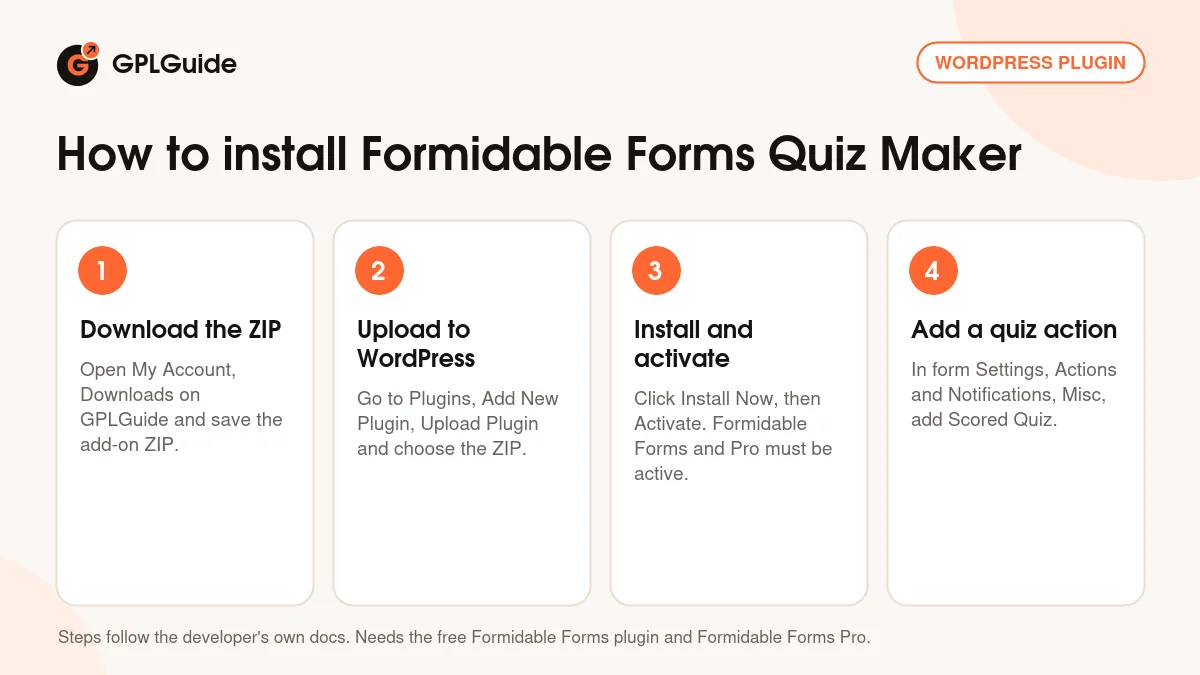
- Sign in to GPLGuide, open My Account, Downloads and save the Formidable Forms Quiz Maker ZIP.
- In WordPress go to Plugins, Add New Plugin, Upload Plugin and choose the ZIP.
- Click Install Now, then Activate. The free Formidable Forms plugin and Formidable Forms Pro must already be active.
- Open a form, go to Settings, Actions & Notifications, Misc and add the Scored Quiz or Quiz Outcome action.
A good first quiz is small. Make a form with five radio button questions, add the Scored Quiz action, mark the right answers under Customize Quiz Scoring and choose Show correct answers. Publish it on a test page, take it and check the saved score. Then try the timer or an outcome quiz with Formidable Forms Quiz Maker.
Keeping it up to date
Updates from GPLGuide are manual. When a new version of Formidable Forms Quiz Maker is listed here, download it from your account and upload it under Plugins, Add New Plugin, Upload Plugin. WordPress offers to replace the installed copy, and your quizzes and scores stay in place. If you see a newer version that we have not added, tell us on the Request Item/Update page.
Questions about Formidable Forms Quiz Maker
Does Formidable Forms Quiz Maker need Formidable Forms Pro? Yes. The docs ask for Formidable Forms Premium, which runs on top of the free Formidable Forms plugin.
Can one form be a scored quiz and an outcome quiz? No. Each form can have one quiz action, either Scored Quiz or Quiz Outcome. Make two forms if you need both.
Can Formidable Forms Quiz Maker time a quiz? Yes, since version 3.2. Turn on Time this quiz? in the Scored Quiz action and enter the limit in seconds.
Can people see the right answers? Yes. Choose Show correct answers after submit, or add the quiz_correct_answers format to the email shortcode.
Can I grade essay questions myself? Yes. Tick Score this field manually on a text or paragraph field, then grade the entry.
Can I show a letter grade? Yes. Use show=grade on the Quiz Score field. The scale is set under Formidable, Global Settings, Quizzes.
Can I shuffle the questions? Yes. Randomize Questions changes the question order and Randomize Options shuffles the choices in radio, checkbox and dropdown fields.
Does this copy of Formidable Forms Quiz Maker need a key? No. It comes with the license key already activated, so you install it and start building.
Looking for more form tools? Browse our WordPress plugins, or see what a GPLGuide membership includes if you need Formidable Forms Pro and several other premium plugins. The free Formidable Forms plugin is on WordPress.org.
Features & capabilities
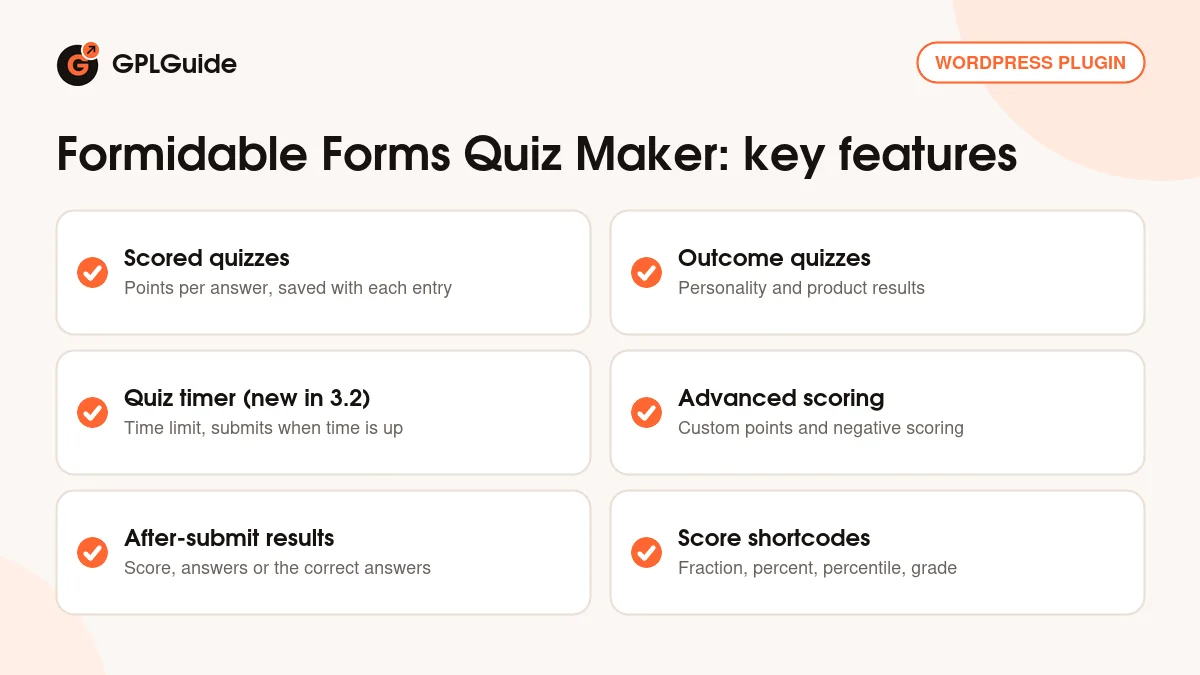
- Scored quizzes with one point per correct answer or custom points per option
- Outcome quizzes for personality types and product suggestions
- Quiz timer with a start screen and automatic submit when time is up (new in 3.2)
- Negative scoring for wrong options on advanced scoring questions
- Flexible checks for typed answers, plus manual scoring for open questions
- Four after-submit options, including the score and the correct answers
- Score shortcodes for fraction, total, percent, percentile and letter grade
- Random question and answer order each time the form loads


