
Lambda – Responsive Moodle Theme
100% Original fileUnmodified copy of the developer's release
DeveloperRedPiThemes
Up to dateOriginal released Apr 23, 2025 · File last updated Oct 28, 2026
About this product
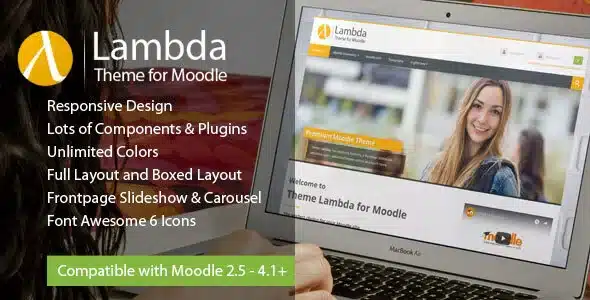
Lambda Moodle Theme 2.3.01 is a theme for Moodle, the open source learning platform, made for schools, universities, training companies and course sellers who run their own Moodle site and want it to look like a modern course portal instead of the default layout. It suits admins who'd rather change the look from settings pages than edit code: front page hero, page width, colours, fonts and footer all sit in the theme settings. This release line brings compatibility with Moodle 5.0 while keeping Moodle 4 support. The developer ships separate theme packages for Moodle 4 and Moodle 5, plus a help center with articles, demo front page content and sample course backups.
How to install Lambda Moodle Theme
- Log in to GPLGuide, open this product and click Download under Your downloads.
- If the download holds more than one ZIP, unzip it on your computer first and pick the theme ZIP for your Moodle version: theme_lambda2_moodle_4.zip or theme_lambda2_moodle_5.zip.
- Log in to Moodle as an administrator, go to Site administration, Plugins, Install plugins and upload that ZIP.
- Check the plugin validation report, click Install plugin and let Moodle finish the database upgrade. The developer advises leaving the theme settings at their defaults at first and clicking Save changes.
- Make Lambda the default under Site administration, Appearance, Themes, Theme selector. Its settings are under Site administration, Appearance, Themes, Lambda, and the demo front page content is in the developer's help center.
Features & capabilities
- Boxed or wide page layout with extra layout settings
- Header options with a flexible top bar
- Footer styles with columns for core Moodle blocks and social links
- Several block positions and block styles
- Unlimited colour choices and Google Fonts for body text and headings
- Front page hero section
- Custom course enrolment page and a course overview with display options
- Site news shown in a blog style
- Left-to-right and right-to-left language support
- Scroll to top arrow and a responsive layout for phones and tablets
Frequently asked questions
Is this the original file?
Yes. Every product on GPLGuide is the developer’s own release, unchanged. The license key comes already activated. If a product does ask for a key, the activation steps appear on its page once you have it.
Is it legal to use a GPL plugin or theme from GPLGuide?
Yes. WordPress plugins and themes are released under the GPL, which lets anyone use, share and change the code. The developer’s support desk and the developer’s own update service are not part of the file; those stay with the developer.
How do I install it?
Log in, open the product page and click Download under Your downloads. For a plugin go to Plugins, Add New Plugin, Upload Plugin, choose the ZIP, then Install Now and Activate. For a theme go to Appearance, Themes, Add New Theme, Upload Theme.
How do updates work?
When a newer version is listed on GPLGuide, download it from the product page and upload it over the installed copy; WordPress offers to replace the old version. Updates are manual.
Can I use it on more than one site?
Yes. The GPL lets you use it on as many of your own sites as you like.
What if the file does not work or a newer version is out?
Tell us on the Request Item page or through Support. We check the file and add the newer version when we have it.


