
Motor Vehicles Parts Equipments and Accessories WooCommerce Store Theme
100% Original fileUnmodified copy of the developer's release
DeveloperStockware
Up to dateOriginal released Jun 29, 2025 · File last updated Oct 28, 2026
About this product
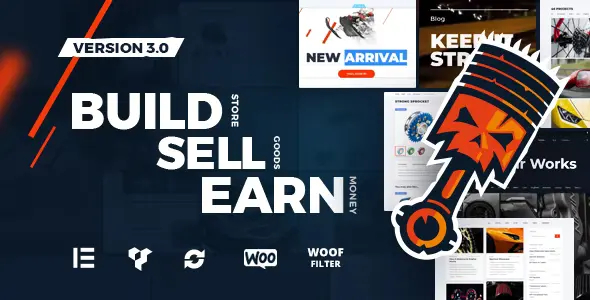
Motor Theme 3.1.0 is a WooCommerce store theme for selling vehicle parts, equipment and accessories online: car and motorcycle parts shops, boat and ATV dealers, snowmobile and UTV accessory sellers, tyre and tool stores and workshops that sell spares next to their repair service. It also works for a dealer who lists vehicles rather than parts, or for a parts catalogue where buyers send a request instead of adding items to a cart. The developer builds the shop pages on WooCommerce and the Elementor page builder, with earlier page builder layouts still supported, and ships a product filter plugin, a portfolio builder and demo home and product pages that show how a parts store is laid out.
How to install Motor Theme
- Install and activate WooCommerce under Plugins, Add New Plugin, and run its setup so the shop, cart and checkout pages exist before the theme is active.
- Log in to GPLGuide, open this product and click Download under Your downloads.
- Go to Appearance, Themes, Add New Theme, Upload Theme, choose the theme ZIP, click Install Now and then Activate.
- Install and activate Elementor from Plugins, Add New Plugin if you want to edit the home, header and footer layouts; the theme also works with Elementor Pro.
- Open Appearance, Customize to set the colours and other live customizer options, then build your catalogue under Products, adding brands and badges to each item as you go.
Features & capabilities
- Pre-built WooCommerce storefront with gallery and list views for parts and vehicles
- Quick view, compare and wishlist buttons on the product gallery
- Product filter plugin support for narrowing parts by attributes
- Request a quote option in place of the add to cart button
- Brand and badge labels on products, with the SKU shown in the info view
- Mega menu, sticky header, header cart widget and Ajax search
- Elementor page builder support plus header and footer layouts
- Live customizer colour settings and a choice of Google Fonts
- Styled Google Map, Contact Form 7 integration and WPML compatibility
Frequently asked questions
Is this the original file?
Yes. Every product on GPLGuide is the developer’s own release, unchanged. The license key comes already activated. If a product does ask for a key, the activation steps appear on its page once you have it.
Is it legal to use a GPL plugin or theme from GPLGuide?
Yes. WordPress plugins and themes are released under the GPL, which lets anyone use, share and change the code. The developer’s support desk and the developer’s own update service are not part of the file; those stay with the developer.
How do I install it?
Log in, open the product page and click Download under Your downloads. For a plugin go to Plugins, Add New Plugin, Upload Plugin, choose the ZIP, then Install Now and Activate. For a theme go to Appearance, Themes, Add New Theme, Upload Theme.
How do updates work?
When a newer version is listed on GPLGuide, download it from the product page and upload it over the installed copy; WordPress offers to replace the old version. Updates are manual.
Can I use it on more than one site?
Yes. The GPL lets you use it on as many of your own sites as you like.
What if the file does not work or a newer version is out?
Tell us on the Request Item page or through Support. We check the file and add the newer version when we have it.


