CSS Igniter Roxima WordPress Theme
100% Original fileUnmodified copy of the developer's release
DeveloperThemeForest
Up to dateOriginal released Sep 17, 2025 · File last updated Nov 20, 2026
About this product
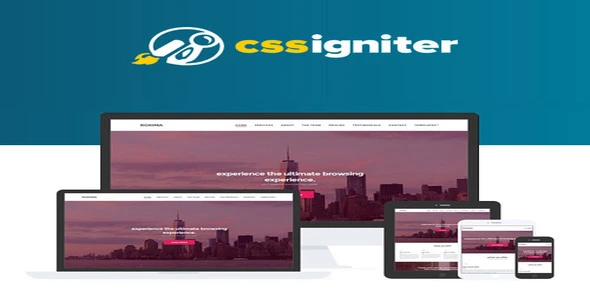
Roxima Theme 1.1.6 is a one-page business theme for WordPress. It is made for a landing page for a company, project or product, where visitors scroll through hero, services, team, pricing, client, testimonial and contact sections on one long page and the menu links jump to each section. The developer ships the theme with a one-click demo import that offers two presets, Roxima and Denti, with block editor or Elementor sample content, and it runs on the developer's free framework plugin.
How to install Roxima Theme
- The theme needs the developer's free framework plugin. If you have it, install and activate it under Plugins, Add New Plugin, Upload Plugin. The order doesn't matter.
- Log in to GPLGuide, open this product and click Download under Your downloads.
- Go to Appearance, Themes, Add New Theme, click Upload Theme, choose the theme's ZIP file and click Install Now.
- Click Activate. The theme opens its onboarding page, which asks you to install and activate the framework plugin if you haven't yet. WooCommerce is optional and only needed for a shop. The docs list PHP 7.4 or newer for the server.
- To import the demo, open Appearance, Theme Options, Sample Content and click Install, then Activate, for each plugin it lists. Click Get Started, choose the builder or variation you want and click Import Demo. Some imported links may still point to the demo site.
- To build the one-page homepage yourself, go to Pages, Add New and pick the Full width boxed template. Add an anchor to each section, then add custom links to those anchor IDs under Appearance, Menus.
Features & capabilities
- Menu links jump to anchors on the homepage, and putting the word smooth in the menu's name turns on smooth scrolling.
- Two presets, Roxima and Denti, that you pick when you import the demo content.
- The demo homepage runs from a hero through services, a parallax strip, team, pricing, clients and testimonials to recent posts and a contact area.
- A transparent header layout that swaps in an alternative logo, set under Customize, Site Identity and Customize, Header, Layout.
- A top bar with three content areas that take text, HTML or shortcodes.
- Any menu item becomes a button when you give it the CSS class nav-button under Appearance, Menus.
- Global Sections hold reusable content, such as a call to action or banner, that can show in more than 15 theme locations.
- Team and services custom post types, plus six page templates that set sidebar position and content width.
- Works with Elementor, Divi and Beaver Builder, and offers an optional WooCommerce shop with share buttons for posts and products.
Frequently asked questions
Is this the original file?
Yes. Every product on GPLGuide is the developer’s own release, unchanged. The license key comes already activated. If a product does ask for a key, the activation steps appear on its page once you have it.
Is it legal to use a GPL plugin or theme from GPLGuide?
Yes. WordPress plugins and themes are released under the GPL, which lets anyone use, share and change the code. The developer’s support desk and the developer’s own update service are not part of the file; those stay with the developer.
How do I install it?
Log in, open the product page and click Download under Your downloads. For a plugin go to Plugins, Add New Plugin, Upload Plugin, choose the ZIP, then Install Now and Activate. For a theme go to Appearance, Themes, Add New Theme, Upload Theme.
How do updates work?
When a newer version is listed on GPLGuide, download it from the product page and upload it over the installed copy; WordPress offers to replace the old version. Updates are manual.
Can I use it on more than one site?
Yes. The GPL lets you use it on as many of your own sites as you like.
What if the file does not work or a newer version is out?
Tell us on the Request Item page or through Support. We check the file and add the newer version when we have it.