
Share Booking Plugin for WooCommerce
100% Original fileUnmodified copy of the developer's release
DeveloperCodecanyon
Up to dateOriginal released Jun 18, 2026 · File last updated Nov 19, 2026
About this product
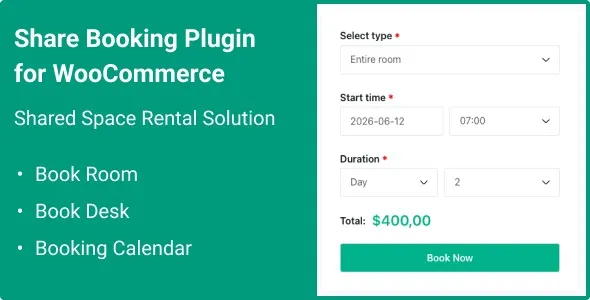
Shared Space Booking for WooCommerce 1.0.3 turns WooCommerce into a booking system for rooms and desks that people rent by the hour, day, week, month or year. It is built for coworking spaces, meeting and conference rooms, photo and creative studios, shared offices and community spaces, where a customer may reserve a whole room or just one desk. Availability is checked before the booking reaches the cart, so two people can't take the same slot. You add rooms as products in the WordPress admin, and customers book and pay through the normal WooCommerce cart and checkout.
How to install Shared Space Booking for WooCommerce
- Install and activate WooCommerce first under Plugins, Add New Plugin. The developer lists WooCommerce 9.0 or newer and WordPress 6.4 or newer.
- Log in to GPLGuide, open this product and click Download under Your downloads.
- Go to Plugins, Add New Plugin, Upload Plugin, choose the ZIP you downloaded, click Install Now, then click Activate.
- Create a room under Products, Add New Product and set Product data to Shared Space. Add the room details, generate desks if you rent them separately, and set the pricing.
- Watch your reservations under the Shared Space menu in the WordPress sidebar: Booking Calendar, Add New Booking and Bookings.
- Open WooCommerce, Settings, Shared Space Booking to set rental times, minimum advance booking, booking holds, deposits, reminder emails and cancellations.
Features & capabilities
- Rent a whole room or individual desks, with desks generated in bulk from a prefix, start number and count
- Hourly, daily, weekly, monthly or yearly prices, as fixed packages or a flexible duration with minimum, maximum and step
- Seasonal date ranges and optional discount rules for longer bookings
- Availability checks before add to cart and at checkout, with temporary cart holds while the customer pays
- Deposits as a percentage or fixed amount, with the remaining balance created and emailed with a payment link
- Custom checkout fields in eleven types, including file upload, and optional add-on pricing
- Booking calendar with month, week, day and list views, plus a booking list and manual booking creation
- Reminder emails before check-in and customer cancellations up to a time limit you choose
- reCAPTCHA v2 and v3 on the booking form
- Translation-ready, so the booking form and calendar can be shown in your own language
Frequently asked questions
Is this the original file?
Yes. Every product on GPLGuide is the developer’s own release, unchanged. The license key comes already activated. If a product does ask for a key, the activation steps appear on its page once you have it.
Is it legal to use a GPL plugin or theme from GPLGuide?
Yes. WordPress plugins and themes are released under the GPL, which lets anyone use, share and change the code. The developer’s support desk and the developer’s own update service are not part of the file; those stay with the developer.
How do I install it?
Log in, open the product page and click Download under Your downloads. For a plugin go to Plugins, Add New Plugin, Upload Plugin, choose the ZIP, then Install Now and Activate. For a theme go to Appearance, Themes, Add New Theme, Upload Theme.
How do updates work?
When a newer version is listed on GPLGuide, download it from the product page and upload it over the installed copy; WordPress offers to replace the old version. Updates are manual.
Can I use it on more than one site?
Yes. The GPL lets you use it on as many of your own sites as you like.
What if the file does not work or a newer version is out?
Tell us on the Request Item page or through Support. We check the file and add the newer version when we have it.


